10 Action Plan Template Free Resources for Organizers
Compare 10 action plan template free resources in Excel, Word, Google Docs, and more for HOAs, clubs, volunteers, and event organizers.
A volunteer board meeting ends with good intentions and a messy follow-up problem. Someone has notes. Someone else has a spreadsheet. Three people think they own the same task, and the person who usually sends updates is about to rotate off the committee. What you need isn't the fanciest template. You need a plan people can open, edit, email, print, and hand to the next organizer without rebuilding everything.
That's where most searches for an action plan template free go sideways. People download a file that looks tidy, then realize it assumes everyone wants another app, another login, or another workspace to maintain. For HOAs, clubs, volunteer teams, event committees, and safety coordinators, the format matters as much as the content.
The resources below compare ten practical options by the things non-technical organizers care about: downloadable formats, account friction, email sharing, ownership continuity, customization effort, and whether the tool fits a standing committee or a one-time event. Some are best as offline files you attach to an email. Some work better when a core group needs to update the same plan live. One is specifically for emergency planning.
When the final plan needs to reach a whole group without exposing member addresses, a shared group address such as Listava can help distribute updates privately through normal email. That matters when the plan is solid, but the group's communication habits are still simple.
Table of Contents
- 1. Smartsheet
- 2. ProjectManager
- 3. ClickUp
- 4. Atlassian Confluence
- 5. Miro
- 6. Canva
- 7. Airtable
- 8. Asana
- 9. Vertex42
- 10. OSHA
- Top 10 Free Action Plan Template Tools Comparison
- Choose the Simplest Plan Your Group Will Maintain
1. Smartsheet
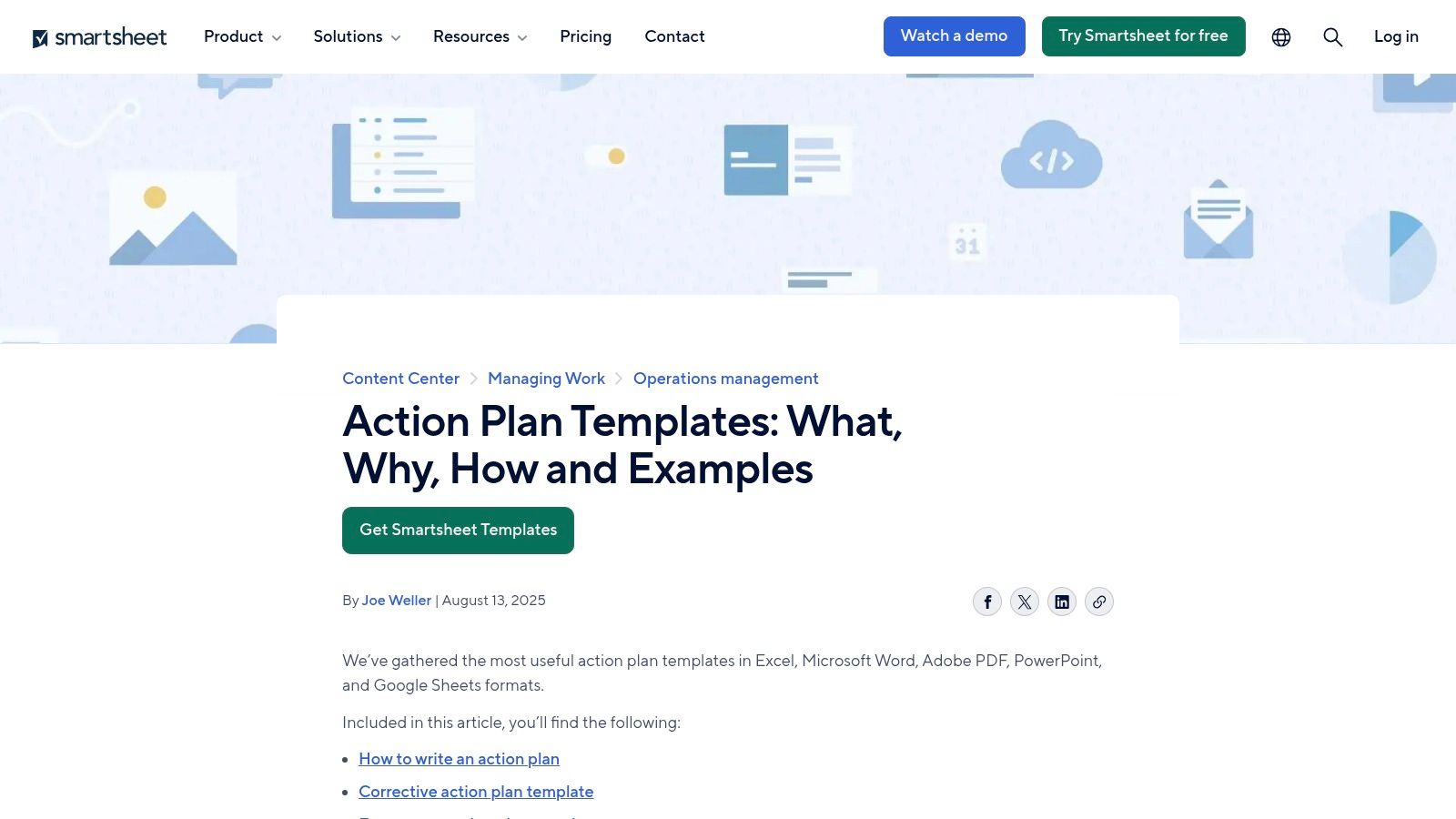
Smartsheet works well for organizers who have not settled on one planning format yet. Its free action plan template collection covers several use cases, so an HOA board, school committee, or church volunteer lead can start with a file that already matches the job instead of rebuilding a blank sheet.
The practical advantage is format choice. Some groups still run on emailed attachments and printed packets, especially when board members rotate often or only a few people are comfortable editing shared apps. Smartsheet serves that kind of group better than tools that expect everyone to log in and work in one workspace.
For a non-technical organizer, that matters more than extra features. A safety chair can download a corrective action layout. A fundraising committee can pick a simpler task-based plan. A club secretary can keep a copy in the shared records folder so the next officer inherits the plan without chasing account access.
Where it fits best
Smartsheet's template structure follows the basics that keep a plan usable: what needs to happen, who owns it, when it is due, and what resources are needed. That is enough for recurring committee work and one-time events.
- Best for email-based coordination: Files can be attached, forwarded, and archived without teaching everyone a new system.
- Best for leadership turnover: A downloadable document is easier to hand off than a workspace tied to one person's account.
- Best for specialized planning: Prebuilt layouts for emergency, student, performance, and corrective action cases cut setup time.
The trade-off is selection fatigue. Several templates overlap, and that can slow down a volunteer team that only needs a basic action tracker for assignments, dates, and status.
Practical rule: Choose the plainest version that covers owner, due date, status, and notes. If your committee will not update a risk score or dependency column after the first meeting, leave it out.
Smartsheet also puts its software platform in front of you throughout the template pages. That is manageable, but organizers who want a quick download with minimal account friction may find the page a little busier than necessary.
2. ProjectManager
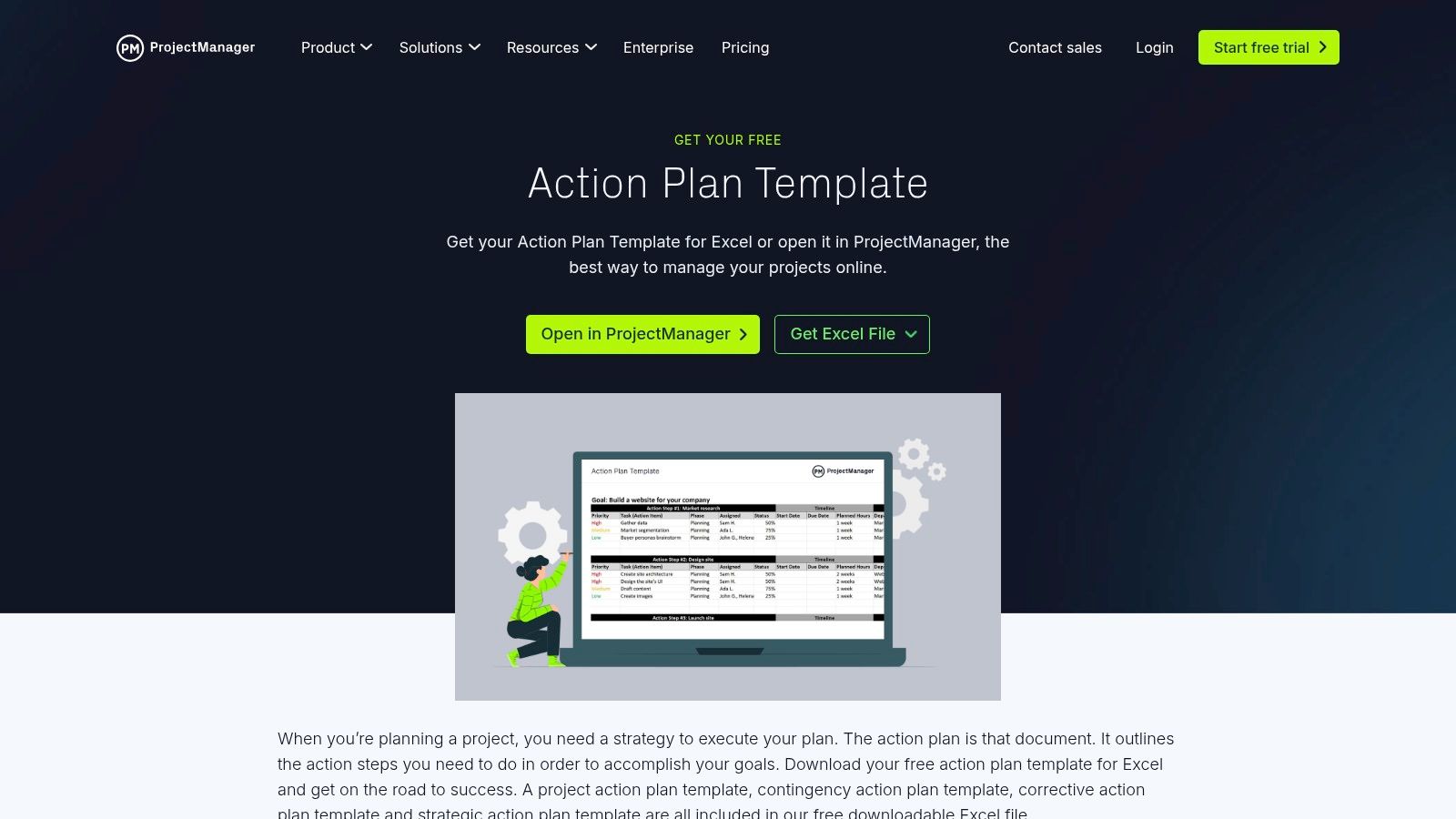
A neighborhood event chair usually has a simple requirement. Send one file, get edits back by email, save the final copy in next year's records, and avoid teaching 12 volunteers a new app. ProjectManager fits that kind of group better than teams that want everyone updating the plan live.
Its template uses familiar spreadsheet logic. Organizers working in Excel or Google Sheets can assign tasks, set dates, note status, and track duration without changing how the group already works. That matters for HOAs, booster clubs, and volunteer committees where only one or two people enjoy learning new software.
The practical upside is continuity. If the safety chair resigns or the club secretary rotates out, the workbook can sit in a shared drive or board archive and still make sense to the next person. Ownership stays with the group, not with whoever opened the original account.
ProjectManager also explains the template fields in its action plan template guide, which helps if your group is deciding what belongs in the file before you customize it.
A few examples make the fit clearer:
- An HOA board can track vendor quotes, resident notice dates, inspection deadlines, and follow-up tasks in one sheet.
- A volunteer fundraiser can assign donation outreach, table setup, food pickup, and cleanup by owner and due date.
- A church safety team can document training steps, equipment checks, and review dates in a format that prints cleanly for meetings.
The trade-off is extra software marketing around the download. Some organizers will ignore that and grab the file. Others will find the handoff less clean than a plain template library.
I'd use ProjectManager when the group needs a working document first and a platform second. I would skip it for a committee that expects lots of comments, frequent edits from several people at once, or app-based notifications.
3. ClickUp
A club or volunteer team usually reaches for ClickUp after email attachments start breaking down. The chair is updating deadlines, two coordinators are adding notes, and nobody is sure which file is current. In that situation, ClickUp's action plan template roundup gives you more than a download. It gives you a workspace built for ongoing edits.
That is also the main trade-off.
ClickUp is stronger for a small operating team than for a broad group of occasional readers. A conference committee with five active planners can keep tasks, comments, owners, and due dates in one place. A neighborhood event team can use it to track permit steps, sponsor outreach, volunteer assignments, and day-of logistics without passing spreadsheets around.
The friction shows up at the edges. Someone has to set up the space, choose a template, clean up fields, and decide who gets access. If your HOA board president and secretary are the only people willing to log in regularly, the system may help them but still leave everyone else relying on recap emails.
That matters more than feature depth for non-technical groups. If 30 of 40 volunteers only need to read the final plan as a PDF before event day, a collaborative app creates extra steps without much return. If six committee leads need to update status every week, the app starts to earn its keep.
The template library itself is useful for groups that need structure and examples before they build their own plan. It helps clarify common fields such as owner, due date, priority, and status. That reduces some customization work, but it does not remove the need for an organizer to keep the workspace tidy.
I'd use ClickUp for a recurring event team, fundraising committee, or safety planning group with a stable core team and frequent changes between meetings. I'd skip it when the requirement is simpler: download a file, email it around, print it for the board packet, and leave something the next volunteer can open without an account.
4. Atlassian Confluence
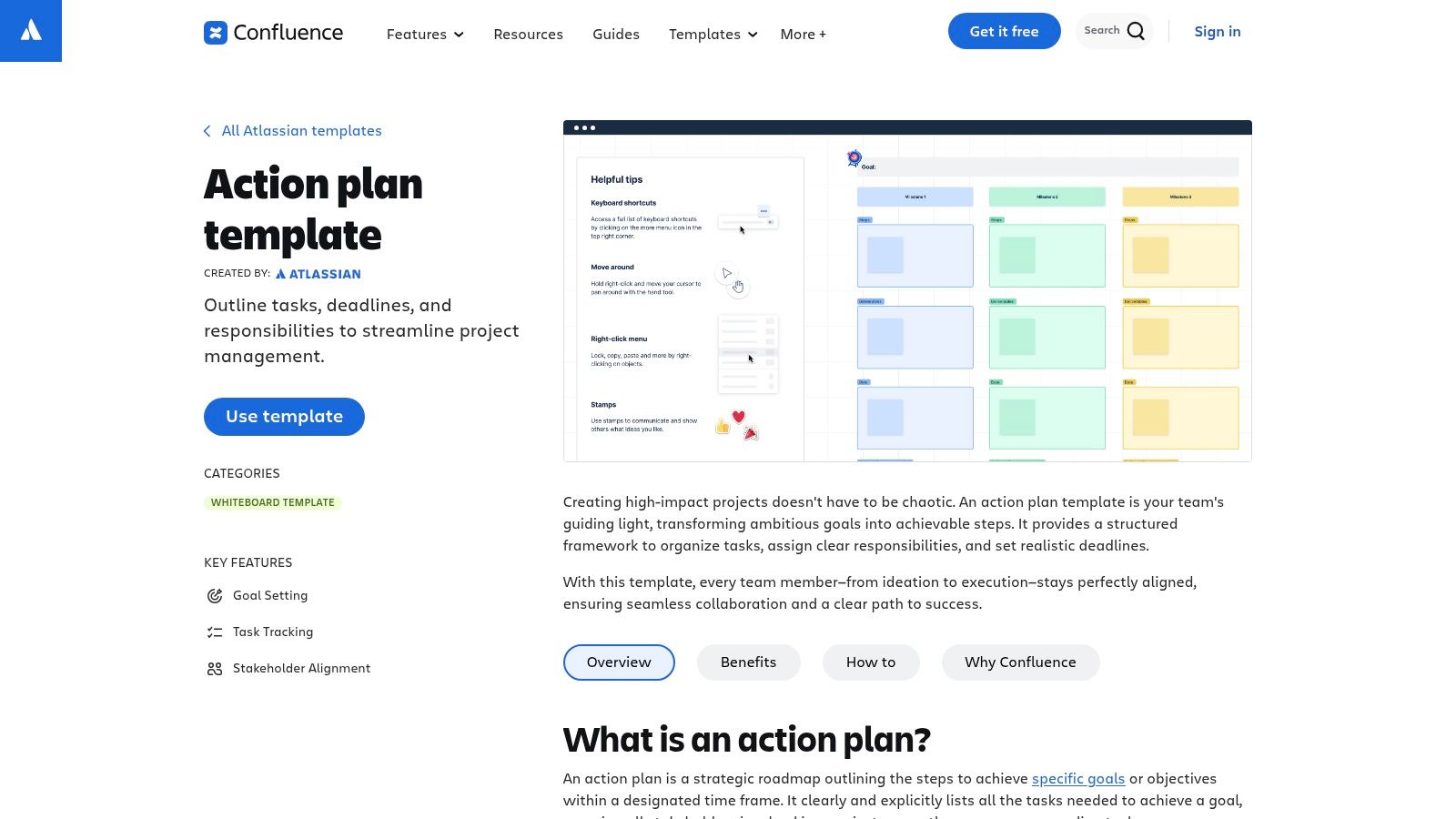
A board secretary updates the action plan after a meeting, the treasurer adds a budget note, and the next month nobody argues over which attachment is current. That is the appeal of Confluence. Its action plan template for Confluence suits groups that want one home for the plan, the discussion around it, and the revision history.
That setup is useful for organizer groups with continuity problems. In an HOA, club, or safety committee, officers change. Email threads get lost. Shared drives turn into a pile of files named "final v2." Confluence handles that better than a downloadable spreadsheet because the context stays attached to the plan instead of living in separate inboxes.
The trade-off is admin effort.
Someone still has to create the page structure, decide who can edit, and keep the space readable for people who are not in it every week. If your volunteers mainly want a file they can open, print, or forward without logging in, Confluence adds friction. If a small leadership team actually updates the plan between meetings, that friction can be worth it.
I see the clearest fit with standing committees that need both action items and institutional memory. An architectural review committee, church operations team, or event safety group may need task owners, deadlines, meeting notes, attached forms, and a record of why a decision was made. A plain Word or Excel template is easier to email, but it does a worse job preserving ownership continuity once people rotate out.
Confluence also gives groups a practical middle path. Maintain the live plan in the workspace, then export or copy the final version into a PDF for board packets or wider volunteer distribution. That works well when only a few people need editing access, but many people need a read-only version by email.
I would choose Confluence for ongoing committee work with repeat processes and a couple of reliable maintainers. I would skip it for a one-day fundraiser, a short volunteer push, or any group whose real requirement is simple file ownership with no account setup.
5. Miro
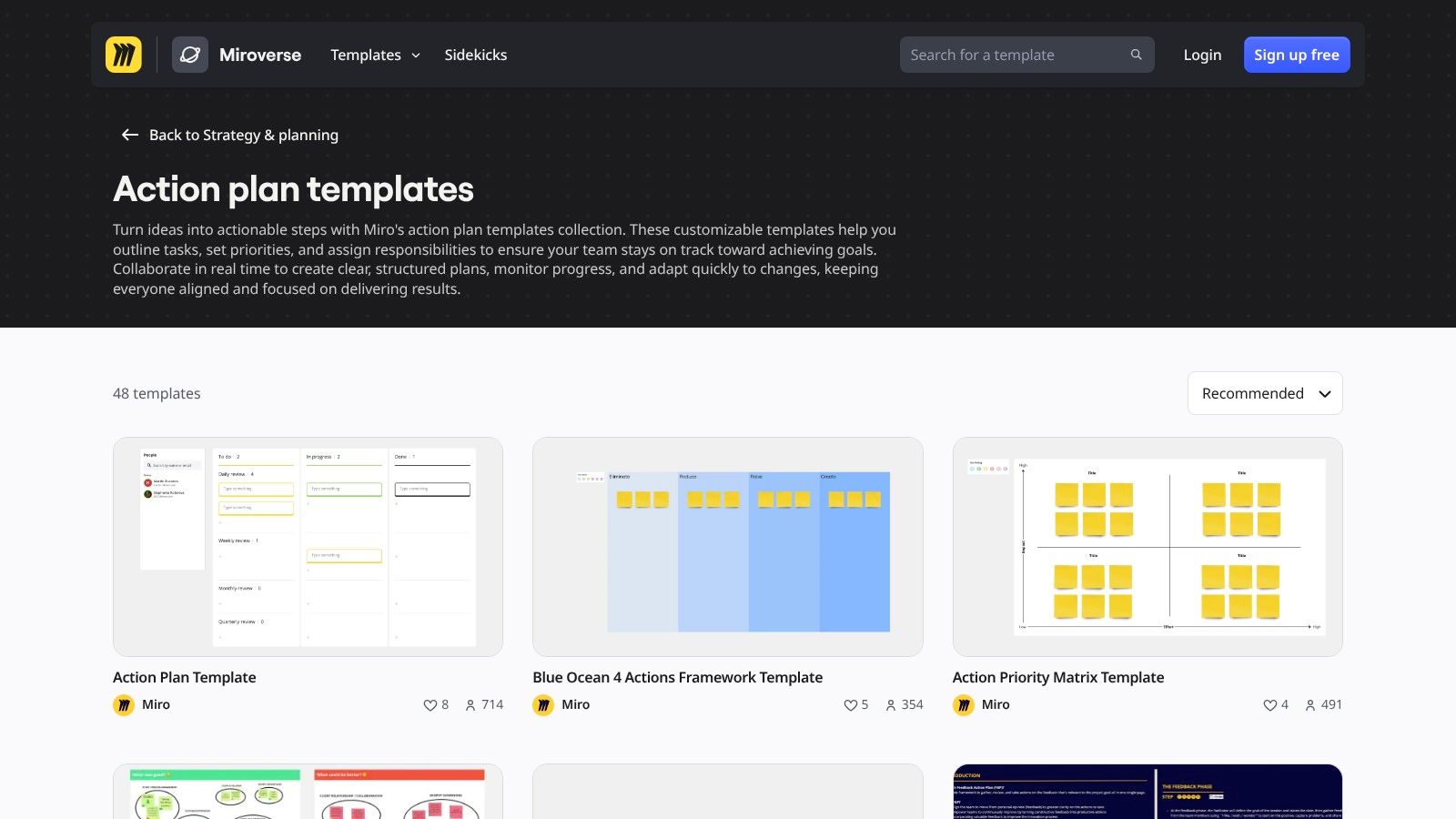
A volunteer planning meeting with ten people can fall apart fast in a spreadsheet. Half the room wants to brainstorm, two people start debating priorities, and the note-taker cannot keep up. Miro works well in that moment because people can sort ideas visually, group tasks on the fly, and agree on the shape of the work before anyone worries about the final file.
Its action plan resources are most useful for live planning sessions. I would use it for an event kickoff, a safety walkthrough, or a board retreat where the job is getting people to participate and commit.
That is a different need from long-term ownership.
For non-technical organizers, the trade-off is simple. Miro lowers the barrier to contribution during the meeting, but it often raises the cleanup work afterward. A club president or HOA secretary may still need to turn the board into a Word document, spreadsheet, or PDF that can be emailed without asking every recipient to open an app or create an account.
This matters for groups with rotating volunteers. A visual board can capture energy and discussion well, yet the final handoff is not always clean if next year's organizers expect a file in a shared drive.
I see the best fit in short planning windows with many voices in the room:
- kickoff meetings for community events
- volunteer team brainstorming
- safety planning sessions where tasks, risks, and dependencies need to be mapped visually
- committees that struggle to engage people in rows and columns
Miro is less practical when the plan needs to survive by email alone. Exports can be fine for reference, but they are rarely the version a new organizer wants to edit six months later.
Use it to build the plan together. Store the lasting version somewhere simpler if your group depends on attachments, printouts, and continuity after people rotate out.
6. Canva
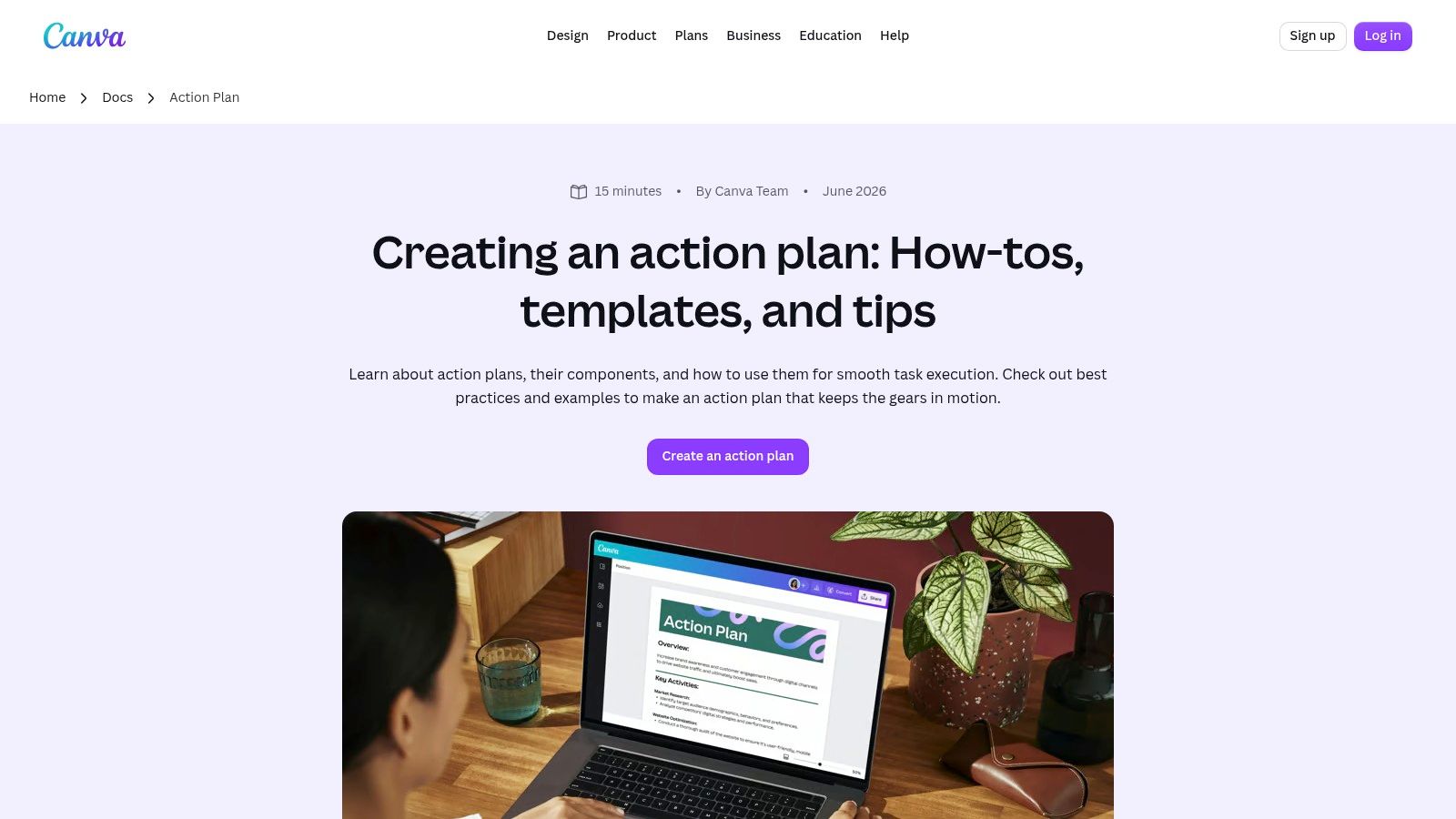
Canva is the easiest way to make an action plan look approachable. Its action plan documents in Canva Docs are useful when you need a one-page handout that people will read, not just a working file for the inner team.
That matters more than people admit. A neighborhood preparedness committee, school event group, or club board often needs two versions of the same plan: one editable version for organizers and one clean version for everyone else.
Where Canva earns its spot
Canva is especially practical when the plan is communication-heavy. You can add a logo, use clearer typography, and produce a polished PDF that looks intentional rather than improvised. For HOAs and volunteer associations, that alone can improve compliance because members are more likely to understand the plan.
The downside is that Canva isn't a spreadsheet. If you want rollups, formula logic, or lots of status maintenance, it's the wrong home base.
Use Canva for the version you distribute. Use a spreadsheet or task app for the version you manage.
That split workflow works well for annual meeting prep, clubhouse projects, volunteer drives, and seasonal event plans. The inner team can track details elsewhere, then publish a simplified one-page action summary in Canva for members, residents, or attendees.
7. Airtable
Airtable fits the organizer who has outgrown a basic spreadsheet but still needs something a board secretary or volunteer lead can understand after one walkthrough. Its template gallery gives you a starting point fast, then lets you shape the plan around how your group works.
That matters for mixed-responsibility groups. An HOA committee may want one table for vendors, deadlines, approvals, and budget notes, while the board president only wants a filtered view of overdue items. A club event chair may need calendar dates, but the volunteer coordinator may only care about assignments and contact status. Airtable handles that better than a static file.
The catch is ownership continuity.
If one capable organizer builds a useful base, Airtable can keep a recurring plan organized year after year. If that person leaves and nobody else is comfortable managing views, fields, or permissions, the system can get messy fast. For volunteer groups, that is a real trade-off, not a minor setup detail.
A downloadable file is still easier when your group shares plans by email, stores records in a common drive, or wants a document that survives leadership turnover without another login. Airtable works better when the plan needs to stay live, with one current version instead of attachment chains.
A practical way to judge it is simple:
- Use Airtable if your action plan changes often and different people need different views of the same work.
- Use a spreadsheet or document template if your group mainly wants to download, print, email, and archive the plan.
- Skip Airtable if account friction will stop half the group from opening it.
Importing an existing Excel list is usually straightforward, which lowers the customization effort at the start. The harder part comes later. Someone still has to maintain the structure, keep fields consistent, and decide which views are safe to share with members, residents, or volunteers.
For safety planning, recurring events, committee projects, and operational follow-up, Airtable is useful when one or two organizers will actively maintain it. For a simple action plan template free download that anyone can own next year, it is often more system than the group will keep up with.
8. Asana
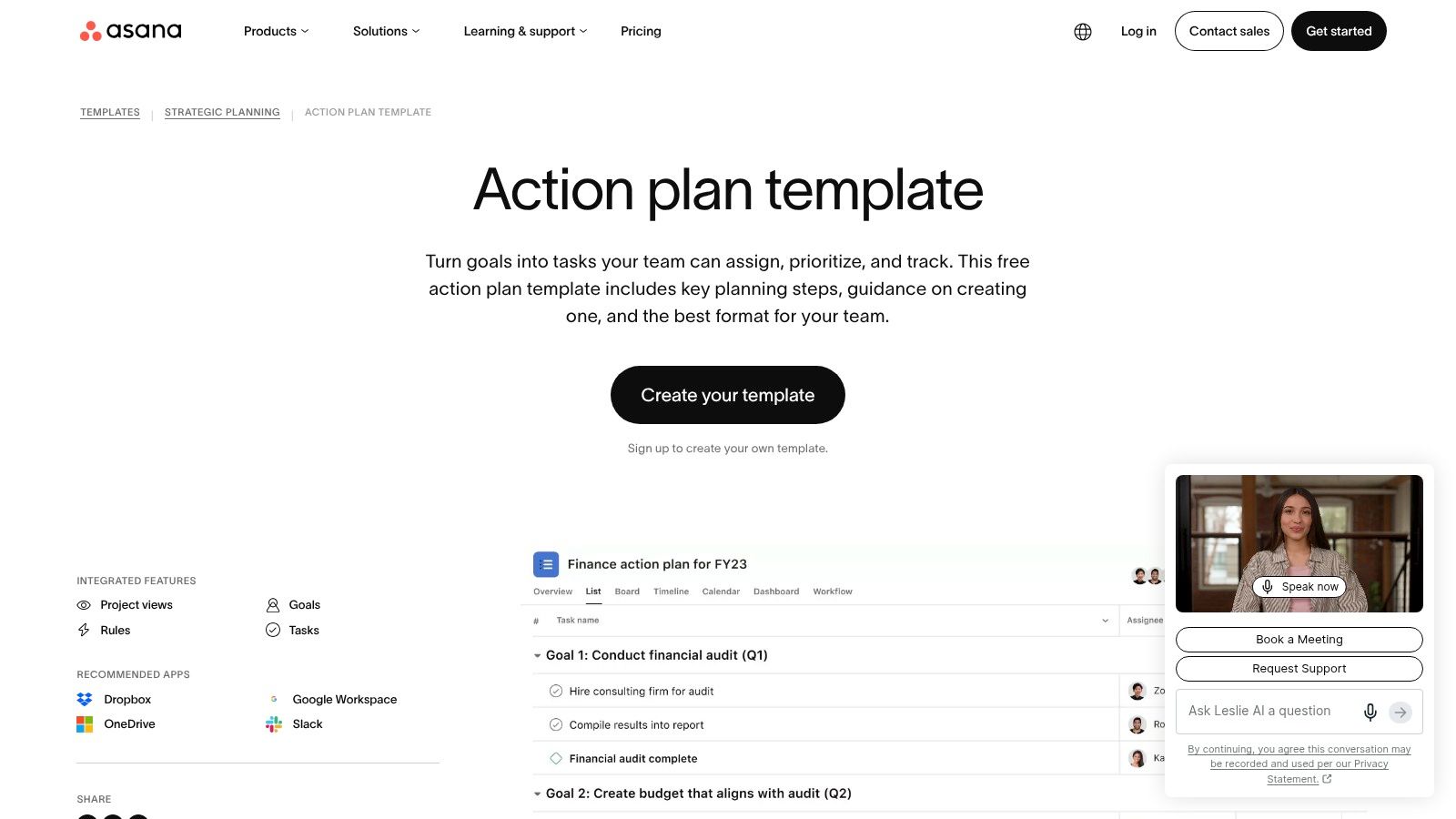
A board secretary planning the annual meeting, a volunteer lead coordinating signups, and a facilities chair tracking follow-up from a safety walkthrough often need the same thing. One current plan, clear owners, and reminders that do not depend on someone remembering to send another email. Asana's action plan template fits that kind of recurring work well.
The practical benefit is accountability. A task can sit with one named owner, carry a due date, and move through a visible status instead of living in a shared document where five people assume someone else has it covered. For HOA committees, booster clubs, event teams, and board projects that repeat on a cycle, that structure prevents a lot of drift.
Asana is less persuasive if half the group refuses another login.
That is the main trade-off for non-technical organizers. The core planning team may like the live workspace, but occasional volunteers, residents, or board members outside the inner circle often still want a file they can open, print, or forward by email. In those cases, Asana works best with a simple export habit. Keep the live version in Asana, then send a stable PDF or spreadsheet copy for broader distribution.
A good fit looks like this:
- A small core team updates the plan weekly.
- The project repeats often enough that templates save time.
- Missed deadlines have real consequences, such as vendor delays, inspection prep, or event-day confusion.
- The group can tolerate account setup for active contributors.
If your bigger problem is keeping members informed, not just assigning tasks, these group communication tools for organizers usually matter as much as the plan itself.
For one-time action plans or groups with frequent leadership turnover, a downloadable file is still easier to hand off. For recurring operations with a steady organizer team, Asana gives more control than a static template without asking someone to build a custom system from scratch.
9. Vertex42
Vertex42 is the no-drama option. Its Action Items template for Excel is plain, familiar, and intentionally light. For many clubs, that's exactly the right answer.
This is the kind of file you can attach after a meeting with subject line clarity, ask people to update, and get back without training anyone. No one has to learn a workspace. No one has to remember another password.
Why simple often wins
There's a real underserved need among volunteer groups, community teams, and non-technical organizers for free, low-friction planning formats in accessible file types without sign-up walls, as reflected in this free action plan download trend overview. Vertex42 fits that reality better than many modern apps.
If a neighborhood watch captain, club secretary, or family reunion organizer needs a durable list of actions, owners, due dates, and status, Vertex42 is often enough. It won't impress anyone in a software demo. It will survive organizer turnover.
Keep the plan where the next volunteer can inherit it without a handoff meeting.
For email-led groups, the next bottleneck is distribution and list continuity. If the task sheet is solid but group messaging is messy, this guide to email list management for organizers addresses the handoff problem that spreadsheets alone don't solve.
Vertex42's weakness is obvious. No dashboards, no automations, no live comments. But many groups don't need those features. They need a file that stays usable.
10. OSHA
A church administrator is writing a fire evacuation plan for Sunday volunteers. An HOA board is documenting who checks common areas after an alarm. An event organizer needs one clear procedure that can be printed, posted, and handed to whoever is on site that day. In those cases, a general action plan template is the wrong tool.
OSHA belongs on this list because its Emergency Action Plan builder covers a specific kind of planning: emergencies. It walks through reporting, evacuation, assigned duties, rescue considerations, and accountability. That narrower scope is useful for non-technical organizers because it reduces guesswork. You are filling out a safety document, not building a project board.
That matters for groups with turnover. If a property manager leaves, a volunteer coordinator changes, or a facility committee rotates, a safety plan needs to stay readable by the next person without any app access, workspace history, or software handoff.
Use OSHA when the plan has to answer practical questions under stress:
- Who calls emergency services?
- Where do people exit?
- Who checks restrooms, classrooms, or meeting rooms?
- Where is the assembly point?
- How do you account for staff, residents, guests, or volunteers?
For a clubhouse, worship space, community center, small office, or association-managed property, that is often more useful than a customizable blank template. The trade-off is obvious. You get structure and safety relevance, but not flexibility for board tasks, fundraising, event prep, or committee follow-up.
One more practical point. A downloadable or printable safety plan is often better than a collaborative app here. During drills, inspections, and real incidents, people need a stable document they can post, email, store in a binder, or hand to a substitute lead.
For HOA boards and similar groups, communication still matters after the plan is written. These HOA communication tools are relevant once the safety plan needs to reach residents, staff, or volunteers consistently.
OSHA is the right choice when "action plan" means emergency action with named roles and procedures, not general task management.
Top 10 Free Action Plan Template Tools Comparison
| Source | Core format & email compatibility | Ease & accessibility ★ | Target audience 👥 | Unique selling point ✨/🏆 | Price/value 💰 | |---|---|---:|---|---|---| | Smartsheet | Multiple download formats (XLSX, DOCX, PDF, PPT, Google Sheets), email-ready attachments | ★★★★ | Organizers wanting ready-to-email, consistent layouts | 🏆 Largest template library; multi-format downloads ✨ | 💰 Free templates; upsell to Smartsheet app | | ProjectManager | Single Excel workbook (multiple tabs) + Google Sheets, easy to attach | ★★★★ | Spreadsheet-comfortable organizers who email files | ✨ Prebuilt columns + tutorial guidance | 💰 Free downloads; paid app nudges | | ClickUp | Blog roundup; templates copyable into ClickUp for live boards | ★★★ | Teams wanting a live, app-based workflow | ✨ Step-by-step guides; in-app templates | 💰 Free templates; best with ClickUp account | | Atlassian Confluence | Page template with PDF export for email distribution | ★★★ | Teams needing a single source-of-truth | 🏆 Structured page templates with version history | 💰 Free template; Confluence site/account required | | Miro | Visual whiteboard/Kanban templates; export or share view-only links | ★★★ | Workshop facilitators & visual collaborators | ✨ Highly visual boards for workshops & alignment | 💰 Free templates; account needed to edit | | Canva | Polished one-page Docs; export PDF/PNG or share links via email | ★★★★ | Organizers who want attractive, reader-friendly plans | ✨ Drag-and-drop design; fast polish for email | 💰 Free templates; best with free account | | Airtable | Prebuilt base (grid/Kanban/timeline); CSV export & share links | ★★★ | Users who want live tracking and lightweight DB features | 🏆 Multiple views + automations for tracking ✨ | 💰 Free tier; account required | | Asana | List/Board/Timeline views; CSV/PDF export for email sharing | ★★★ | Recurring clubs/committees needing structure | ✨ Robust templates + step-by-step guidance | 💰 Free template; collaborators need accounts | | Vertex42 | Simple Excel "Action Items" sheet, no sign-up, email-friendly | ★★★★★ | Email-only workflows & non-technical users | 🏆 Extremely lightweight, printable, no-friction ✨ | 💰 Free download | | OSHA (EAP) | Guided Emergency Action Plan generator; print-ready PDF | ★★★ | Facilities, events, congregations needing compliance | 🏆 Standards-aligned, authoritative emergency plans | 💰 Free |
Choose the Simplest Plan Your Group Will Maintain
The best action plan template free resource isn't the one with the most features. It's the one your group will still be updating after the second meeting, after a missed deadline, and after the organizer who set it up steps aside.
For the widest choice of downloadable formats, Smartsheet is the safest recommendation. It's especially useful when different people need Excel, Word, PDF, or Google-friendly options and the group still runs on email and attachments. ProjectManager is a strong second choice when you want a more structured workbook feel, and Vertex42 is the better answer when you want almost no friction at all.
If presentation matters as much as tracking, Canva is the standout. It's a good way to turn a messy internal plan into a readable one-page handout for members, residents, or volunteers. That's valuable for HOAs, clubs, school groups, and congregations where the plan has to be understood by people who won't touch the working document.
When live collaboration matters more than file simplicity, move to ClickUp, Confluence, Miro, Airtable, or Asana. They all make sense in the right setting. ClickUp and Asana are good for recurring operational work. Confluence works well when documentation and continuity matter. Miro is strongest for workshops and planning sessions. Airtable is useful when you want one dataset with multiple views for different organizers. None of them are ideal if most of your participants resist accounts or dashboards.
OSHA belongs in its own category. Use it when the plan is about emergency procedures, evacuation, and safety roles. Don't force a general-purpose task template to do that job.
A practical setup sequence keeps any of these tools from turning into clutter:
- Pick one accountable owner: Every task needs one named person, even if several people help.
- Remove fields you won't maintain: Extra columns create false complexity fast.
- Keep the core visible: Action, owner, deadline, and status are the minimum.
- Export a stable copy: Save a version that can be emailed, printed, and archived.
- Set a review date: A plan with no check-in becomes a forgotten worksheet.
For email-led groups, distribution is usually the weak point after the template is chosen. The plan may be solid, but updates still get trapped in one person's inbox or sent through messy CC chains. In that situation, Listava can serve as a shared group address for sending the final plan and follow-up privately through normal email while preserving continuity during organizer turnover. That's often the missing piece for boards and volunteer teams that want simple planning without moving everyone into another app.
If your group finishes an action plan and then struggles to share updates cleanly, Listava gives you one group email address that reaches every member without exposing personal addresses. It fits the same low-friction approach as the best downloadable templates here, especially for HOAs, clubs, faith communities, and volunteer teams that want continuity without apps, accounts, or dashboards.