Best Time to Send an Email: 8 Data-Backed Windows
Find the best time to send an email with 8 audience-specific windows, testing methods, and practical timing tips for non-technical organizers.
Tuesday through Thursday from 9 AM to 11 AM is the strongest starting window for many professional and community audiences. The best time to send an email still depends on your audience, message type, time zone, and the engagement you want after the message is read.
You've written the announcement, checked the details, and chosen a clear subject line. Then the email lands while half your members are commuting, a few are working overnight, and the rest are deleting a crowded Monday inbox. A good message can disappear because its delivery time doesn't match the recipient's routine.
A broad benchmark gives you a sensible first test. Recent email performance analysis places the strongest weekday open rates for most audiences between 8 AM and 11 AM local time, while click rates often move later, between 8 PM and 9 PM. That difference matters. An email designed to be seen may benefit from the morning, while an email that asks people to click, reply, or sign up may need a different window. Mailerlite's email timing analysis also emphasizes local time, which is essential when one group spans several regions.
The eight windows below organize timing around actual audience habits, message intent, geography, inclusion, engagement history, and seasonal changes. They also explain the trade-offs, so you can choose a schedule rather than blindly copy one.
For organizers who need a private group address, consistent delivery, and participation through familiar email clients, Listava offers an email-native option. Members can stay in Gmail, Outlook, Yahoo, or Hotmail without downloading an app or creating an account.
Table of Contents
- 1. Tuesday-Thursday Mid-Morning Send 9 AM to 11 AM
- 2. Audience Timezone Clustering Strategy
- 3. Sunday Evening Family and Faith Community Send 6 PM to 8 PM
- 4. Event-Triggered Just-In-Time Sending
- 5. Recipient Engagement History Personalization
- 6. Action-Type Segmentation Timing
- 7. Off-Peak Niche Timing for Underrepresented Audiences
- 8. Seasonal and Calendar-Aware Timing Adjustment
- 8-Point Email Timing Comparison
- Turn a General Benchmark Into Your Group's Best Time
1. Tuesday-Thursday Mid-Morning Send 9 AM to 11 AM
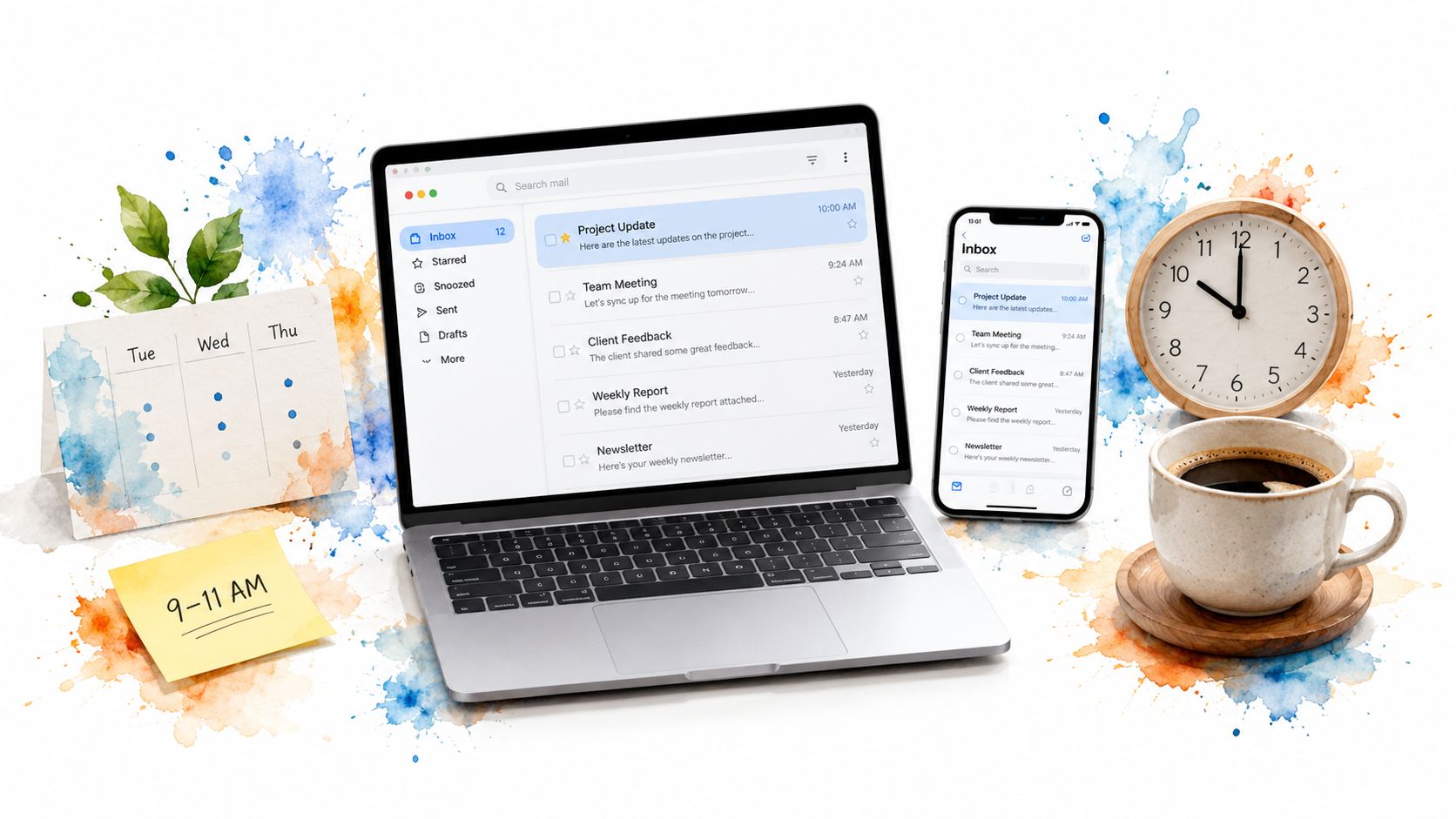
For a general professional or community audience, start here. Multiple recent data summaries converge on Tuesday as the most reliable send day, with Thursday usually close behind. The practical timing cluster sits around 9 AM to 11 AM local time, or slightly wider, from 9 AM to noon for some marketing audiences. Customer.io's sending schedule guidance supports this midweek, mid-morning baseline.
The window works because it balances visibility and attention. Monday messages compete with accumulated weekend mail, while Friday messages often arrive as people shift toward personal plans or unfinished tasks. Tuesday through Thursday gives recipients time to settle into the week without pushing your announcement into the final working hours.
A neighborhood association could send a meeting notice on Wednesday at 10 AM. A book club might announce its next selection on Tuesday morning, while a faith community could distribute a Thursday bulletin at 10:30 AM. A volunteer organizer can use the same window for a signup deadline, provided the deadline itself leaves enough time to act.
Practical rule: Use Tuesday through Thursday at 9 AM to 11 AM as your baseline, not your permanent answer.
Keep the send time consistent for recurring announcements. Members learn when to expect the bulletin, meeting notice, or weekly update, and organizers can identify exceptions more easily. A clear subject line still matters because timing can put a message near the top of the inbox, but relevance determines whether people continue.
Listava can help organizers maintain a shared address while they schedule and send through their normal email workflow. Its guide to sending email in bulk is useful when one announcement needs to reach a complete group without exposing every member's address.
2. Audience Timezone Clustering Strategy
A single clock time can create four different experiences. A 9 AM Eastern send arrives earlier for Pacific recipients and later for people elsewhere, so the phrase local time should guide any group that spans regions. The latest weekday analysis specifically frames open and click behavior by the recipient's local time, rather than by one fixed UTC hour. Mailerlite's research on local send times makes that distinction central to global planning.
A national faith community might send a Sunday service update at 9 AM local time across Eastern, Central, Mountain, and Pacific regions. An extended family could divide members into regional clusters before sending holiday plans. An international hobby club might prepare separate North American, European, and Asia-Pacific versions of a meeting reminder.
The point isn't to create unnecessary complexity. It's to avoid treating geography as an afterthought when geography changes the recipient's day.
Make local delivery manageable
Start by recording each member's time zone or region during setup. If your group is large enough to justify separate sends, organize members into practical clusters. Listava supports bulk member import from an Excel spreadsheet, which can make location-based organization easier for a non-technical coordinator.
- Use regional groups: Create separate group addresses when the message and schedule differ.
- Keep the content consistent: Change the delivery time before changing the core announcement.
- Document the schedule: Tell co-organizers which region receives which send and when.
- Avoid reply confusion: If separate sends could trigger overlapping conversations, explain the purpose in the message.
A national group doesn't need to send every version at exactly the same moment. Scheduling regional messages 15 minutes apart can make the operation easier to monitor, but that interval is a workflow choice, not an evidence-backed performance rule. The important principle is that each recipient should receive the message at a sensible hour where they live.
3. Sunday Evening Family and Faith Community Send 6 PM to 8 PM
Sunday evening can suit groups whose activities, reflection, and planning follow the weekend rather than the workweek. Families are often reviewing the coming days. Congregations and small groups may be preparing for services, meetings, study, or volunteer work. A message at 6 PM to 8 PM can fit that rhythm better than a weekday office-hour send.
This is a specialized choice, not a universal benchmark. The broad data favors weekday mornings for many audiences, and one recent summary notes that open activity often clusters in the morning while click activity may shift toward evening or late afternoon. Omnisend's analysis of email timing by objective therefore supports a useful distinction: an evening send can make sense when readers have more time to process and act, even if morning remains the safer visibility test for a general list.
A parish could send a Sunday bulletin with Monday service times and weekly reflections. A family coordinator might share a weekend recap and the coming week's plans at 7 PM. A small-group facilitator could distribute a discussion guide when members have time to read it thoughtfully.
Match the tone to the hour
Sunday evening works best for content that benefits from attention rather than haste. Use a calm subject line, explain what's ahead, and make the requested response clear. A reflective message should not look like an emergency alert, while an urgent change should not wait for a preferred weekly slot.
- Preview the week: Give readers a reason to open now and remember the next step.
- Invite conversation: Ask one focused question rather than several broad ones.
- Test nearby windows: Compare Saturday evening with Sunday evening if weekend habits vary.
- Protect quiet hours: Some members may prefer not to receive routine messages late at night.
Listava's church email list guidance is relevant for congregations that want one private address for announcements and group replies. Members can respond from their ordinary email clients, which keeps participation accessible for people who don't want another app or login.

4. Event-Triggered Just-In-Time Sending
Some messages shouldn't wait for Tuesday morning. A meeting reminder, location change, or emergency volunteer request has a natural relationship to the event itself. In those cases, lead time is more useful than a generic “best hour.”
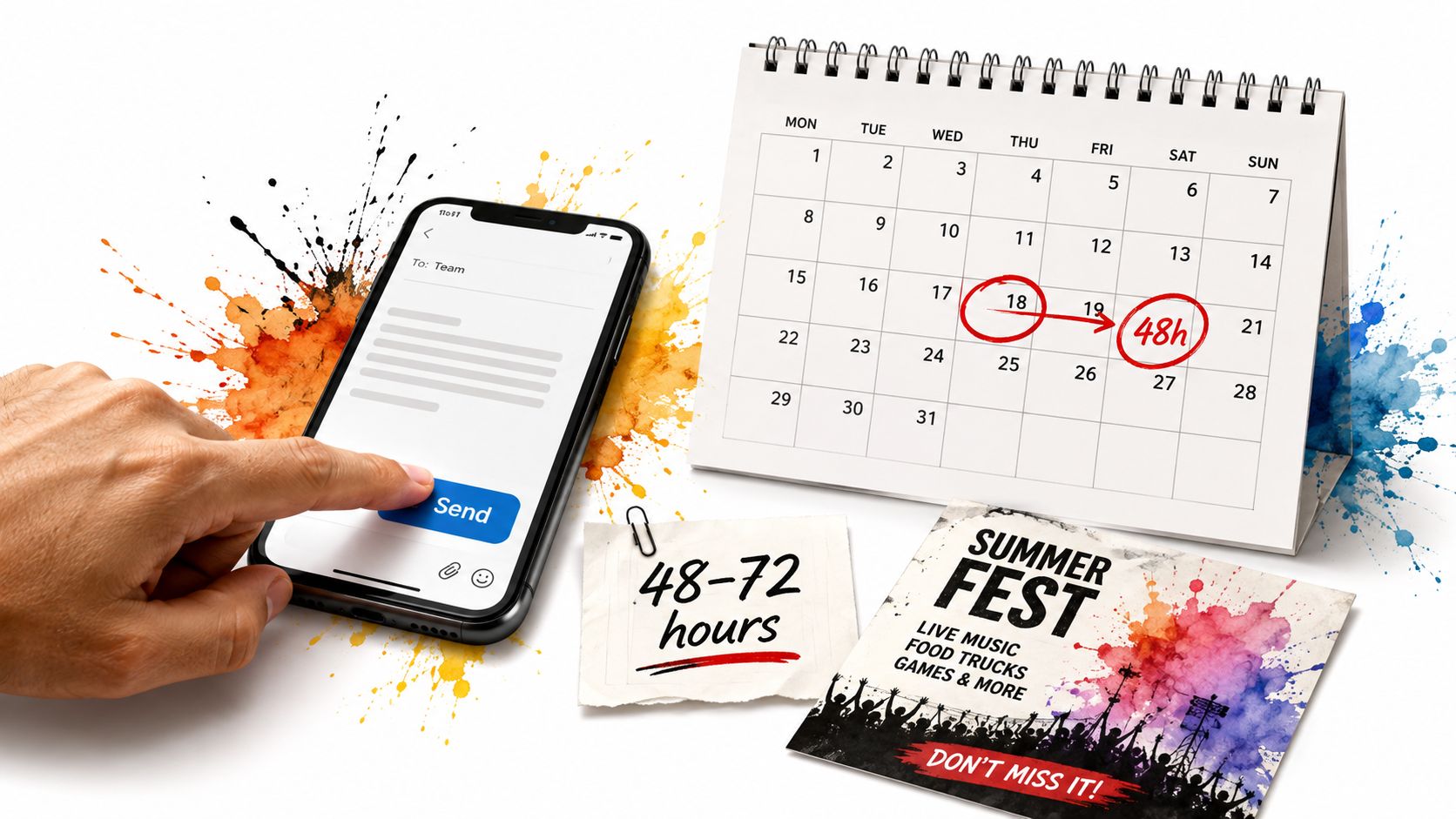
An HOA board might send a meeting reminder 72 hours before a monthly meeting. A pickleball coordinator could announce court arrangements 48 hours before play. A cleanup organizer might send event-day logistics in the morning if members need directions, weather guidance, or equipment information. Those timing choices are operational examples, not universal performance benchmarks.
The trade-off is clear. A fixed weekly schedule is easier to remember and administer, but it can deliver information too early to be useful or too late to support action. Event-triggered sending respects the recipient's decision window. It gives people information when they can still change their plans.
Build a simple reminder ladder
Use a shared calendar, paper planner, or spreadsheet to record the event date and the communication deadline. The organizer doesn't need a marketing automation system. They need a reliable habit that prevents reminders from living only in one person's memory.
- Routine reminder: Send far enough ahead for members to plan.
- Action reminder: State exactly what recipients must confirm, bring, or complete.
- Day-of logistics: Keep the message short and put practical details first.
- Urgent change: Send immediately, even if the hour is outside your usual routine.
Subject lines should distinguish ordinary information from urgent action. Labels such as “[RSVP Needed]”, “[Location Change]”, or “[Urgent]” help recipients interpret the message before opening it. A reply-to-group setup can also collect last-minute questions in one shared conversation rather than scattering answers across private inboxes.
5. Recipient Engagement History Personalization
Your group may not behave like a benchmark audience. A book club could be most active on Wednesday evening, an HOA board could read messages before work, and a faith community might respond more readily to Thursday morning reminders than Sunday evening bulletins. Once you have a stable membership and a history of messages, the group's own behavior becomes more useful than a generic recommendation.
Review both opens and replies, because they measure different outcomes. An open suggests visibility, but a reply, RSVP, or completed response shows that the timing supported the action you needed. If your email service reports only limited engagement information, maintain a simple record of responses by date and time.
Look for patterns without overreading them
A single successful send doesn't prove that its hour is best. Holidays, weather, a compelling subject line, and the importance of the announcement can all affect the result. Compare similar message types before changing a recurring schedule.
- Record the basics: Note the day, local send time, message type, and response goal.
- Compare like with like: Don't compare an urgent cancellation with a routine newsletter.
- Watch for seasons: Vacation periods and holidays can distort otherwise useful patterns.
- Review regularly: Revisit the schedule when membership, leadership, or group activities change.
The research supplied for this topic gives a practical reason to personalize. One historical analysis reported that almost 22% of campaign opens occurred in the first hour after sending, showing why the initial delivery window can matter. GetMailTracker's review of hourly email timing also describes how response patterns have shifted across different periods, so an old rule shouldn't become a permanent assumption.
For nonprofit and community organizers, Listava's nonprofit email list resource can support a consistent group structure while you record which messages produce useful participation. The tool won't decide the best hour for you. Your group's observed behavior should make that decision.
6. Action-Type Segmentation Timing
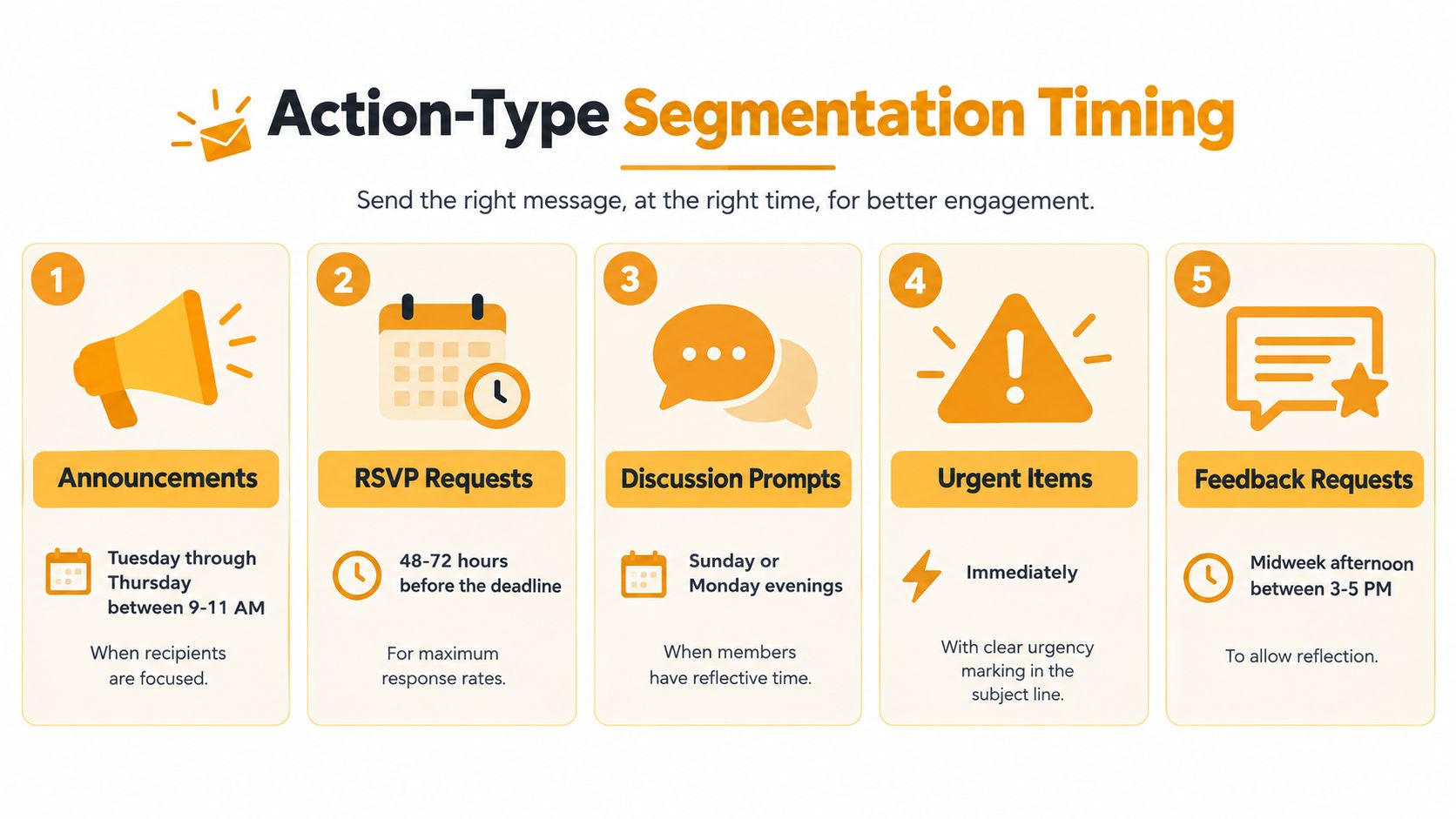
An announcement, discussion prompt, and RSVP request ask readers to behave differently. Treating them as the same email with a different subject line wastes the timing decision.
Use the midweek morning baseline for information that only needs to be seen. Use event lead time for an RSVP. Use a quieter evening window for discussion that benefits from reflection. Send urgent changes when the information becomes available, not when your normal newsletter slot arrives.
The right question isn't “When do people open email?” It's “When can this audience complete the action?”
A book club might announce its monthly selection on Sunday evening to encourage conversation, then send a location change immediately. An HOA can publish a routine policy notice on Tuesday morning but request meeting RSVPs with enough advance notice for members to check calendars. A volunteer coordinator can send event logistics before the activity and share a post-event story later, when the goal is engagement rather than immediate coordination.
Give every message a timing rule
Create a short communication calendar that connects message type, timing, and expected response. That document helps multiple organizers make consistent decisions after leadership changes.
- Announcement: Favor a predictable weekday window when visibility matters most.
- Discussion: Choose a period when members have time to read and think.
- RSVP: Send according to the event deadline, with a clear response path.
- Urgent action: Deliver as soon as people need the information.
- Follow-up: Use a reminder only when it adds a distinct prompt or missing detail.
The data supports separating visibility from action. The latest analysis places many weekday opens between 8 AM and 11 AM local time, while click rates peak later, between 8 PM and 9 PM. Mailerlite's findings on opens and clicks therefore point to a decision many organizers miss: the hour that gets attention first may not be the hour that creates the most downstream participation.
7. Off-Peak Niche Timing for Underrepresented Audiences
A single schedule can favor the people with the most conventional work hours. Night-shift workers may sleep through a morning announcement. Parents may not have attention during the school-day rush. Retired members, freelancers, and international participants may use their inboxes at entirely different times.
Treat inclusion as a timing problem, not only a writing problem. A neighborhood association could send its primary announcement on Tuesday at 10 AM and a concise summary at 6 PM for working parents. A volunteer group might provide shift-worker details in the afternoon, when night-shift members are more likely to be awake. A hobby club with international members could use regional summaries instead of asking everyone to follow one schedule.
The second message should add access, not create inbox fatigue. Repeat key information in a shorter format, explain why it's being sent, and avoid making members wonder whether they missed a separate decision.
Ask members before guessing
During onboarding, ask when people generally read group email and whether they work unusual hours. You don't need to collect intrusive personal details. A broad availability preference can reveal whether the standard schedule excludes a meaningful part of the group.
- Identify affected segments: Look for work schedules, caregiving routines, and regional differences.
- Use concise repeats: Summarize the decision, deadline, and reply instructions.
- Create subgroups carefully: Separate lists make sense when information is segment-specific.
- Explain the practice: Tell members when a second delivery may appear and why.
The timing research reinforces this approach by warning against fixed-hour planning across regions. A campaign sent at one UTC hour can arrive at very different local times, and the same audience can respond differently depending on location. That's especially important for community groups, where participation may matter more than a headline open count.
Listava's email-only design can make this easier for members who rely on familiar clients or need readable, high-contrast communication. Organizers can maintain one central group structure while creating focused subgroups when a shift-specific or region-specific message is necessary.
8. Seasonal and Calendar-Aware Timing Adjustment
A schedule that works during an ordinary month may fail during summer travel, December holidays, back-to-school routines, or periods of severe weather. People may still value the message, but their available attention changes. Your timing should change with the group's calendar rather than treating every month as identical.
A school-adjacent HOA might send earlier in summer, when families are traveling, then move important notices away from the school-day rush in September. A volunteer group could give members more planning room during a busy holiday period. A hobby club may keep its regular Thursday rhythm while extending RSVP deadlines during months when attendance is less predictable.
These are planning adjustments, not claims that one season universally outperforms another. The supplied research establishes that audience habits and local time matter, but it doesn't provide a universal seasonal schedule for every community. Your own records and member feedback should fill that gap.
Keep a seasonal communication calendar
At the beginning of the year, mark holidays, school breaks, major travel periods, recurring events, and weather-sensitive activities. Then decide which messages need earlier notice, which can wait, and which should be shorter during crowded periods.
- Extend planning time: Give members more notice when calendars are unusually full.
- Reduce competition: Avoid sending routine material during known attention bottlenecks where possible.
- Protect important details: Use concise summaries when recipients are likely to scan.
- Review monthly patterns: Compare responses by season instead of treating every result as permanent.
A Sunday evening faith-community pattern might remain useful throughout the year, but the content and frequency may need adjustment during a busy holiday period. A family group planning a gathering should communicate before peak travel planning, not after tickets, schedules, and childcare arrangements are already fixed.
Seasonal flexibility also improves inclusion. Members who miss a routine send shouldn't lose access to a decision because the organizer followed the calendar too rigidly. A short follow-up, an extended deadline, or a second local-time delivery can preserve participation without turning every announcement into a long campaign.
8-Point Email Timing Comparison
| Strategy | Implementation Complexity 🔄 | Resource Requirements ⚡ | Expected Outcomes 📊⭐ | Ideal Use Cases | Key Advantages 💡 | |---|---:|---:|---|---|---| | Tuesday-Thursday Mid-Morning Send (9 AM - 11 AM) | Low, single scheduled send | Minimal, basic scheduler | High open rates (35–45%), consistent engagement 📊⭐ | HOA notices, club meetings, event announcements | Reliable peak window; low promotional competition | | Audience Timezone Clustering Strategy | High, segment & coordinate multiple sends 🔄 | Moderate–High, segmentation, multiple addresses/tools ⚡ | Improved opens across regions; fair local timing 📊⭐ | National faith groups, coast‑to‑coast clubs, extended families | Ensures local-time relevance; avoids inconvenient hours | | Sunday Evening Family & Faith Send (6 PM - 8 PM) | Low, single targeted weekly send | Minimal, standard scheduling | Very high engagement for faith/family content (50%+), reflective consumption 📊⭐ | Church bulletins, family digests, weekend-focused groups | Receptive evening mindset; good for long-form/reflective content | | Event-Triggered Just‑In‑Time Sending | Medium, event-driven timing and monitoring 🔄 | Moderate, organizer attention, calendar/tracking tools ⚡ | High action rates for time-sensitive items; timely reminders 📊⭐ | Event reminders, volunteer logistics, HOA meeting prompts | Maximizes urgency and action; reduces irrelevant sends | | Recipient Engagement History Personalization | High, requires tracking & analysis 🔄 | High, analytics or manual record-keeping ⚡ | Highest personalization; improved engagement vs. generic timing 📊⭐ | Established groups (6+ months): HOAs, long-standing clubs, mature faith groups | Tailored to real member behavior; adaptable over time | | Action‑Type Segmentation Timing (Announcement/Discussion/RSVP) | High, needs message categorization & discipline 🔄 | Moderate, planning, communication calendar, training ⚡ | Better response rates by matching timing to intent 📊⭐ | Active HOAs, mixed‑use hobby clubs, volunteer orgs with varied sends | Optimizes for specific actions; sets clear member expectations | | Off‑Peak Niche Timing for Underrepresented Audiences | Medium, identify segments & manage secondary sends 🔄 | Moderate, surveys, subgroup tagging, extra sends ⚡ | Increased inclusion and engagement for niche members 📊⭐ | Groups with shift workers, retirees, parents, multigenerational memberships | Improves equity of reach; strengthens member inclusion | | Seasonal & Calendar‑Aware Timing Adjustment | Medium, quarterly or seasonal reviews 🔄 | Moderate, monthly tracking, seasonal calendar planning ⚡ | Maintains steady engagement year‑round; fewer seasonal drop-offs 📊⭐ | School‑adjacent HOAs, seasonal volunteer orgs, holiday‑heavy faith groups | Adapts sends to seasonal behavior; prevents predictable engagement dips |
Turn a General Benchmark Into Your Group's Best Time
Start with the broadest useful baseline: Tuesday through Thursday from 9 AM to 11 AM local time. That window aligns with the strongest weekday open-rate pattern described in recent analysis and gives professional and community audiences a practical starting point. Mailerlite's research also shows why local time matters, especially when a group includes people in different regions.
Don't test everything at once. Choose one message type, such as a weekly announcement or meeting reminder. Keep the audience, subject-line style, message length, and call to action as consistent as you reasonably can. Send comparable messages on Tuesday, Wednesday, and Thursday, then record opens, replies, clicks, or completed RSVPs in a simple spreadsheet.
The first result should guide your next question, not end the process. If Wednesday produces more replies, test a nearby time before changing the entire strategy. If morning sends get attention but few actions, try a later window for the next action-focused message. The evidence distinguishes opens from clicks, so your group should distinguish “seen” from “acted on.”
Use this compact decision list before every send:
- Send purpose: Is this an announcement, discussion prompt, RSVP, reminder, or urgent change?
- Local time: What time will the message arrive for each meaningful audience cluster?
- Lead time: How long does a recipient need to decide, prepare, or respond?
- Response goal: Do you need an open, reply, click, signup, or attendance confirmation?
- Follow-up: What information will the next message add, and when will members need it?
- Audience access: Could work schedules, caregiving, disability, travel, or geography make the standard send inconvenient?
- Season: Are holidays, school calendars, vacations, or weather affecting availability?
Keep the test simple enough that a volunteer organizer will repeat it. A spreadsheet with columns for date, local time, message type, recipients, opens, replies, and final action is enough to reveal useful patterns. Don't treat small differences as certainty, and don't change the subject line, audience, and send time simultaneously.
Listava can help non-technical organizers maintain a private, continuous group address and a reply-to-group conversation through standard email clients. Members don't need accounts or an app, while organizers can manage delivery, privacy, and group continuity as schedules and leadership change.
Listava gives organizers one private group address that reaches every member while keeping participation inside familiar email tools. Visit Listava to create a simpler sending routine, test timing by audience and purpose, and keep group conversations connected without requiring member accounts or an app.