HOA Email Communication: A Practical Guide for Boards
Run private, reliable HOA email communication without IT skills. Best practices, templates, and workflows boards can implement this week.
The secretary sends a meeting notice from her personal Gmail account, then wakes up to a chain of replies about a parking violation. One homeowner's address is stale, another resident says the notice never arrived, and the former president still controls the password for the neighborhood account. When someone later challenges whether proper notice was given, the board discovers that nobody saved the recipient list, consent record, or delivery history.
That's the problem with HOA email communication. The writing matters, but the system behind the writing matters more. A durable setup protects privacy, separates routine announcements from official notices, preserves records, and keeps working when volunteers change. The following practices are designed to help a board build an email system that survives leadership turnover, satisfies E-SIGN consent requirements, and produces a usable record when a dispute arises.
Table of Contents
- The Reality of Running an HOA Email List
- Why Email Became the HOA Default
- Setting Up a Private, Dedicated HOA Address
- Writing HOA Emails That Residents Actually Read
- Consent, Recordkeeping, and Legal Foundations
- Building a Written HOA Email Policy
- Maintenance and Continuity Through Board Turnover
The Reality of Running an HOA Email List
An HOA email list usually fails through ordinary shortcuts. A board member imports owners from an outdated spreadsheet, a private violation discussion goes to the neighborhood, or a committee debates a landscaping invoice on the general list. The risk appears later, when the board must show who received a notice or recover messages from a departing officer's inbox.
The deeper problem is lost institutional knowledge. A volunteer secretary may keep templates in a personal account, apply a private Gmail label, and become the only person who knows the list's rules. After that volunteer leaves, the association can lose the password, message history, vendor contacts, and decisions about who should be copied. Association records stored beside personal correspondence are harder to retrieve, transfer, and protect.
Practical rule: If the association owns the message, the association should own the address, access, and archive.
Privacy requires deliberate setup. A mass email sent through CC exposes resident addresses. BCC reduces that exposure, but replies can become confusing, and the board may lack a reliable record of bounces, consent, or delivery. A shared distribution address gives the board more control when reply behavior is defined and separate lists are maintained for owners, residents, committees, and vendors.
The same gaps create compliance and governance problems. An official notice may be sent electronically without documented consent. A bounced message may be treated as delivered. A long reply-all chain may effectively turn board discussion into an unstructured record of decision-making. Community-association guidance identifies legal, confidentiality, and record-retention risks in conducting board business through informal email chains, and describes a written response policy using a 24–48 business-hour window (McGowan Programs explains HOA email communication practices).
A workable system assigns responsibility for the mailbox, records consent, controls access, and preserves correspondence in a shared location. Those choices matter more than polished wording because they let the next board operate the list without depending on one volunteer's memory.
Why Email Became the HOA Default
Email became the practical default because it solves several board problems at once. An independent HOA survey found that more than 78% of respondents preferred email, a newsletter, or the HOA website as their top communication channels, with email selected three times more often than the newsletter. Respondents also preferred weekly electronic updates, according to the HOA survey results.
The appeal is operational. A board can send one announcement to the current owner list, reach residents through inboxes they already check, and retain a written copy without printing and mailing every routine reminder. Email supports meeting information, maintenance updates, policy reminders, and election communications. That record has value only if the association preserves it and keeps the contact list current.
Email has also become more than a broadcast channel. HOA communication platforms can preserve recipient histories for blast emails and display delivery details such as open status and link activity, as described in HOA Express communication reporting guidance. These records give a new board evidence of what was sent and help staff respond when an owner questions whether information reached the intended list.
| Driver | What It Means for the Board | |---|---| | Broad reach | A single approved send can reach the association's current electronic-contact list. | | Familiarity | Residents usually know how to receive and respond to email without learning a new system. | | Written trail | Sent messages, recipient lists, and delivery details can support continuity and review. | | Fast updates | Routine announcements can be distributed quickly when timing matters. | | Segmentation | Boards can separate owner-wide notices, board business, and committee work. | | Compliance exposure | Email is not automatically a valid substitute for paper notice, especially when consent is missing or delivery fails. |
The final row should shape the board's process. Email is both a convenience and a compliance surface. It can improve consistency, yet it can also create evidence against the association if directors cannot show who consented, which address was used, or what happened after delivery failed. The objective is a controlled communication record that remains understandable after officers change, not a higher volume of messages.
Setting Up a Private, Dedicated HOA Address
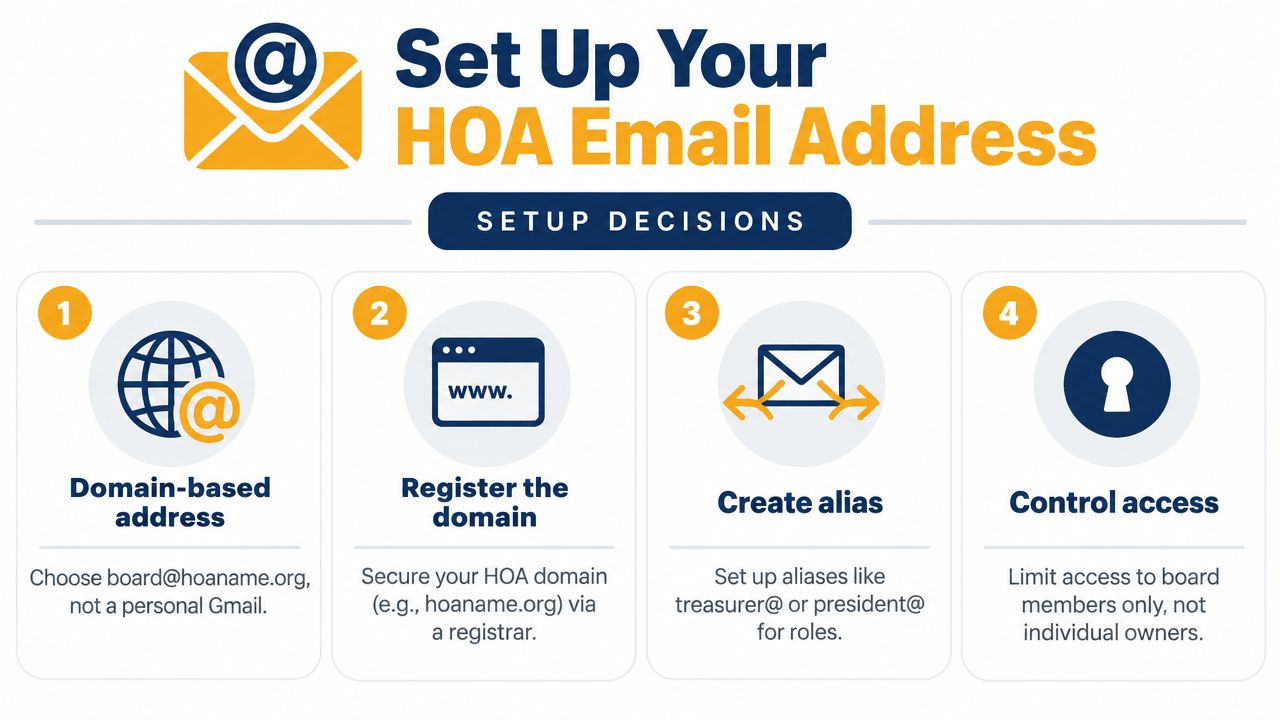
Start with an association-controlled address, not the secretary's personal Gmail. A role-based address such as [email protected] or [email protected] stays connected to the organization when officers change. The address should belong to the HOA's domain or another account the board controls, and the recovery information, billing contact, and administrator access should be documented outside one volunteer's private inbox.
A dedicated address also makes the sender recognizable. Residents shouldn't have to remember whether the current secretary uses a personal account, a work address, or a temporary forwarding address. Role-based aliases can preserve continuity when titles change, provided the board updates access promptly.
Separate the audiences
Don't treat every conversation as one mailing stream. At minimum, create a board-only channel, an owner announcement list, and separate committee channels for work such as landscaping or architectural review. A committee discussing a vendor question shouldn't accidentally send its internal conversation to every owner.
The reply setting deserves equal attention. Decide whether resident replies should go to the sender, a board mailbox, or the relevant management contact. If replies are meant for the whole group, make that behavior explicit and protect addresses from exposure. Tools such as Listava's private email list guidance describe the distinction between controlled group delivery and improvised CC or BCC workflows.
Control access and preserve the archive
Use a shared mailbox with two-factor authentication, and give access according to a documented role rather than personal preference. Keep a written handoff procedure that explains how to add an incoming officer, revoke a departing officer, update recovery details, and export or preserve correspondence.
Create an archive folder for sent announcements, meeting notices, consent records, bounced-address follow-up, and board-approved templates. A basic afternoon setup checklist looks like this:
- Choose the address: Select a domain-based association address and role aliases.
- Create separate streams: Keep board, owner, and committee messages apart.
- Set reply behavior: Decide where replies go before the first announcement.
- Secure access: Turn on two-factor authentication and document administrators.
- Preserve records: Create shared archive folders and a handoff document.
- Test delivery: Send a test message to board members and verify the recipient view.
The setup is simple. The discipline is what makes it durable.
Writing HOA Emails That Residents Actually Read
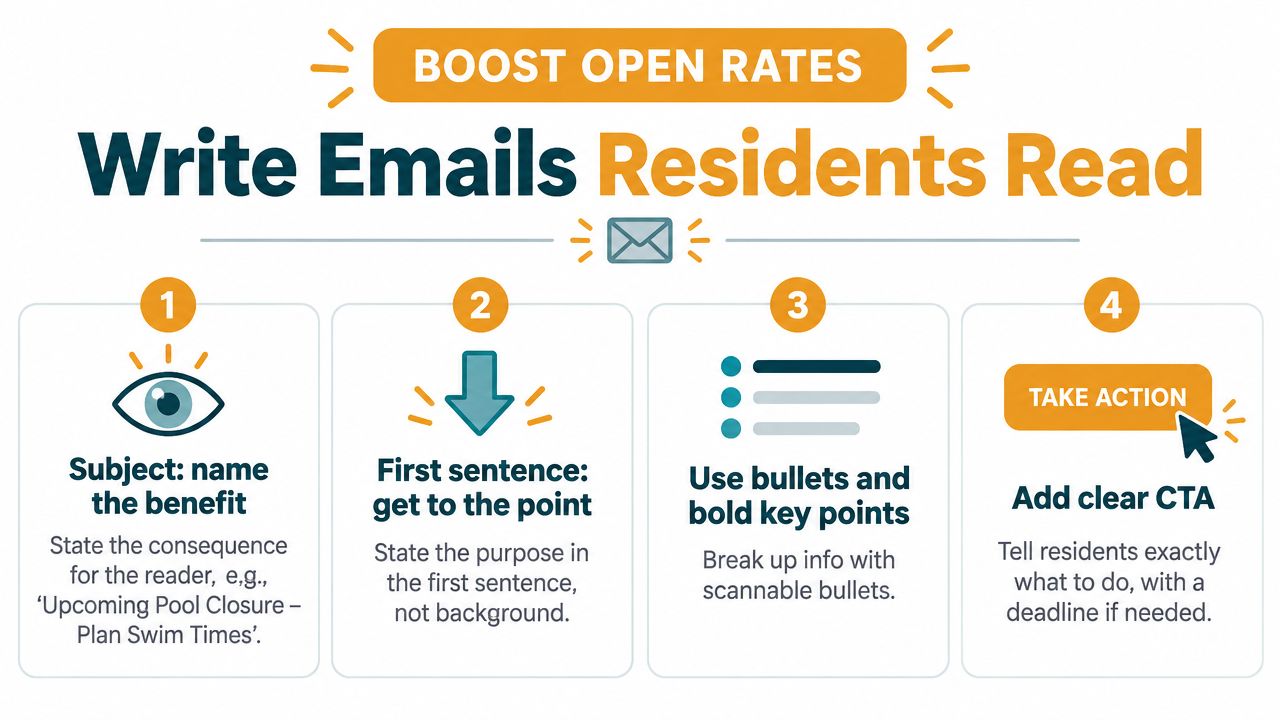
A polished newsletter can still fail if residents can't tell why it matters. The subject line should identify the consequence or useful outcome, not merely announce “HOA Update.” The opening sentence should answer, “Why am I getting this?” Then put the decision, date, or requested action near the top.
Association benchmark guidance places well-executed HOA and newsletter programs around 35–45% open rates, while poorly designed campaigns can fall below 15%. The same guidance cites approximately 42% average opens for monthly sends versus 28% for weekly sends, and notes that subject lines under 40 characters and automated campaigns can outperform longer manual sends (PropertyPop's HOA newsletter benchmarks). Treat those figures as directional benchmarks, not a promise. Your list, sender reputation, timing, and resident habits will affect the result.
Use one message for one primary action
Long messages become difficult to scan, especially on phones. Put supporting documents behind descriptive links rather than pasting every page into the email. Use a consistent sender name, short paragraphs, meaningful headings, and one clear call to action.
Community announcement
Subject: Pool Reopening, Saturday, June 15
The pool will reopen on Saturday, June 15, after scheduled maintenance. Please review the updated access and guest rules before visiting.
Read the pool rules
Questions should be sent to [email protected].
Formal meeting notice
Subject: Annual Meeting Notice, June 20
The annual association meeting will take place on Thursday, June 20, at 7 p.m. at the clubhouse. The agenda and participation instructions are available below.
Review the meeting agenda
Please retain this notice with your association records.
Action request
Subject: Submit Your Exterior Form by Friday
Owners who plan to replace fencing must submit the architectural review form by Friday. Send the completed form to [email protected] before the deadline.
Download the review form
Accessible design matters too. Link text should describe the destination, images should include useful alternative text, and important information shouldn't appear only inside an image. Avoid sending a rule change, a maintenance alert, a meeting notice, and a survey in one crowded message. Separate messages make the requested action clearer and make the archive easier to search later.
Consent, Recordkeeping, and Legal Foundations
The board should separate general information from official notice before it sends anything. Email may be convenient for a pool update or neighborhood reminder, but it isn't automatically a lawful replacement for paper when a statute or governing document requires formal service. A neutral legal summary of HOA email rules states that federal E-SIGN principles require affirmative homeowner consent before email replaces paper notices, that consent should specifically authorize official notices, and that associations should maintain a parallel mailing process when delivery fails or consent is revoked (LegalClarity's summary of HOA email communication rules).
Capture consent in a way successors can understand
Use an owner form or electronic consent process with an unambiguous choice. The record should identify the owner, the email address covered, the fact that the owner agreed to receive official notices electronically, and the date of consent. Store the original form or confirmation, not just a spreadsheet cell that says “yes.”
A useful consent register can include:
- Owner identity: Match the consent to the association's official owner record.
- Authorized address: Record the exact address covered by the consent.
- Notice scope: Distinguish official notices from informal updates.
- Consent date: Preserve when the affirmative choice was made.
- Revocation status: Record withdrawals and the date they took effect.
- Paper fallback: Flag owners who must continue receiving physical notices.
Don't assume silence equals consent. Don't move an owner to electronic-only delivery because the person replied to a casual announcement unless the response clearly records consent for official notices.
Treat failures as a workflow
A bounce means the message didn't reach that address. Flag the failure, verify the owner's current contact information, and use the paper method required by the governing documents or applicable law. Keep a separate list for owners who haven't consented, whose addresses have bounced, or who revoked consent.
The same care applies to records. Preserve the sent message, the recipient list or mailing-list snapshot, delivery details, consent record, and any follow-up mailing. For discussions involving owner privacy, use CC and BCC guidance for group email as a technical reference, but don't let a sending method substitute for a notice policy or legal review.
Because requirements vary by state and by governing documents, the board should ask association counsel to confirm the correct notice method and retention period. A platform can preserve evidence, but it can't decide whether a particular notice was legally sufficient.
Building a Written HOA Email Policy
A mailing list can change character with every board transition. One secretary permits reply-all, the next uses BCC, and another forwards board discussions from a personal account. Residents then receive inconsistent treatment, while successors lack a shared standard for privacy, response time, access, and records. A written policy turns those personal habits into a repeatable system.
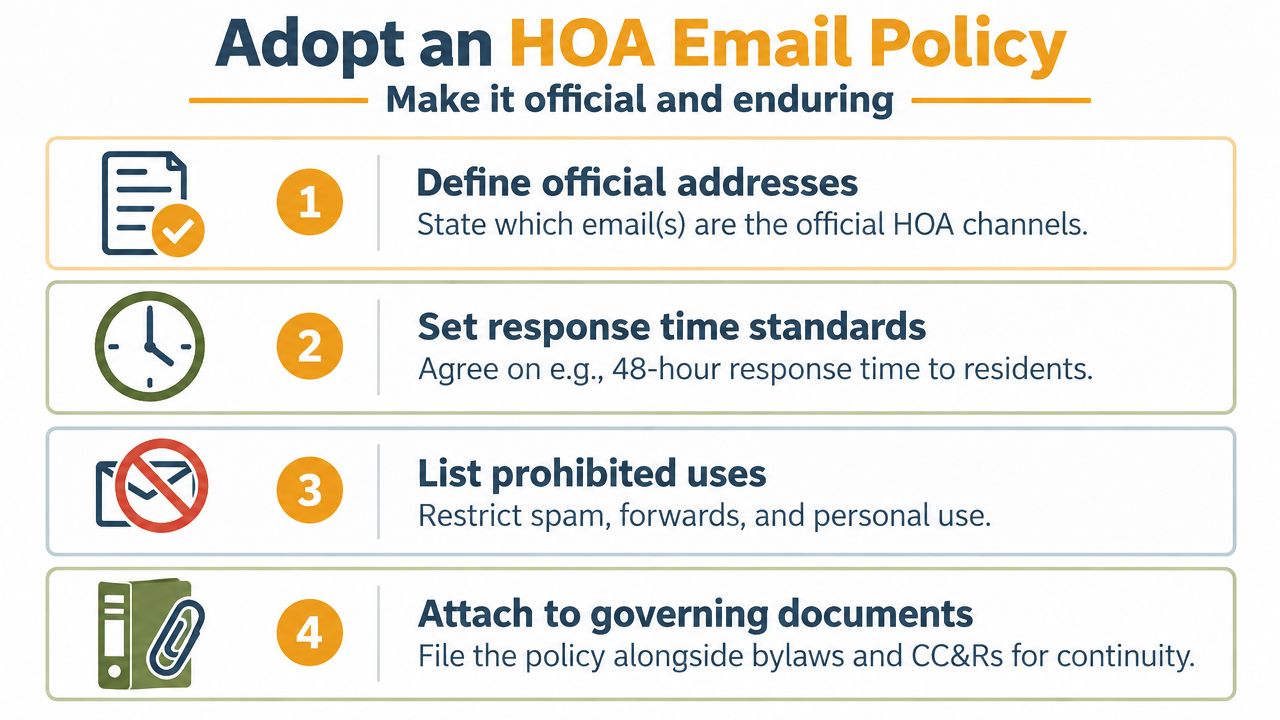
Adopt a short, board-approved policy and store it with the association's operating materials. It should identify the official channels, assign responsibility, and show where the records live. For practical email list management practices, the board can also review Listava's email list management guidance.
Clauses worth putting in writing
A workable policy should cover:
- Scope: Define which messages fall under the policy, including announcements, notices, board correspondence, and committee communications.
- Official addresses: Name the association-owned mailbox, aliases, and approved sending platforms.
- Administrator duties: Assign responsibility for access, list maintenance, backups, and turnover.
- Consent handling: Explain how electronic-notice consent is captured, stored, revoked, and reviewed.
- Privacy controls: Prohibit exposing owner addresses and define how owner-to-owner replies are handled.
- Response standards: Set a service expectation for owner requests and identify who monitors the inbox.
- Moderation: State how off-topic threads, personal attacks, commercial forwards, and repeated replies are handled.
- Record retention: Identify what gets archived, how it is labeled, and where successors can locate it.
- Decision boundaries: State that email is not the forum for informal board decisions or confidential discussions.
The policy should also describe what happens when a volunteer leaves. Access must be removed, credentials transferred through the association's controlled process, and pending correspondence handed to the incoming administrator. That small clause protects continuity when leadership changes quickly.
Make the boundary workable
A neighborhood list can distribute updates, but it is a poor place for substantive board business. A long reply-all debate may expose private information, create a misleading record of deliberation, or raise open-meeting concerns under applicable state law. Routing owner requests to management, placing proposals on a meeting agenda, or using a private owner portal may take more effort, but each route creates clearer accountability.
Define the list's purpose in plain language. If it is an official announcement channel, do not operate it as an unrestricted social forum. If owners may reply to the group, set expectations for moderation, privacy, and response handling. The board's aim is to preserve useful conversation without letting email replace a meeting, a records system, or a formal notice process.
Maintenance and Continuity Through Board Turnover
A list stays reliable only when someone maintains it on a schedule. New owners move in, old addresses stop working, committee assignments change, and officers need access removed. Waiting for a missed notice to reveal the problem is too late.
Use a recurring maintenance rhythm
Build list hygiene into the board calendar:
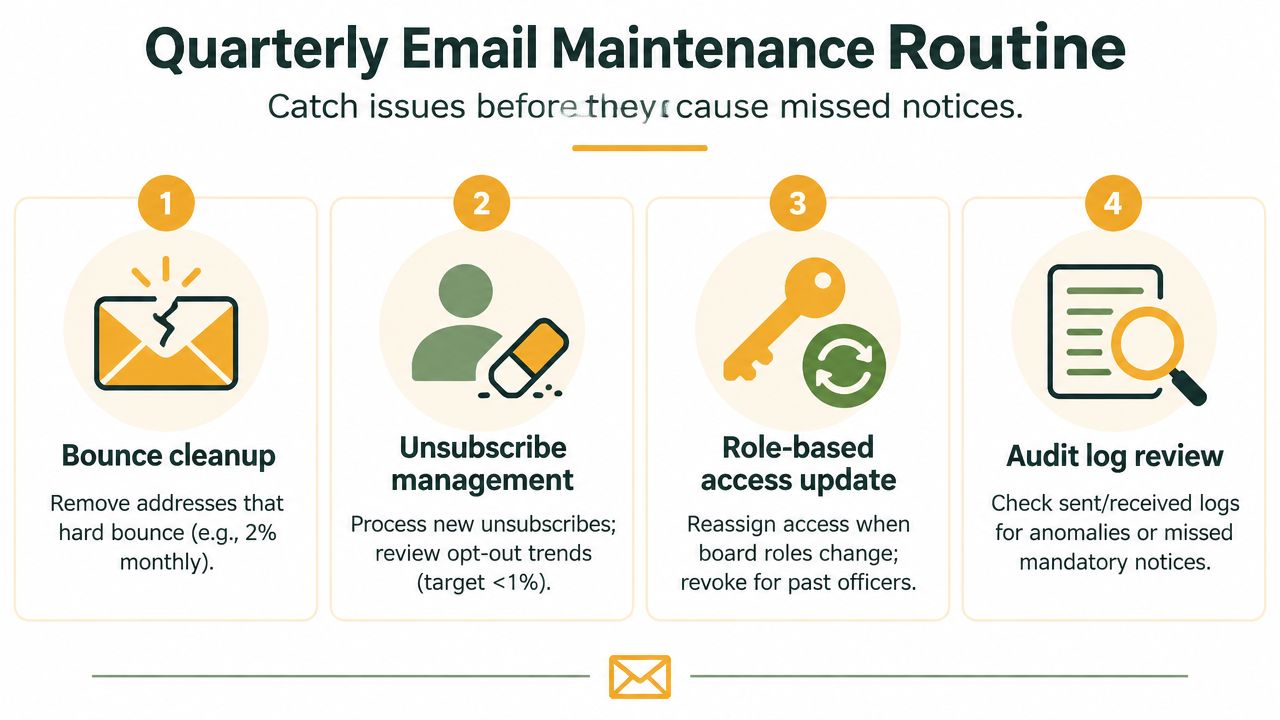
- Run a list audit every 90 days: Review hard bounces, inactive addresses, duplicate entries, and unexplained delivery failures.
- Reconcile against the owner roster annually: Compare the electronic list with the association's official ownership records, not an old volunteer spreadsheet.
- Check permissions mid-year: Confirm that committee and officer access still matches current roles, then revoke access that no longer belongs.
- Clean up before the annual meeting: Align the communication roster with the records used for meeting notices and voting eligibility, while preserving any legally required paper list.
Guidance on HOA email policy emphasizes the need for updated lists, association-owned accounts, separated records, and a broader multi-channel approach because no single channel reaches every homeowner reliably (FirstService Residential's HOA email policy guidance). The practical lesson is simple: maintain email as one controlled channel, not as the association's only safeguard.
Make turnover a handoff, not a reset
Before an officer leaves, document the account owner, administrator, recovery method, aliases, billing contact, list manager, consent register, archive location, and current owner-roster source. Store credentials in a shared password vault rather than in a sealed envelope that can disappear, and limit access to the people who need it.
A short overlap helps expose missing knowledge. During the transition, the outgoing and incoming secretary can review the next scheduled send, locate the archive, test replies, inspect bounces, and confirm that paper-fallback procedures are understood. The association should reassign the registered address, aliases, recovery contact, and billing information before the former officer's access is removed.
Give the incoming board a first-week checklist:
- Confirm access to the association-owned mailbox and sending tool.
- Verify two-factor authentication and recovery contacts.
- Review the written email policy and communication SOP.
- Compare the active list with the current owner roster.
- Review bounced addresses, consent flags, and paper-fallback records.
- Open the archive and locate recent notices and delivery histories.
- Send a test message to board members and confirm reply routing.
- Revoke former officers and committee members who no longer serve.
The best continuity plan assumes the next board won't remember why the current board made each choice. It leaves enough documentation that they won't need to.
Listava gives HOA boards a private group email address that can distribute updates while keeping resident addresses hidden, and it works through members' existing email clients without requiring a new app or member dashboard. Visit Listava to create a communication channel that keeps the list independent of one volunteer's inbox and easier to hand off when board roles change.