HTML vs Text Email: Which Format Works for Group Lists?
HTML vs text email explained for group lists. Compare deliverability, accessibility, and design trade-offs, plus best practices for community emails.
A new HOA treasurer sends the monthly newsletter to 120 neighbors. It has a polished banner, several colored sections, photographs, and a large button for the next meeting. Then the replies start arriving from different directions. Some members never received it, several say the layout is hard to read, and two visually impaired neighbors explain that their screen readers couldn't make sense of the message. The treasurer also discovers that some copies went to spam.
That experience creates a practical question for every volunteer organizer: should a group email look like a small newsletter, or should it read like a clear note from a person? The answer depends less on fashion than on the group, the readers, and the action you need members to take.
HTML can make an announcement feel official and help readers scan several events. Plain text can travel reliably, remain readable in restrictive environments, and invite a direct reply. A multipart message can provide both versions. This guide focuses on the situations that marketing comparisons often overlook, including HOA boards, clubs, faith groups, family lists, and community volunteers.
Table of Contents
- The Group Email Format Dilemma
- What HTML and Plain-Text Email Actually Are
- Deliverability and Spam Filter Behavior
- Accessibility for Every Member
- Design, Branding, and Engagement Trade-Offs
- Choosing the Right Format for Your Group
- Best Practices for Group and Community Email
- A Simple Decision Framework
The Group Email Format Dilemma
Group email has a different job from a promotional campaign. A retailer may care most about product images and click tracking. An HOA secretary usually cares whether every neighbor can read the meeting details and reply without confusion. A family coordinator may just need everyone to know who is bringing food and when to arrive.
That difference changes the format decision. A heavily designed HTML message can look professional, but every extra element creates another opportunity for a client, filter, or assistive technology to interpret the message differently. Plain text removes much of that uncertainty, although it gives up visual structure and branding.
Practical rule: For a group list, optimize first for understanding and replies. Add design only when it helps members find or act on the information.
The choice also affects trust. Members recognize a short message from a familiar organizer as a conversation. A large banner with multiple buttons can make the same announcement feel like advertising, even when the sender is a volunteer they know. That doesn't make HTML wrong. It means visual polish should serve the message rather than compete with it.
This guide defines the two formats, explains what multipart email does, and examines deliverability and accessibility without treating either format as universally superior. It also matches common group situations to practical choices, then ends with a checklist and a simple decision framework you can use before the next send.
What HTML and Plain-Text Email Actually Are
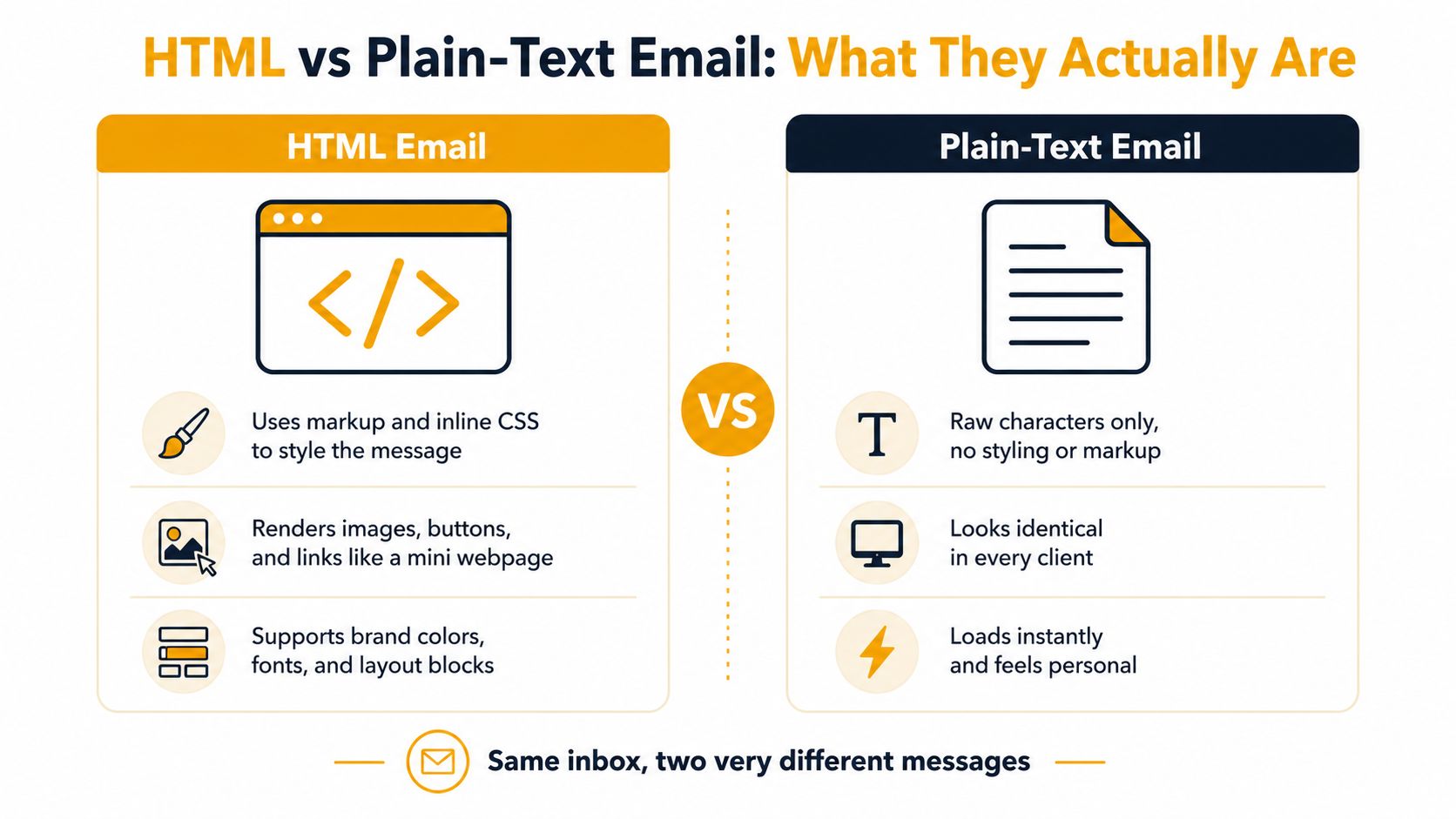
HTML email is a formatted message built with markup, styling, images, links, and sometimes buttons. It renders inside the inbox much like a small webpage. A club newsletter might use a logo at the top, colored headings for each activity, and a prominent link to an event registration page.
Plain-text email contains characters without visual markup. There are no styled blocks, embedded images, or HTML buttons. You can create one in any ordinary email composer, and it resembles a typed memo on plain paper.
The difference is similar to a paper letter and a greeting card. The letter gives you space for a direct explanation and works almost anywhere. The card can create a stronger visual impression, but its appearance depends on how the recipient receives and displays it.
The practical middle path
A multipart email, often called a multipart or alternative message, carries both an HTML version and a plain-text version. The recipient's email client chooses the version it can display most appropriately. Someone reading Gmail on a phone may see the formatted copy, while a restrictive reader or assistive setup can use the text alternative.
That matters because group lists rarely have a uniform audience. One member may use Gmail on a recent phone, another may use Outlook on a library desktop, and someone else may read messages through a terminal-based reader or a screen reader. Sending both versions gives each person a better chance of receiving a usable message.
The text version shouldn't be an afterthought made by stripping random code from the HTML. It should preserve the subject, essential details, links, contact information, and requested action in a logical order. If the HTML says “Click the blue button below to confirm attendance,” the text version should provide a clear destination and explain what the member needs to do.
Deliverability and Spam Filter Behavior
For a group organizer, deliverability means more than a campaign metric. It determines whether the agenda reaches the board, whether the weather cancellation reaches volunteers, and whether a family update arrives before people leave home.
A 2026 benchmark test reported inbox placement of 93.1% for identical plain-text messages and 78.4% for HTML messages, a difference of 14.7 percentage points. The same test reported 12.3% soft bounces and 38.7% spam-filter flags for the HTML version across major systems. These figures come from the Mailtester analysis of plain-text email deliverability, and they shouldn't be treated as a guarantee for every sender or list.
HTML doesn't automatically cause filtering. Filters assess many signals, including sender reputation, authentication, links, images, and recipient behavior. Poorly coded HTML, an empty text alternative, a message made mostly of images, or links that lead to unfamiliar domains can make a group announcement look less like a normal conversation.
| Factor | HTML Email | Plain-Text Email | |---|---|---| | Rendering | Depends on client support and code quality | Renders consistently in restrictive environments | | Images and buttons | Supported | Not supported as visual elements | | Filtering surface | More markup, links, images, and styling to assess | Fewer structural signals to misinterpret | | Fallback needs | Should include a complete text version | Already provides the fallback | | Group-list fit | Useful for structured announcements | Strong for logistics and replies |
What organizers should check
A missing text alternative is especially risky because some recipients may see a blank or incomplete message. Sending a well-formed multipart message addresses that weakness while preserving a designed version for clients that support it.
Sender authentication also matters. SPF, DKIM, and DMARC help receiving systems evaluate whether a message is authorized and trustworthy, but authentication can't rescue a confusing or poorly built message by itself. Keep links recognizable, avoid image-only announcements, and make sure the sender name matches the identity members expect.
If you're coordinating a large membership list, the practical mechanics matter too. Guidance on sending email in bulk without losing control of the list can help you separate format decisions from recipient management. A reliable delivery process still needs accurate addresses, clear sender identity, and a message members can understand quickly.
Accessibility for Every Member
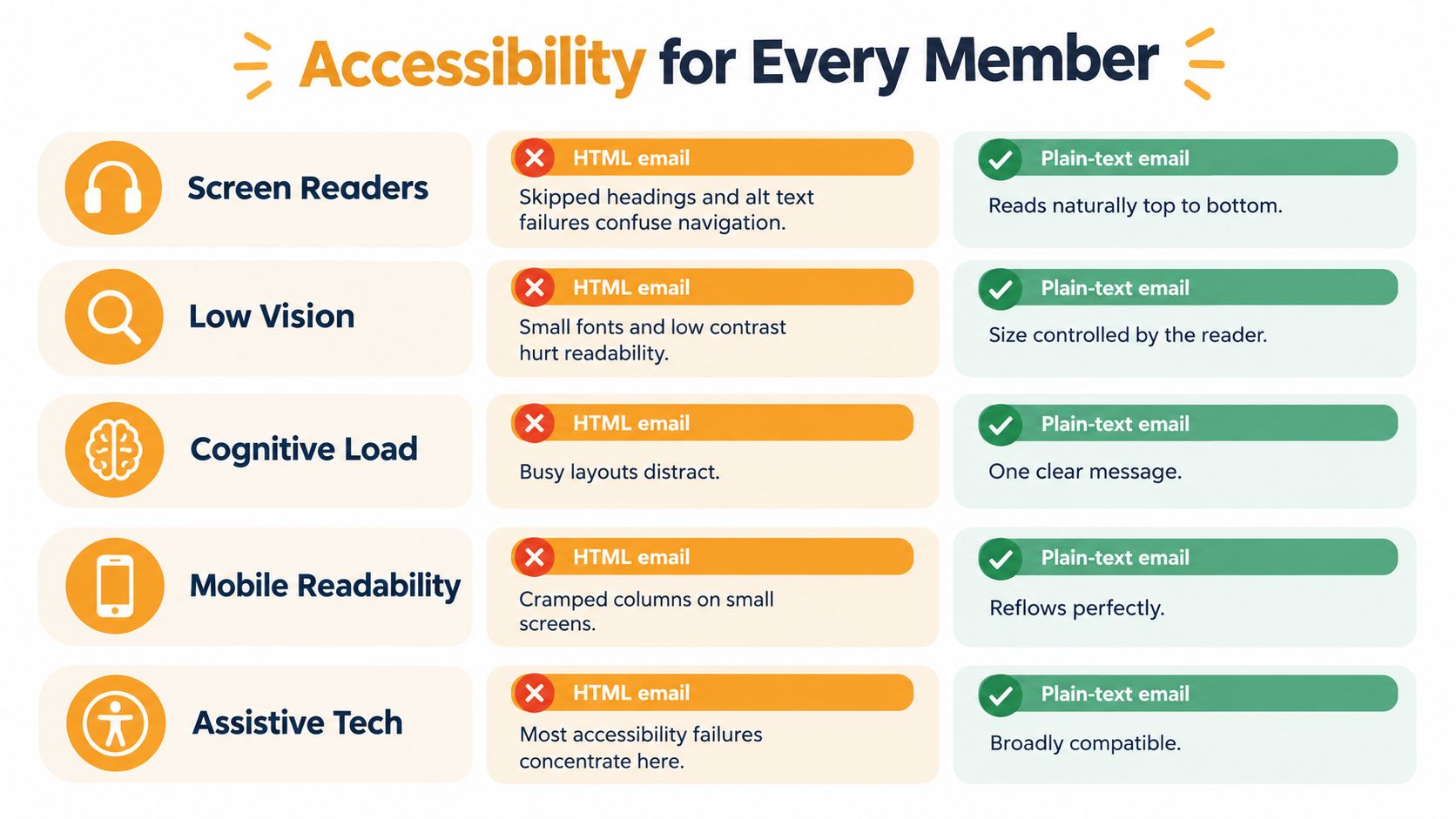
Plain text is usually the more accessible default because it removes many common obstacles before the organizer has to diagnose them. A screen reader can read the content from top to bottom. A reader can enlarge the text using the device's own settings. A low-bandwidth connection or restrictive client doesn't need to load a layout before showing the essential information.
HTML email can also be accessible, but it requires deliberate work. Semantic headings, meaningful alternative text, sufficient contrast, sensible reading order, and a layout that doesn't depend on visual positioning all matter. A message that looks orderly to the sender may be confusing when a screen reader encounters decorative images, empty links, nested tables, or headings that are only styled paragraphs.
Evidence from recent reporting shows how widespread the problem is. One analysis found accessibility issues in 99.97% of HTML emails, while a 2026 review of 443,585 emails reported serious or critical problems in 99.89% of them, with only 21 emails passing all automated checks. These findings are summarized in the MailMend overview of email accessibility statistics.
Accessibility in everyday group messages
Accessibility isn't limited to members who identify as disabled. Someone may have changing vision, dyslexia, a cognitive condition, an older phone, or difficulty reading low-contrast text. A busy visual layout can also increase cognitive load for anyone trying to find one date among several decorative elements.
The useful WCAG ideas are straightforward:
- Perceivable: Members can see, hear, or otherwise access the information. Don't put the meeting location only inside an image.
- Operable: Members can reach links and complete the requested action without fighting tiny targets or confusing navigation.
- Understandable: The message uses familiar words, clear order, and an obvious next step.
Plain text doesn't solve every communication problem. Poor spacing, unexplained abbreviations, or a wall of dense writing can still frustrate readers. However, it gives the organizer a strong accessible baseline. If you choose HTML, keep the design modest and test the actual message with a screen reader, keyboard navigation, and a small screen.
Design, Branding, and Engagement Trade-Offs
HTML earns its place when appearance carries useful information. A fundraiser invitation may need a recognizable event image. A community newsletter with several unrelated activities may benefit from headings, spacing, and clearly separated blocks. A visual calendar can help readers scan dates faster than a long paragraph.
Plain text wins when the message is primarily a conversation. A note asking, “Can you bring two folding tables on Saturday?” doesn't need a banner. The recipient can answer directly without wondering which button to press or whether the message is a formal promotion.
| Factor | HTML Email | Plain Text | |---|---|---| | Visual impact | Stronger, with images, colors, and layout | Minimal, using spacing and text characters | | Brand consistency | Logos, colors, and structured signatures | Sender name, wording, and a simple signature | | Cross-client behavior | Can vary across Gmail, Outlook, and mobile clients | Usually consistent | | Reply experience | Can feel like a campaign if overdesigned | Often feels like a personal note | | Tracking | Supports richer link and interaction tracking | Provides fewer measurement options | | Message size | Can grow with images and layout elements | Lightweight | | Forwarding | Design may change or break | Content remains easy to copy and read |
The engagement question deserves care. A cited industry dataset reported that plain text outperformed HTML by up to 42% in opens and produced a 21% higher click-to-open rate across tested campaigns, as described in Mailwarm's comparison of HTML and plain-text email. That evidence comes from campaign testing, not a universal rule for HOA notices or family coordination.
Why replies change the calculation
Group organizers often need a response rather than a click. A member must confirm attendance, explain an absence, volunteer for a task, or correct a meeting detail. Plain text makes that action obvious because the message resembles the reply the recipient is expected to send.
HTML can support replies too, especially when it provides a short explanation followed by one clear action. The danger comes from adding visual elements that obscure the purpose. A polished message with several links can leave members unsure whether to reply, register, forward, or just read.
Use HTML when structure or imagery improves comprehension. Use plain text when familiarity, speed, and a direct response matter more than presentation.
Choosing the Right Format for Your Group
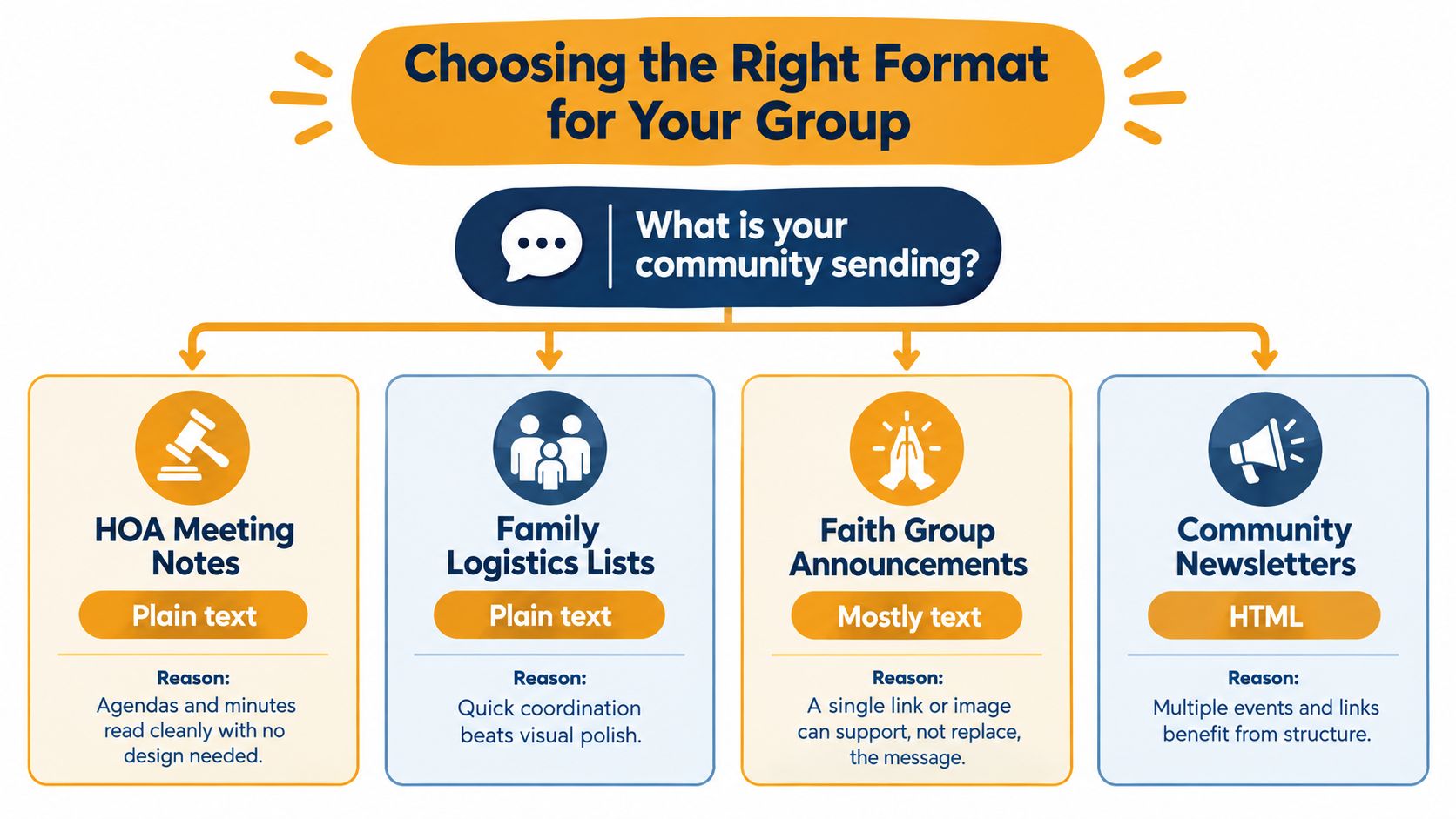
Start with the information members need, not with the template you already have. A meeting agenda, prayer request, or pickup arrangement usually works in plain text because the content is the point. A multi-event newsletter or fundraiser invitation may benefit from HTML because readers need to scan sections and recognize an event quickly.
Match the message to the situation
- HOA meeting notes: Choose plain text for agendas, minutes, maintenance updates, and voting questions. Dates, decisions, and reply instructions remain easy to locate.
- Family logistics: Use plain text for travel plans, meal coordination, school pickups, and schedule changes. People usually need a fast answer, not a visual experience.
- Faith group updates: Use mostly text for prayer requests, weekly bulletins, and pastoral messages. A single link or image can support the note without replacing its substance.
- Hobby club discussions: Use plain text for tips, equipment questions, and schedule changes. Members can quote the relevant sentence and reply beneath it.
- Volunteer sign-ups: Plain text works well when the desired outcome is a reply such as “I can staff the welcome table.”
The case for HTML becomes stronger when the design carries meaning. A fundraiser invitation may need a clear event image and a recognizable campaign identity. A community newsletter with multiple events and links can be easier to scan when each item has a consistent heading and spacing. A youth group announcement may also benefit from visual elements that help members recognize the activity immediately.
For those messages, multipart email is the safest general choice. Send a readable HTML version and write a complete plain-text alternative rather than relying on automatic conversion. If your group needs a private address that distributes one message to every member while keeping addresses hidden, a service such as Listava's private email list is one way to manage that arrangement through standard email clients.
Decision shortcut: If members mainly need to reply, start with plain text. If they need to scan structured visual information, use light HTML with a strong text fallback.
Best Practices for Group and Community Email
Format choice works best alongside a few repeatable habits. A plain-text message can still fail if the subject is vague, the sender is unfamiliar, or the list contains old addresses. A beautiful HTML message can still succeed when the content is clear, the sender is trusted, and the fallback works.
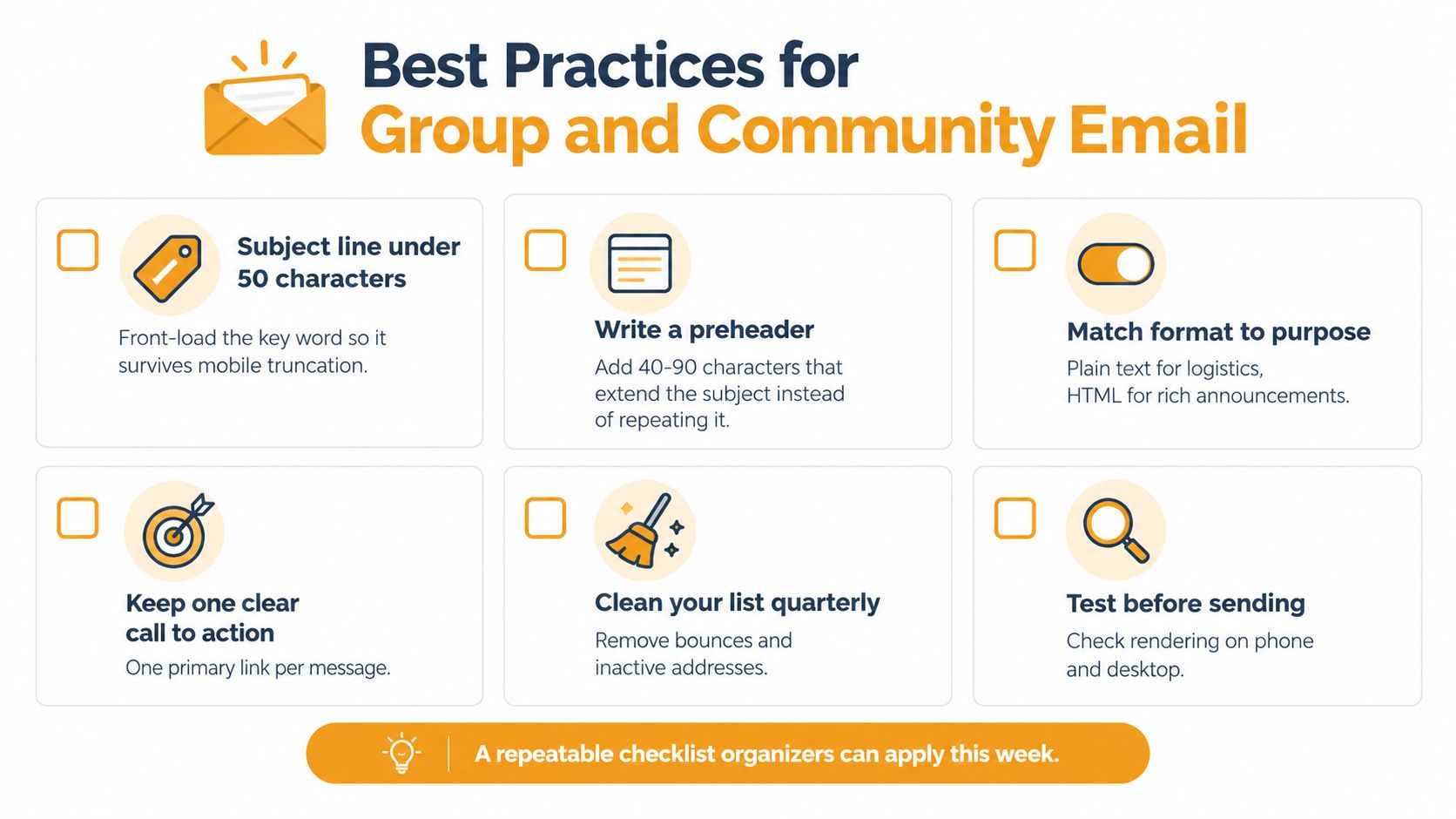
Use this checklist before sending:
- Write a focused subject: Keep it under 50 characters, and put the key detail near the beginning so members can identify it on a phone.
- Add a useful preheader: Preview the requested action instead of repeating the subject. “Reply by Friday with your preferred shift” tells the reader what matters.
- Match format to purpose: Use text for logistics and discussion. Use HTML when layout, imagery, or multiple sections improves comprehension.
- Keep one primary action: If you need replies, say so. If you need members to open a registration page, give that link a clear label and explain what happens there.
- Use a plain-text signature: Include the organizer's name, group role, and one reply address. Members shouldn't have to search for the person responsible.
- Send both versions when appropriate: A multipart message gives supported clients a formatted copy and gives other readers a dependable alternative.
Keep the list healthy
List maintenance affects whether the right people receive the message. Remove addresses that repeatedly bounce, confirm changes after leadership transitions, and review membership before sending sensitive group information. The Listava guide to email list management covers practical upkeep for organizers who don't want routine communication to depend on a complicated dashboard.
Test the message on a phone and desktop before sending it to everyone. In the HTML version, check the heading order, link labels, image alternatives, contrast, and fallback text. In the plain-text version, check that URLs are understandable, paragraphs are separated, and the requested action appears near the end.
Consistent sender identity usually matters more than decorative design. Use the same recognizable name, explain unexpected changes, and make replies reach the right group or organizer.
A Simple Decision Framework
Ask three questions before you compose.
Who will read this? If the group includes members using screen readers, restrictive clients, older devices, or limited connectivity, make plain text available. That doesn't prevent you from sending HTML, but it raises the standard for the fallback.
What action do you need? If the answer is a reply, confirmation, correction, or volunteer commitment, lean toward plain text or mostly text. If readers need to scan several events, view an invitation, or follow a structured set of links, light HTML may help.
Does visual design carry information? If removing the image or layout would remove meaning, use HTML and preserve that meaning in the text version. If the design only makes a simple note look more official, leave it out.
A useful default for community lists is text first, HTML when structure earns its place. Multipart email is the practical compromise when you want a formatted presentation without excluding people whose tools handle plain text better. The best format isn't the one that looks most impressive in the sender's editor. It's the one members can read, understand, and act on without friction.
Listava lets organizers create one group email address that reaches every member, keeps addresses private, and supports replies through ordinary clients such as Gmail and Outlook. If your HOA, club, faith group, or family list needs simpler group communication, visit Listava and see whether its email-only approach fits your next message.