10 Announcement Examples for Neighborhood Groups and HOAs
Ready-to-use announcement examples and subject lines for HOAs, neighborhood groups, clubs, and faith communities, with tone notes and when to send each one.
You've sent an important message to the neighborhood group, but it's already buried beneath reply-all greetings, unrelated questions, and someone forwarding an old attachment. By the time members find it, the meeting date has passed or the volunteer slots are full.
Good announcements prevent that problem before it starts. The subject line, opening sentence, timing, and reply instructions determine whether people understand what's happening and know what to do next. A message can be friendly and well written, yet still fail if the date is hidden, the action is vague, or half the group never receives it.
The following announcement examples are ready-to-adapt templates for HOAs, neighborhood associations, hobby clubs, faith communities, volunteer groups, and extended families. Each includes a subject line, a copy-ready message, and practical guidance on the right tone, audience, and sending moment.
Table of Contents
- 1. Meeting Notice with Agenda
- 2. Event Invitation with RSVP Request
- 3. Schedule Change or Cancellation Notice
- 4. Urgent Community Alert
- 5. Policy or Rule Update Announcement
- 6. New Member Welcome Announcement
- 7. Volunteer Sign-Up Request
- 8. Dues, Fee, or Fundraiser Reminder
- 9. Family Life Event Update
- 10. Leadership Transition Announcement
- 10 Announcement Types Comparison
- Build Your Announcement Library Before You Need It
1. Meeting Notice with Agenda
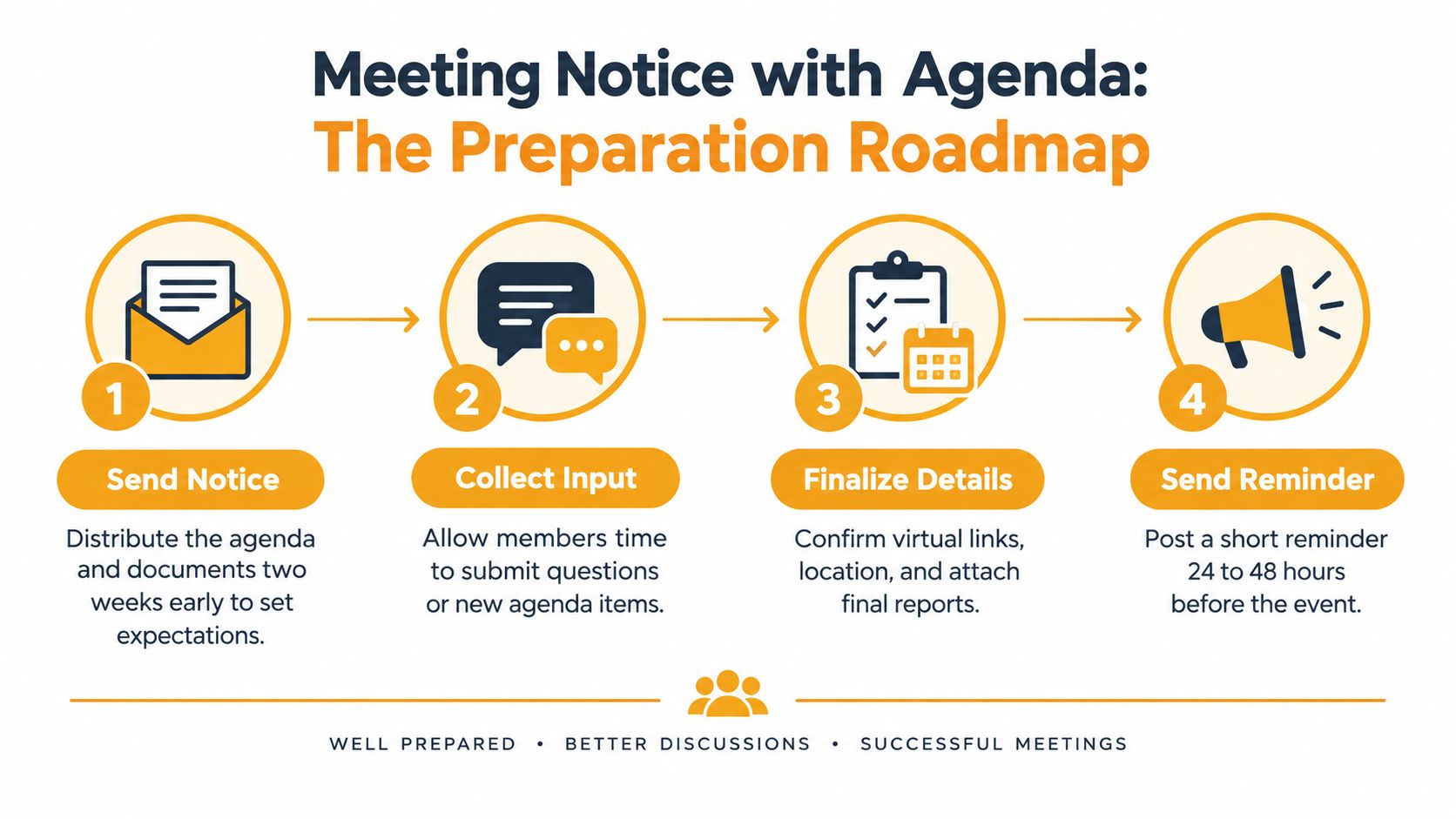
A meeting notice should answer four questions immediately: when, where, what's being discussed, and how members can participate. Members need enough notice to review documents, prepare questions, or arrange attendance. A clear agenda also helps prevent the meeting from turning into an unstructured discussion.
Subject: Annual Meeting on [Date], Agenda and Participation Details
Hello [group name],
Our annual meeting will take place on [day, date] at [time] at [location or video link].
We'll discuss:
- Approval of the previous meeting minutes
- Treasurer's report and proposed budget
- Maintenance priorities for [year or season]
- Election or confirmation of board members
- Member questions and open discussion
Please review the attached [budget summary, meeting packet, or proposal] before the meeting. If you can't attend, send questions to [contact name] by [date]. Members who need to vote or participate remotely should follow [instruction].
A short reminder will follow before the meeting. For additional guidance, see this HOA annual meeting notice guide.
Tone: Formal, neutral, and organized.
Audience: The full membership, including people who may not attend regularly.
Send it: As early as your governing documents require. Put the date in the subject line, then send a brief reminder 24 to 48 hours before the meeting.
2. Event Invitation with RSVP Request
An invitation works best when members can respond without solving a puzzle. State the event details in one compact block, then ask for a simple yes or no and a headcount. If the organizer needs dietary information, transport needs, or volunteer help, ask for it in a separate line.
Subject: RSVP by [Date] for the [Event Name] on [Event Date]
Hello [group name],
You're invited to [event name] on [day, date] from [start time] to [end time] at [location].
We'll have [short description of the activity, meal, or program]. Please reply to this message by [RSVP deadline] with:
- Attending or not attending
- Number of people in your party
- [Dietary, accessibility, or role information, if needed]
The event is [free, limited to members, open to guests, or another relevant condition]. You're welcome to bring [a friend, spouse, child, or guest] if space allows.
Please contact [organizer name] at [email or phone] with questions. We'll send a reminder to anyone who hasn't replied before the deadline.
Tone: Warm and inviting, with a direct request.
Audience: Members, guests, or families who need to make plans.
Send it: Early enough for the organizer to order supplies and confirm space. A reminder a few days before the event is useful, but don't keep sending broad invitations after the RSVP deadline.

3. Schedule Change or Cancellation Notice
A cancellation notice isn't the place for background detail. Put the changed status first, explain the reason briefly, and state what members should do now. The word CANCELED or CHANGED should appear at the beginning of the subject so people can understand the message from a phone notification.
Subject: CANCELED, [Event or Meeting] on [Date]
Hello [group name],
Today's [meeting, class, outing, or event] on [date] is canceled because of [short reason].
Please don't come to [location] at the original time. We're proposing [new date and time] as the replacement. Reply to this message by [date] if you can attend the new date, or contact [organizer] if you need another option.
We'll send a final confirmation once the replacement date is settled. Please share this notice with any approved guests who may not be on the group list.
Tone: Direct and calm. Avoid dramatic language unless there's a genuine safety issue.
Audience: Everyone affected, including guests, volunteers, and people who registered separately.
Send it: As soon as the change is confirmed. Keep this template saved on your phone so you can fill in the fields quickly. Use the group address rather than an old personal list, because membership and contact details may have changed.
A second message matters when the replacement plan is uncertain. Without it, members may continue guessing or rely on an outdated calendar entry.
4. Urgent Community Alert
An urgent alert must tell recipients what affects them and what they should do. Put the affected area, immediate instruction, and official contact information near the top. Don't bury a safety message under a long explanation.
Subject: URGENT, Water Shutoff Affecting [Street or Area]
Hello [group name],
A water main break is affecting [streets, buildings, or neighborhood area]. Water service may be interrupted from [time or current status] while [utility or responsible team] works on the issue.
Please:
- Avoid using water if [specific instruction]
- Follow the utility's [boil-water or safety instruction]
- Use [alternate entrance, route, or facility] if applicable
- Contact [utility hotline or official contact] for service questions
This information was confirmed through [official source] at [time]. For a life-threatening emergency, call 911 or your local emergency service first.
We'll send an all-clear message when the issue is resolved or when the official guidance changes.
Tone: Short, factual, and serious. Save URGENT for messages that require prompt attention.
Audience: Only the people affected, unless the risk or route affects the whole group.
Send it: Immediately after verifying the facts with an official source. Send a follow-up when conditions return to normal.

Wireless Emergency Alerts offer a useful historical lesson. The first WEA was sent on June 28, 2012, for a flash-flood warning near Santa Fe, New Mexico. More than 70,000 WEAs were sent over the following decade, and the National Center for Missing and Exploited Children reported that 123 children had been recovered through AMBER Alerts delivered via WEA by 2022. The history shows why an alert needs more than fast distribution. It should identify the hazard, explain timing, and give a clear action. The longitudinal WEA study found that 73.5% of reviewed messages named a hazard, while 39.2% specified a timing element.
5. Policy or Rule Update Announcement
People resist rule changes when they have to discover the change inside a long attachment. Lead with the plain-language summary, then explain why the policy changed, when it takes effect, and where members can ask questions.
Subject: New Pool Hours and Guest Rules Begin [Effective Date]
Hello [group name],
Starting [effective date], the community pool will be open from [new hours]. Guests must be accompanied by a resident, and each household may bring [guest condition].
The board made this change to [brief reason, such as improve supervision, address staffing, or clarify access]. The revised policy is attached, and the key updates are listed below:
- [Change one]
- [Change two]
- [Change three]
Please send questions to [designated contact] by [date]. Formal comments should be sent separately to [email or submission method] so routine replies don't bury them in the group thread.
Read this HOA announcement email template collection for other policy and community notices.
Tone: Clear and respectful. Don't sound defensive or imply that questions are unwelcome.
Audience: Every member affected by the rule, including people who rarely participate in discussions.
Send it: Before the effective date, with enough time for members to read the revised document and ask questions.
A policy announcement needs a permanent record. Save the message and attachment in the group's shared files, along with the approval date and the person responsible for answering questions.
6. New Member Welcome Announcement
A welcome message should make the new person feel included without exposing more personal information than they intended to share. Ask permission before naming interests, location, work details, or family information. A short explanation of list behavior helps prevent accidental reply-all confusion.
Subject: Please Welcome [Name] to [Group Name]
Hello [group name],
Please welcome [name], who recently joined [group or committee]. [Name] is interested in [approved detail, such as beginner pickleball games, weekend walks, or neighborhood projects] and will be participating in [activity or subgroup].
Please introduce yourself when you see [name] at [next meeting, practice, or event]. For simple greetings, reply directly to [name] rather than the whole group. Use reply-to-group when your message contains information that everyone needs.
Welcome, [name]. We're glad you're here.
Tone: Friendly, brief, and respectful.
Audience: The full group, after the new member has agreed to be introduced.
Send it: Soon after the person joins, while the membership change is still current.
A family coordinator might use the same format for a new relative joining an update list. In that case, explain what kinds of family news belong on the list and whether replies go to everyone or to one coordinator. Don't assume every member understands email list behavior.
7. Volunteer Sign-Up Request
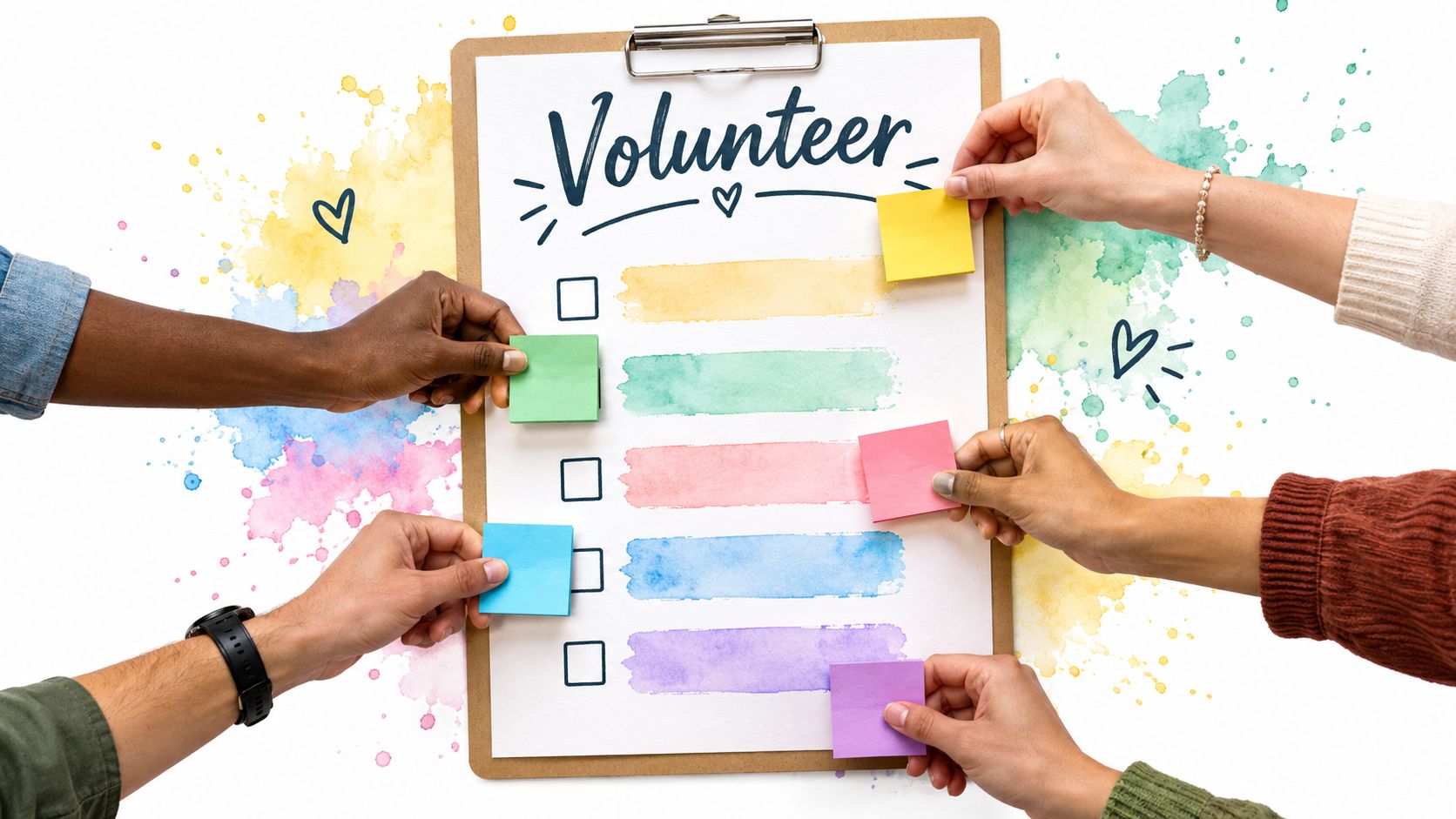
People are more likely to volunteer when the request describes a real task, a clear time commitment, and a simple way to claim it. “We need help” is too broad. “Reply with Setup, Saturday at 8 a.m.” gives someone a decision they can make quickly.
Subject: Volunteers Needed for [Event], Reply with a Role by [Date]
Hello [group name],
We're looking for volunteers for [event or project] on [date] at [location]. Please reply to [tracker name] with the role and time you can cover.
Open roles:
- Setup: [time] to [time], arrange tables and supplies
- Check-in: [time] to [time], welcome participants and confirm names
- Activity support: [time] to [time], help with [specific task]
- Cleanup: [time] to [time], pack supplies and leave the space ready
Please reply in this format: [Role], [time]. For example, “Setup, Saturday at 8 a.m.” The sign-up deadline is [date].
[Tracker name] will maintain the list and send an updated version when the roles are filled. Thank you for helping make [event or project] possible.
Tone: Appreciative but practical. Don't use guilt as a substitute for planning.
Audience: Members who can take a defined shift or task.
Send it: Early enough for people to review their schedules, then send one update showing what remains open.
Thank volunteers in the follow-up message. Public appreciation recognizes the work without naming members who haven't signed up, and it gives future requests a more positive tone.
8. Dues, Fee, or Fundraiser Reminder
Money-related announcements need precision and discretion. State the amount, deadline, payment method, and purpose. Never publish a list of members who haven't paid. That creates embarrassment and may expose private financial information.
Subject: [Quarterly Dues or Fundraiser] Due by [Date]
Hello [group name],
This is a reminder that [dues, assessment, fee, or donation] of [amount] is due by [date].
Payment options are:
- Online: [payment link]
- Check: Payable to [organization], mailed to [address]
- Other: [approved method]
For this period, the money supports [specific purpose, such as pool maintenance, event supplies, or a park cleanup]. You can review the related budget or project information at [descriptive link].
If you've already paid, thank you. For payment questions or private account details, contact [name] at [private email or phone] rather than replying to the group.
Tone: Professional and matter-of-fact.
Audience: Members responsible for payment, donors, or supporters of the project.
Send it: Once before the deadline and again on the due date if appropriate. Keep the follow-up concise.
A fundraising appeal should explain the benefit without overstating results. Share progress updates when they're available, and describe what the funds will support. For a useful reminder structure, see this guide to email reminders.
9. Family Life Event Update
Family announcements carry emotional weight, so the sender should confirm both the facts and the audience before pressing send. A group message can spare relatives from repeating the same update, but it shouldn't turn private health information into general news without consent.
Subject: Family Update, [Birth, Engagement, Surgery, Memorial, or Other Event]
Hello everyone,
We're happy to share that [person or couple] [welcomed a baby, became engaged, moved to a new home, graduated, or reached another milestone] on [date].
[Add the approved details, such as the baby's name and weight, the new city, the graduation school, or the memorial arrangements.]
[Person or family] welcomes [cards, messages, visits, or donations] at [approved address or link]. Please direct questions and replies to [designated family contact] so the household doesn't receive a large number of calls at once.
We'll share another update when there's news to report. Thank you for respecting the family's privacy.
Tone: Warm, personal, and restrained.
Audience: Relatives and close contacts who should receive the information.
Send it: After the people involved approve the wording, timing, and recipient list.
For medical news, use a separate private message when only some relatives need to know. Avoid forwarding photos, addresses, or schedules unless the family has approved them. A clear subject line lets relatives prioritize the message without opening it in a public or inconvenient setting.
10. Leadership Transition Announcement
A leadership transition should reassure members that the group's work and communication channel will continue. Introduce the new people, name their responsibilities, state the effective date, and explain where records are kept. The message should describe a handoff, not create uncertainty about who is in charge.
Subject: New [Board Officers or Committee Leads] Effective [Date]
Hello [group name],
Starting [effective date], the following members will handle group responsibilities:
- [Name]: [role and main responsibility]
- [Name]: [role and main responsibility]
- [Name]: [role and main responsibility]
Please send questions about [topic] to [contact]. The reading schedule, meeting calendar, and membership records will continue to be maintained in [shared location].
As part of the handoff, the outgoing team has transferred the group address, documents, calendars, contacts, and other relevant materials to the new organizers. Members don't need to change their saved address or join a new list.
Thank you to [outgoing leader or team] for the work they've done, and please welcome the new leadership team.
Tone: Reassuring, appreciative, and specific.
Audience: The complete membership, including people who may not know the outgoing leaders.
Send it: On or just before the effective date.
A shared group address is useful here because the list can remain in place even when a secretary, board chair, host, or family coordinator changes. Keep a written handoff record so the next transition doesn't depend on one person's inbox or memory.
10 Announcement Types Comparison
| Type | Implementation Complexity 🔄 | Resource / Speed ⚡ | Expected Outcomes ⭐ / 📊 | Ideal Use Cases 💡 | Key Advantages ⭐ | |---|---:|---:|---|---|---| | Meeting Notice with Agenda | Medium, prepare agenda & attachments 🔄 | Medium, prep time, docs ⚡ | Better preparation & attendance; clear record 📊⭐ | Formal meetings, boards, committees 💡 | Sets expectations; improves discussion quality ⭐ | | Event Invitation with RSVP Request | Low, write invite + RSVP flow 🔄 | Low, simple tracking & reminders ⚡ | Accurate headcount; smoother logistics 📊⭐ | Social events, luncheons, recurring meetups 💡 | Eases planning; reusable templates ⭐ | | Schedule Change or Cancellation Notice | Low, short urgent update 🔄 | High, must send quickly ⚡ | Prevents wasted trips; reduces confusion 📊⭐ | Last‑minute cancellations or reschedules 💡 | Fast, scannable, prevents no‑shows ⭐ | | Urgent Community Alert | Low–Medium, verify source then send 🔄 | Very high, immediate delivery required ⚡ | Timely safety actions; reduced harm 📊⭐ | Outages, hazards, lost‑pet or safety alerts 💡 | Rapid reach; reduces misinformation when verified ⭐ | | Policy or Rule Update Announcement | Medium–High, summarize + attach docs 🔄 | Medium, drafting, review, Q&A ⚡ | Clear record; increased compliance & trust 📊⭐ | Bylaws, rule changes, fee policies 💡 | Explains reasons; reduces misinterpretation ⭐ | | New Member Welcome Announcement | Low, brief intro & permissions 🔄 | Low, minimal effort, quick send ⚡ | Faster inclusion; clarifies norms 📊⭐ | Onboarding new members to groups 💡 | Boosts belonging; orients newcomers quickly ⭐ | | Volunteer Sign‑Up Request | Medium, list roles & track replies 🔄 | Medium, coordination & volunteer tracker ⚡ | Filled roles; distributed workload 📊⭐ | Event staffing, shifts, project help 💡 | Specific asks increase yes responses ⭐ | | Dues, Fee, or Fundraiser Reminder | Low–Medium, payment details & links 🔄 | Low, scheduled reminders & tracking ⚡ | Higher collection rates; transparency 📊⭐ | Membership dues, campaigns, assessments 💡 | Consistent record; encourages timely payment ⭐ | | Family Life Event Update | Low, personal message with optional media 🔄 | Low, simple composition, photos optional ⚡ | Keeps relatives informed; reduces calls 📊⭐ | Births, weddings, deaths, moves among family 💡 | Efficient mass update; archival record ⭐ | | Leadership Transition Announcement | Medium, list roles, contacts, handoff 🔄 | Medium, coordination & record updates ⚡ | Continuity; clear points of contact 📊⭐ | Officer changes, committee leadership swaps 💡 | Clarifies responsibilities; honors outgoing leaders ⭐ |
Build Your Announcement Library Before You Need It
Most organizers don't struggle to write a message when they have plenty of time. They struggle when rain changes tomorrow's event, a water line breaks, or a volunteer coordinator resigns just before a busy season. A small library of prepared announcement examples gives you a reliable starting point when the details matter and the clock is moving.
Save two or three templates that match your group's likely needs. An HOA may start with the meeting notice, policy update, urgent alert, and dues reminder. A hobby club may need the event invitation, cancellation notice, volunteer request, and leadership transition. A family coordinator may rely on the life event update and a simple schedule-change message.
Keep the structure, but adapt the language to the people receiving it. A formal board notice shouldn't sound like a family update, and an urgent safety alert shouldn't resemble a social invitation. The subject line should identify the event or action plainly, while the first paragraph should give the most important information without requiring members to open an attachment.
Your library should also include the operational details that determine whether an announcement works:
- Use one consistent group address: Members should know where official messages come from.
- Protect personal addresses: Don't expose the full membership through an accidental CC list.
- Keep replies intentional: Decide whether a response should reach everyone or only the organizer.
- Offer a non-email fallback: Time-critical notices may need a phone call, posted notice, or another local channel.
- Check accessibility: Put essential details in the message itself, use readable formatting, and write descriptive link labels.
- Maintain the list: Remove invalid addresses, add approved members promptly, and confirm that former members no longer receive private updates.
Delivery deserves as much attention as wording. Validity's 2025 benchmark reported that 83.5% of legitimate email reached the inbox globally, while Microsoft had an inbox-placement rate of 75.6%. It also reported that global spam placement almost doubled during 2024. Those figures are a reminder that a carefully written announcement can still fail if the sending setup, list quality, or recipient mailbox works against it. The benchmark report supports practical habits such as authenticating the sending domain where possible, avoiding sudden high-volume sends, removing invalid addresses, and using a recognizable sender identity.
Accessibility requires the same practical attention. An analysis of 2025 emails found that 83% met basic accessibility standards, while 13% contained broken or unreachable links. The safest approach is to place the who, what, when, and where in the opening lines, avoid making an image the only source of information, use strong contrast, and provide a phone or printable alternative when the announcement affects participation. The accessibility benchmark shows why readable design and working links belong in the announcement process, not as an afterthought.
Finally, measure whether people completed the requested action. A delivered email isn't the same as an RSVP, a filled volunteer role, an answered question, or an attended meeting. A 2023 study of 384 university participants found that response rates varied across survey bursts, with averages of 25.8%, 50.6%, and 48.3%, and that a 14-day schedule produced a mean response rate of 48.34%, compared with 38.52% for a 7-day schedule, with the difference reported as statistically significant at P = .01. The study on announcement and reminder design offers a useful pattern for community groups: send an initial request with a clear deadline, follow up through the same group address, and allow enough time for members with different schedules or accessibility needs to respond.
Pick the template your group is most likely to need next month. Fill in the bracketed fields, check every date and link, and send a test to the group address before the actual message goes out. Assign one person to keep the library current, so the next organizer can act quickly without rebuilding the announcement from scratch.
Listava gives HOAs, clubs, faith communities, volunteer groups, and families one shared email address that reaches the full group while supporting private member delivery and group replies. Use Listava to keep announcement templates, membership changes, and leadership handoffs manageable through ordinary email, without requiring member accounts or an app.