10 Best Free Email List Management Software for Groups
Compare the best free email list management software for non-technical organizers, with honest notes on privacy, limits, and ease of use.
A volunteer sends one update to the neighborhood and accidentally exposes every address in the CC field. Someone replies to all, another person answers that reply, and the thread turns into a dozen messages nobody wanted. Meanwhile, the member spreadsheet is on a former coordinator's laptop, and nobody knows which version is current.
That's where free tools often break down. The right choice depends less on the longest feature list and more on how a non-technical volunteer will add members, send messages, manage replies, protect addresses, and hand the list to the next organizer.
This roundup ranks ten options by practical fit for groups. The main tests are privacy, free-tier limits, setup effort, accessibility, delivery behavior, and reply handling. Free plans differ in member caps, daily or monthly sending limits, branding, archives, and support, so match the tool to your group before comparing features. Skim the verdicts, check the limits that matter for your list size, and confirm current pricing and plan rules on each vendor's site before importing members.
Table of Contents
- 1. Listava
- 2. Google Groups
- 3. Groups.io
- 4. Benchmark Email
- 5. EmailOctopus
- 6. MailerLite
- 7. Zoho Campaigns
- 8. Brevo
- 9. GNU Mailman 3
- 10. Sympa
- Top 10 Free Email List Management Tools, Feature Comparison
- Choosing a Free Tool Your Volunteers Can Actually Run
1. Listava
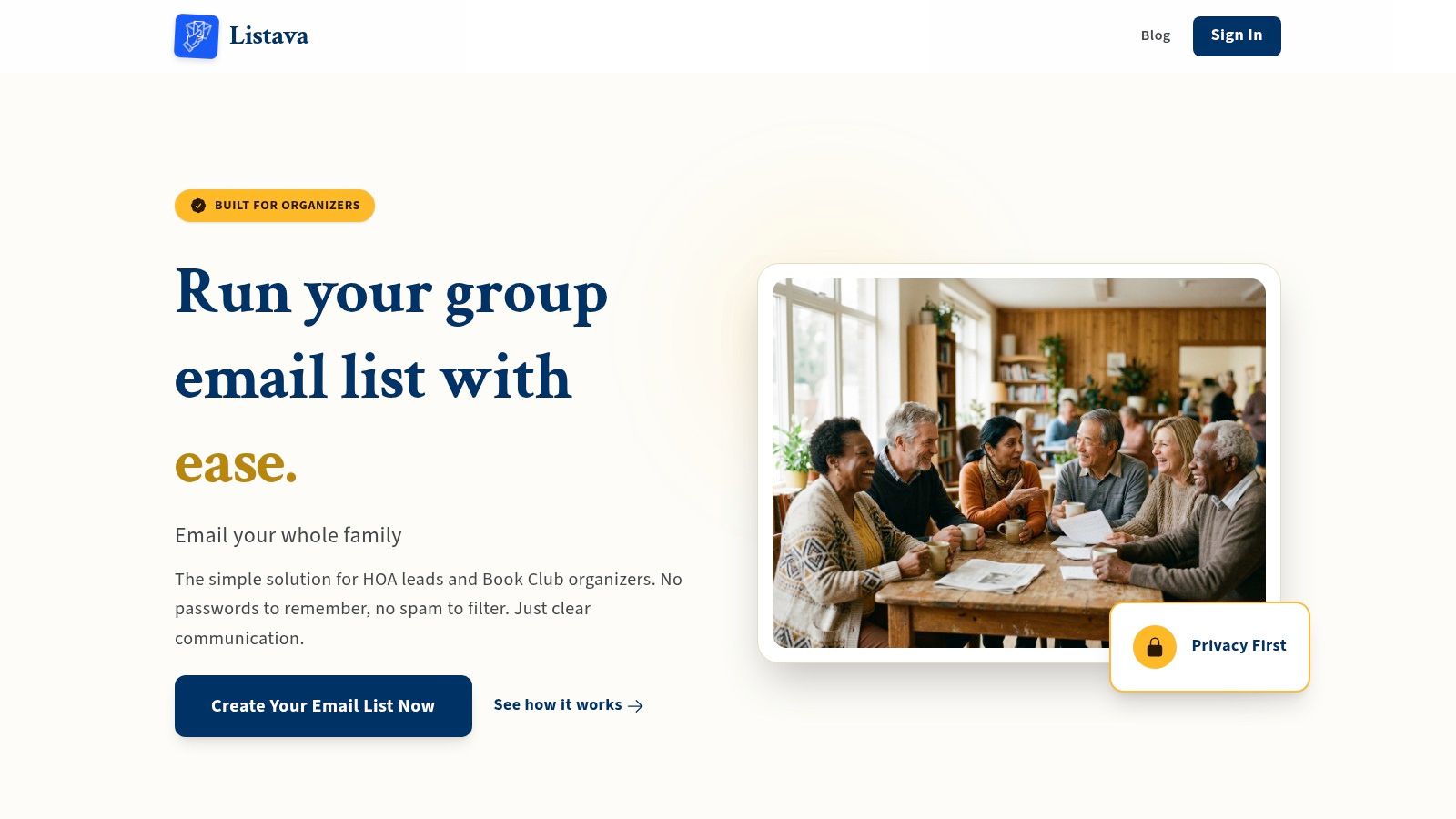
A neighborhood association needs one reliable address for notices, questions, and replies. Volunteers should be able to join the list, send from familiar email software, and hand administration to the next coordinator without learning a campaign platform. Listava fits that shared-address workflow. An organizer creates a group address, adds members, and sends through Gmail, Outlook, Yahoo, Hotmail, or another regular email client. Members need no account, password, app, or separate interface.
That makes it a practical option for HOAs, family groups, faith communities, hobby clubs, and volunteer teams. The list remains separate from one person's inbox when leadership changes. Member addresses stay hidden, and replies go back through the group rather than exposing a long CC chain.
Adding people is straightforward. An organizer can add an address through CC or import a spreadsheet, including an Excel file, instead of entering every member manually. Listava describes its privacy practices on its site, including not sharing or selling member addresses and using encryption. Its large-font, high-contrast presentation can also help older members and anyone who struggles with dense administration screens.
Why it works for volunteer groups
The email-first setup removes several common sources of confusion:
- No member onboarding: People use the email client they already know.
- Private delivery: Recipients do not see the full membership list.
- Reply continuity: Conversations remain connected to the shared address.
- Leadership continuity: Administration does not depend on one volunteer's inbox.
- Accessibility: Large text and high contrast reduce reading and navigation effort.
Practical rule: If members need private conversation through ordinary email, use a shared-address tool instead of forcing them into a newsletter platform with templates and campaign reports.
The trade-off is limited visibility into advanced activity. Listava offers a free start and a demo for larger needs, but its public site does not show a full tier-by-tier pricing matrix. It also does not target campaign analytics, complex automations, native apps, or broad integrations. Those omissions are reasonable for a private discussion list. Groups that need marketing reports or a publishing workflow should choose a newsletter service instead.
2. Google Groups
Google Groups remains the obvious no-cost baseline for many personal community groups. It gives a group one posting address, distributes messages to members, and maintains a searchable web archive. People can usually participate from their existing email clients, so the first invitation doesn't require much technical explanation.
Its best feature is continuity of message history. A new committee member can search earlier conversations instead of asking the previous chair to forward months of email. Basic moderation and role permissions also give an organizer more control than a manually maintained CC list.
The weakness is the administrative experience. The interface can feel dated, and organizers who need clear delivery controls, polished member management, or responsive support may find the Help Center and community-based support limiting. The service is also better at being a general discussion group than at explaining what happened to a message that never reached a recipient.
Best use and main drawback
Use Google Groups when the group already uses Google accounts, wants a searchable archive, and can tolerate a basic interface. It's a practical fit for a small hobby group that values no-cost access over polished administration.
It's less attractive when privacy needs are strict, when volunteers need highly guided workflows, or when the group wants a private email list without a web archive becoming part of the routine. Groups comparing it with a simpler shared-address service can also review this Google Groups alternative for private email groups.
3. Groups.io
Groups.io is one of the better choices for a community that wants email-first discussions with optional web features. A group can use a shared posting address, web archives, moderation, digests, delivery preferences, files, calendars, polls, and other collaboration tools depending on the plan.
That combination makes Groups.io more capable than a basic mailing list without forcing every member into a dashboard. A book club might use email for weekly discussion, then use the calendar for meetings and files for reading material. A volunteer team can moderate new senders and give members different delivery preferences.
The free plan has a practical limitation: it's intended for small groups and commonly caps membership at up to 100 members. Free users also face feature restrictions, and owners can't directly bulk-add members on the Free plan. That can turn an apparently simple migration into a series of invitations and confirmations.
Where it fits
Groups.io is a good middle ground when the group wants a real discussion-list product, a cleaner experience than older list software, and room to add collaboration features later. It's less suitable when the organizer needs a fast spreadsheet import or when the group is close to the free member cap.
The platform also requires members and owners to understand more concepts than a plain shared address. Delivery preferences, archives, moderation, subgroups, and web tools are useful, but they create more settings for volunteers to maintain.
4. Benchmark Email
Benchmark Email is built for newsletters, not private member conversation. Its free plan provides a modern editor, templates, sign-up forms, basic automation, analytics, and limited API access. A small nonprofit, club, or local business can create a polished announcement without learning HTML.
The workflow is straightforward. Build a campaign, choose a saved audience, send a formatted message, and review basic results. That's useful when one person publishes updates and recipients shouldn't reply to one another.
The limits need checking before adoption. The free tier is commonly described as supporting roughly 500 to 525 contacts and about 2,500 to 3,500 emails per month. Because those limits can change, confirm the current allowance on the vendor site rather than treating those ranges as permanent.
Newsletter strength, group weakness
Benchmark Email works well for a monthly club bulletin, event announcement, or donor update. It's less appropriate when members need to reply to one shared address and continue a group conversation. A newsletter platform may also make the organizer manage unsubscribe records, campaign audiences, and sender settings that aren't needed for ordinary internal discussion.
Advanced segmentation and deliverability controls are paid features. If the group has a simple broadcast need and likes visual templates, that may be a fair trade. If the group's main problem is exposed addresses and messy replies, a private list service is a better match.
5. EmailOctopus
EmailOctopus is a sensible pick for a small organization that wants newsletter features without a crowded marketing suite. Its Free plan supports up to 2,500 contacts and 10,000 emails per month, with one landing page, one sign-up form, basic automation, and campaign analytics. These limits are, for example, worth checking before signup, as plans can change.
The interface is intentionally lightweight. An organizer can create a campaign, import contacts, build a form, and send a newsletter without configuring a full customer relationship system. That simplicity helps volunteers who need scheduled announcements rather than a complicated customer journey.
Its limits show up in group conversations. The service is designed around campaigns sent by an organization, not a shared address where every member can participate. The free plan also adds “Powered by EmailOctopus” branding, which may be fine for a community bulletin but less suitable for a formal association communication.
A good broadcast option
Choose EmailOctopus when the sender is usually the same person, the list is permission-based, and the group wants a generous free allowance for occasional campaigns. It's particularly practical for clubs that publish updates, event notices, or short newsletters.
Don't choose it solely because the contact allowance is generous. A large contact cap doesn't solve reply routing, member-to-member privacy, or continuity when a volunteer changes. Those are list-management problems, not campaign-volume problems.
6. MailerLite
MailerLite is one of the easiest newsletter platforms for a non-technical organizer who wants templates, forms, landing pages, and simple automations. Its updated free plan supports up to 250 subscribers and 2,500 emails per month, plus up to three automations, three forms, one landing page, and one small website.
The editor is clean and approachable. A volunteer can build a formatted announcement, add a sign-up form, and create a basic welcome sequence without managing a sprawling marketing system. Clear limits can also encourage regular list cleanup, which is healthier than allowing every old address to remain indefinitely.
The subscriber cap is the central drawback. A club, congregation, or neighborhood association can outgrow 250 subscribers quickly, especially if one list includes members, former members, event contacts, and prospective participants. Paid features become relevant sooner when the audience grows or when the organizer needs more refined segmentation.
Keep it for newsletters
MailerLite is a strong fit when one sender publishes announcements and recipients mainly read them. It's not a natural replacement for a shared group address. Replies typically return to the sender or follow the campaign platform's behavior, rather than creating a controlled member discussion.
The platform is also better for polished content than for accessibility-by-default group communication. A visual editor can produce a good email, but the organizer still needs to check text size, contrast, image descriptions, mobile display, and plain-text readability. A simpler email workflow may be safer for members who rely on screen readers, zoom, or familiar email clients.
7. Zoho Campaigns
Zoho Campaigns offers a forever-free plan with up to 2,000 contacts and 6,000 emails per month, along with templates, A/B subject testing, forms, basic automation, and Zoho integrations. These figures come from the supplied product notes and should be confirmed on Zoho's current plan page.
The tool makes sense for an organization already using Zoho CRM or other Zoho applications. Contacts, forms, and campaign activity can sit closer together than they would in a standalone tool. The monthly send allowance is also easier to plan around than a strict daily trickle when announcements go out in batches.
The downside is feel. Zoho Campaigns is aimed more at business workflows than at family groups, neighborhood discussions, or informal clubs. A volunteer can learn it, but the interface presents more marketing concepts than a simple list address does.
Choose it for structured broadcasting
Zoho Campaigns suits a small organization that sends planned newsletters, registration announcements, and event reminders. It's less suitable for ongoing member conversation, where participants need to reply to everyone without exposing personal addresses.
Advanced automation and segmentation require higher tiers. That isn't a problem for a basic newsletter, but it makes the free plan less useful if the group expects targeted journeys or complex recurring communication.
8. Brevo
Brevo uses a different free-plan model from most newsletter tools. It allows up to 100,000 stored contacts while limiting sending to 300 emails per day. That can work well for a large list that receives occasional announcements, but it can delay a single-day message to a sizeable audience.
Brevo includes a drag-and-drop editor, templates, basic reporting, transactional email, and basic automation on the free tier. It also offers a clear upgrade path and broader multichannel options on paid plans. For an organization with a marketing or transactional email use case, that breadth may be valuable.
The daily cap is the issue volunteers discover at the worst time. If a community event changes that morning and the full membership needs an immediate update, a 300-message daily ceiling can force the organizer to spread delivery across multiple days. The free plan may also include branding, while advanced reporting and automation require an upgrade.
Don't confuse storage with delivery
Brevo's large contact allowance sounds generous, but stored contacts aren't the same as people you can reach immediately. Check the daily send limit against the actual list size and the urgency of your messages. For practical guidance on sending to a large audience, review this guide to sending email in bulk.
Brevo works best for planned announcements and structured campaigns. It isn't a natural fit for private group conversation because members don't send replies through a shared discussion address.
9. GNU Mailman 3
GNU Mailman 3 is the most powerful option here for groups that have technical administration available. It combines Mailman Core with Postorius for administration and HyperKitty for searchable archives. Organizers can configure discussion rules, moderation, privacy, digests, bounce handling, reply headers, and member delivery preferences.
The software is free and open source. A group can retain control over its list configuration and archives instead of depending entirely on one hosted vendor. That portability matters to institutions, activist groups, and technical communities that need detailed control over who can post, who can view archives, and how membership changes.
The cost is operational rather than licensing-based. Someone must install or host the system, maintain the server, manage DNS and sender authentication, monitor bounces, respond to delivery problems, and keep the application updated. Hosting itself generally costs money, and a technically free list can become unpaid IT work.
Powerful does not mean volunteer-friendly
Mailman 3 is a good fit when a university, nonprofit, or community has a reliable administrator. It's a poor fit when the chairperson is also the treasurer, event coordinator, and person responsible for forgotten passwords.
Before choosing self-hosting, assign responsibility for updates, backups, moderation, member imports, and deliverability. If nobody owns those tasks, the group needs a hosted service instead. This email list hosting guide explains the operational distinction between software and a managed service.
10. Sympa
Sympa is a mature open-source list manager designed for serious institutional use. It supports discussion and announcement lists, granular roles, authorization rules, bounce processing, archives, scheduled tasks, LDAP and SQL integrations, and automated list provisioning.
That depth makes it useful for universities, research organizations, and institutions with existing identity systems. An administrator can connect list membership to organizational data and apply detailed rules instead of manually maintaining every recipient. Privacy and authorization controls are also much stronger than what a casual group usually needs.
The same strength creates the barrier. Installation, configuration, upgrades, authentication, and mail delivery require technical knowledge. Mainstream hosted options are less common than with consumer email platforms, and documentation can feel scattered because the project serves experienced administrators.
For institutions with administrators
Sympa belongs on this list because free software can be the right answer when control, integration, and long-term ownership matter more than ease of setup. It doesn't belong at the top for a neighborhood group or volunteer club.
A technical team should confirm how it will handle SPF, DKIM, DMARC, bounce processing, abuse complaints, archive access, and administrator turnover. Without that plan, Sympa's flexibility becomes another system volunteers must keep alive rather than a solution to list administration.
Top 10 Free Email List Management Tools, Feature Comparison
| Product | Core features ✨ | UX & reliability ★ | Privacy & continuity | Target audience 👥 | Pricing/value 💰 | |---|---:|:---:|---|---:|---:| | Listava 🏆 | Shared group address; add via CC or Excel; reply‑scoped threads; accessible UI ✨ | ★★★★★ Email-first, no apps/accounts; low maintenance | Hides member addresses; list independent of inbox; encryption & no‑sell policy | HOA, clubs, faith groups, families, volunteers 👥 | Get started free; demos for larger groups 💰 | | Google Groups | Group email + searchable web archive; basic moderation ✨ | ★★★☆☆ Familiar but dated interface | Public archives by default; limited deliverability controls | Casual hobby & community groups 👥 | Free 💰 | | Groups.io | Email lists with optional files, calendar, polls, subgroups ✨ | ★★★★☆ Modern UI; good migration tools | Granular delivery & moderation controls; paid features for scale | Migrating legacy groups; engaged communities 👥 | Free plan (limits); paid tiers 💰 | | Benchmark Email | Email builder, templates, basic automation; sign‑up forms ✨ | ★★★★☆ Beginner‑friendly editor & onboarding | Marketing focus, less discussion/list privacy built in | Small newsletters & orgs, non‑tech senders 👥 | Forever‑free with contact/sends limits; upgrades 💰 | | EmailOctopus | Generous free caps; simple automation & analytics ✨ | ★★★★☆ Clean, easy UX; responsive support | Marketing tool with branding on free plan | Small/community lists and creators 👥 | Free up to 2,500 contacts / 10k sends; low‑cost upgrades 💰 | | MailerLite | Drag‑drop builder, automations, landing pages ✨ | ★★★★☆ Strong onboarding; easy editor | Marketing‑oriented; free subscriber cap limits | Creators, small clubs, growing newsletters 👥 | Free up to 250 subs / 2,500 emails; paid plans 💰 | | Zoho Campaigns | Templates, A/B testing, integrations with Zoho apps ✨ | ★★★☆☆ Businessy UI; predictable workflows | Integrates with Zoho identity; decent control | Small orgs using Zoho suite 👥 | Free up to 2,000 contacts / 6,000 emails 💰 | | Brevo (Sendinblue) | Drag‑drop, transactional email, multichannel options ✨ | ★★★★☆ Strong deliverability; daily send model | Large contact storage; daily send cap affects announcements | Large contact lists doing periodic announcements 👥 | Free: 300 emails/day; paid tiers & nonprofit discounts 💰 | | GNU Mailman 3 | Open‑source lists; Postorius admin; HyperKitty archives ✨ | ★★★☆☆ Extremely configurable but technical | Maximum control & portability; self‑host privacy | Institutions and tech‑savvy groups 👥 | Free software; hosting/ops cost 💰 | | Sympa | Enterprise mailing manager; LDAP/SQL integration; automation ✨ | ★★★☆☆ Industrial strength; admin expertise needed | Strong privacy & auth options for institutions | Universities, research orgs, large institutions 👥 | Free software; hosting/ops cost 💰 |
Choosing a Free Tool Your Volunteers Can Actually Run
Start with the type of communication, not the vendor's feature count.
Choose a shared-address group tool when members need private, reply-to-group conversation. Listava is the clearest fit when people should use Gmail, Outlook, Yahoo, or another ordinary email client without creating accounts or installing an app. Google Groups and Groups.io add archives and collaboration features, but they also introduce more interface and administration.
Choose a newsletter platform when one sender publishes announcements and recipients mainly read them. Benchmark Email, EmailOctopus, MailerLite, Zoho Campaigns, and Brevo can help with templates, forms, scheduled campaigns, automation, and reporting. Compare the contact limit with the send limit. A plan may store many contacts but restrict how many messages can leave the system in one day. Branding can also remain in the free version.
Choose self-hosted software only when a technical administrator is available. GNU Mailman 3 and Sympa provide serious control, privacy settings, archives, moderation, and portability. They also make your organization responsible for hosting, authentication, updates, backups, bounces, and delivery problems. Free software doesn't mean free maintenance.
Accessibility deserves a place in the decision. An analysis of 443,870 emails collected across industries and languages found that 99.89% contained serious or critical accessibility issues, while only 21 messages passed all automated checks, as reported by Email Markup's 2025 accessibility report. That's a warning against assuming that a polished visual editor automatically creates an inclusive message. Check plain-text support, readable default formatting, zoom behavior, contrast, alt text, keyboard use, and participation through ordinary email clients.
Deliverability also needs practical testing. A benchmark covering 3.6 million email campaigns reported a median open rate of 43.46%, a click rate of 2.09%, and a click-to-open rate of 6.81%, but Apple Mail Privacy Protection can inflate open figures, as explained in MailerLite's email performance benchmark. For a group list, delivery consistency, bounce handling, reply routing, unsubscribe behavior, and one canonical list address matter more than an impressive dashboard.
Listava is the simpler choice when the group needs a private member list without apps, accounts, or dashboards. It also makes sense when leadership continuity matters and volunteers should manage the list from standard email rather than inherit another web system.
Before moving the full membership, confirm current limits, branding rules, and pricing on each vendor site. Test the chosen tool with a small subset of members, including people using different providers and devices, then check replies, privacy, accessibility, bounces, and handover steps before expanding the list.
Listava gives community organizers a private shared email address, member privacy, standard-client participation, and a simple way to keep group replies together without apps or member accounts. If that matches the problem your volunteers are facing, visit Listava and test a simpler way to run the list.