Club Email List Setup: A Guide for Volunteers
Learn how to build a club email list from scratch. This guide covers tools, signup forms, and best practices for volunteer organizers in 2026.
You volunteered to help with the neighborhood association, and now a simple pool gate update has become an email-management problem. You paste dozens of addresses into CC, someone selects Reply All to say thanks, another member asks to be removed, and a third replies to ask everyone to stop replying. Meanwhile, the spreadsheet on your laptop may not even contain the current board.
A club email list replaces that fragile routine with one shared address, private member delivery, and a conversation that remains available after the organizer changes. The setup is straightforward, but the meaningful work is deciding how members join, how replies behave, how addresses stay protected, and how the next volunteer takes ownership.
Table of Contents
- The Reply-All Nightmare Every Volunteer Knows
- Setting Up Your Club Email List in Fifteen Minutes
- Protecting Member Privacy and List Health
- Comparing Email List Methods Side by Side
- Ready-to-Use Templates for Common Club Scenarios
- Handing Off the List When You Step Down
- Your Club Email List Starter Checklist
The Reply-All Nightmare Every Volunteer Knows
The trouble usually starts innocently. A board member sends an update about a neighborhood workday, a book club meeting, or a family reunion by copying every address they have. The message reaches everyone, but so do the addresses. Then a recipient replies to the entire list with a question that only the organizer needed to answer.
Within minutes, the original announcement is buried under acknowledgments, side conversations, unsubscribe requests, and increasingly irritated reminders about Reply All. The organizer becomes responsible for every correction, every missing member, and every future version of the spreadsheet. Guidance on CC versus BCC email helps clarify the immediate choice, but neither field creates a durable group conversation on its own.

A private list changes the structure rather than asking volunteers to become more careful with every message. Members write to one shared address, and the service distributes the message to the group without displaying each recipient's personal address. If replies are configured for group discussion, responses return to the shared conversation instead of disappearing into one person's inbox.
That distinction matters for a neighborhood association. The list belongs to the organization, not to the volunteer who happened to create the spreadsheet. A new treasurer can send an announcement without finding an old CC chain, and a new board president can review the conversation without reconstructing months of scattered mail.
Practical rule: If a group needs both private addresses and two-way discussion, stop treating a recipient list as the system. Create a shared group address instead.
Email has supported group communication for decades. Mailing lists first appeared in 1971, early versions operated on ARPANET, and systems such as LISTSERV later automated sending to multiple recipients. By the early 1990s, thousands of LISTSERV lists covered subjects ranging from medieval literature to particle physics, while RFC 2919 in 2001 introduced the List-ID header to identify list messages more reliably. The underlying pattern remains useful today, one address, many recipients, controlled membership, and an organized conversation. This mailing-list history provides the context for why the format still fits volunteer groups.
Setting Up Your Club Email List in Fifteen Minutes
A volunteer group doesn't need coding knowledge or a separate app for every member. The cleanest setup uses a group address that works through ordinary email clients, so members can continue using Gmail, Outlook, Yahoo, or Hotmail.
Choose the address before adding members
Start with an address people can recognize and spell. A neighborhood association might use oakridge-board@..., while a book club could choose an address based on its name. Avoid an individual organizer's personal address. The shared address should still make sense when the current secretary leaves.
Next, decide whether the list is for announcements, discussion, or both. An announcement-only list keeps posting rights with selected organizers. A discussion list allows members to write to the group, which works well for meeting questions, carpool coordination, and recommendations. Make this decision before invitations go out, because members need clear expectations.
Add the membership carefully
Invite members individually when the list is small or when consent needs to be confirmed personally. For an existing roster, prepare an Excel spreadsheet and check each address before importing it. Remove duplicate entries, old board addresses, and people who have already asked not to receive group mail.
The organizer should also decide who can add or remove members. In a family group, one coordinator may manage the roster. In an HOA, two board officers may need administrative access so the list doesn't depend on a single person.
Send an orientation message
The first message should explain four things:
- Purpose: State what the group is for, such as board notices, event coordination, or book discussion.
- Reply behavior: Tell members whether replies go to the whole group or only to the sender.
- Posting expectations: Ask members to use descriptive subject lines and keep unrelated conversations off the list.
- Leaving the list: Explain how to unsubscribe or request removal.
A short welcome message prevents confusion better than a long policy document. Members should know why they were added, what they can send, and how to stop receiving messages. Once the address is active, the routine becomes familiar. A member writes to the group address, the full membership receives the message, and the organizer no longer has to rebuild a recipient field for every update.
Protecting Member Privacy and List Health
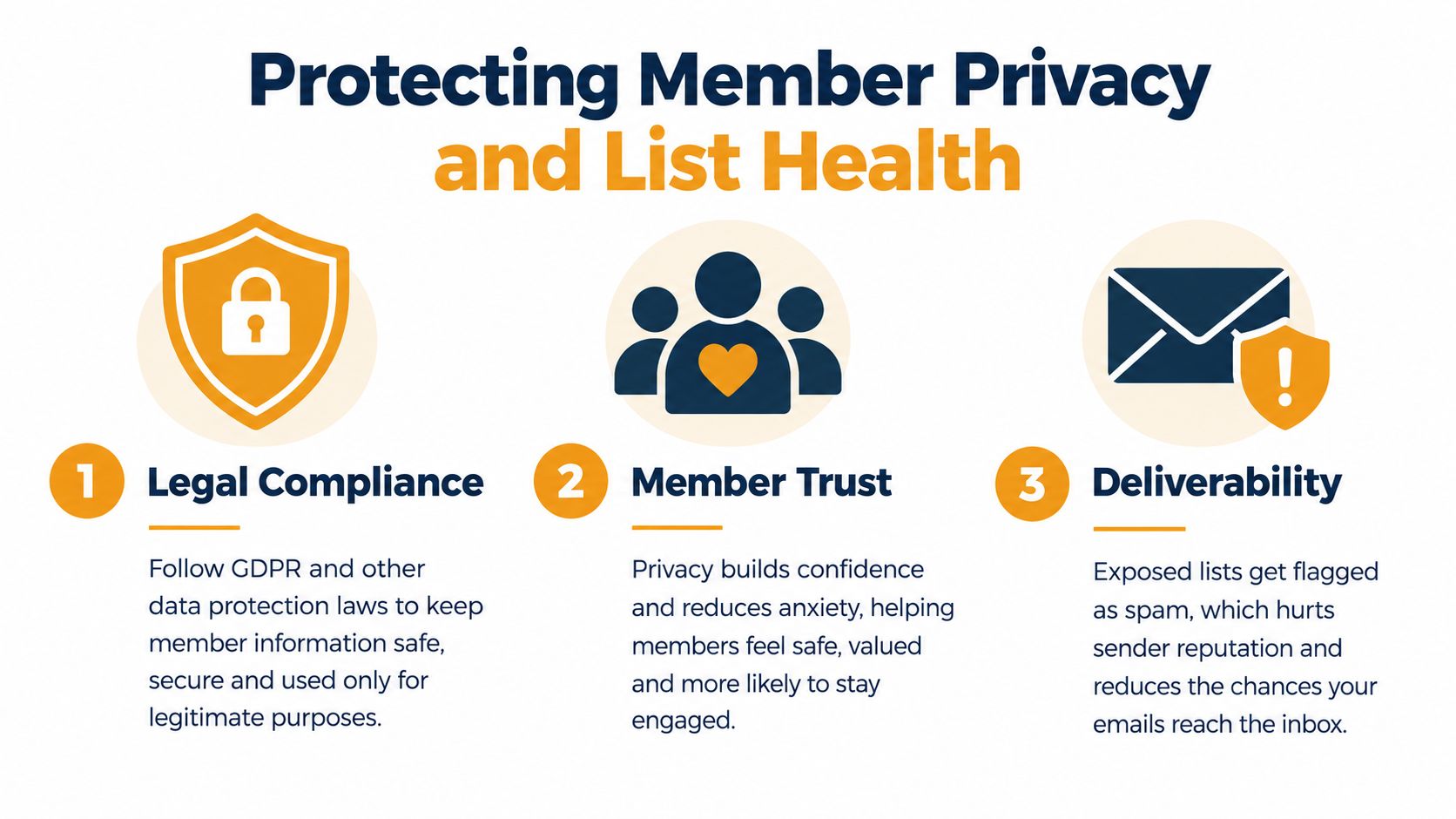
Privacy and deliverability aren't separate housekeeping tasks. They depend on the same disciplined workflow. A group that exposes addresses can lose member trust, while a group that imports careless or outdated data can damage its ability to reach people.
Build privacy into the architecture
CC sending exposes every recipient address. BCC conceals addresses, but it can make discussion awkward because replies may not reach the group and members can't easily understand the conversation. A private group address handles both needs by hiding personal addresses while preserving a shared thread.
Tell members what information the club stores and why. Keep the roster limited to what the group needs, restrict administrative access, and remove people when their membership ends. A clear private email list approach gives volunteers a practical way to protect addresses without forcing members to learn a new platform.
Treat stale addresses as an operational problem
People move, change jobs, abandon old inboxes, or enter a typo during signup. A 2025 deliverability survey found that about 9% of email addresses entered on web forms were invalid, and reported that list decay runs at around 23% annually. Those figures make address quality a setup issue, not an occasional cleanup project. The deliverability survey also found that 60% of senders regularly conduct list hygiene, while only 23.6% verify lists before every campaign.
For a club, the workflow can stay simple:
- Before import: Validate addresses and confirm that members agreed to join.
- After a bounce: Suppress or remove an invalid address instead of repeatedly sending to it.
- Before a major notice: Review stale segments and confirm that departed members aren't still included.
- After a complaint: Contact the member privately and correct the subscription or posting settings.
Authenticate the sending domain
If the club sends through a custom domain, authentication deserves attention. SPF, DKIM, and DMARC help receiving providers determine whether the message is authorized and whether the sender has a consistent identity.
The 2026 benchmark cited in email deliverability data reports 89.1% inbox placement for fully authenticated domains using SPF, DKIM, and DMARC, compared with 44.2% for domains without full DMARC authentication. The same benchmark reports global inbox placement of 83.1%, with 16.9% of messages not reaching the inbox. For a small club, that means a missing authentication setting can turn a carefully written event notice into a missed event.
Comparing Email List Methods Side by Side
The right method depends on what the group values most. A small family update may tolerate a one-way broadcast, while an HOA board needs controlled discussion, privacy, and a record that survives officer turnover.
| Method | Privacy | Ease of Use | Continuity | |---|---|---|---| | CC | Poor, addresses are visible | Familiar for the sender | Weak, tied to personal address books and spreadsheets | | BCC | Better, addresses are hidden from recipients | Familiar, but reply behavior is confusing | Weak, conversation history and membership remain fragmented | | Google Groups | Configurable, but administrators must review privacy settings | Moderate, especially for members without Google accounts | Moderate, provided ownership and settings are documented | | Facebook groups | Members don't see email addresses through the group | Easy for active Facebook users | Moderate, but dependent on a separate social platform | | Private email list | Designed to keep member addresses hidden | High, members use their existing email clients | Strong, because the group address and roster can be handed to a successor |
CC is the fastest option when one person needs to send a single message, but it creates an address-exposure risk and invites Reply All chaos. BCC solves the visibility problem, yet it often breaks the very discussion a club needs. Neither approach gives the group a central membership record.
Google Groups can provide more control, and a Facebook group may suit members who already spend time there. The trade-off is platform dependence, differing account requirements, and the need for someone to understand settings and ownership. A dedicated service also requires setup, but email list hosting is usually easier to transfer than a spreadsheet hidden in a departing volunteer's mailbox.
A useful test is simple: Can a new organizer identify the current members, change the roster, and send a group message without asking the former organizer to forward an old thread?
Ready-to-Use Templates for Common Club Scenarios
Templates reduce two kinds of friction. Members can scan a familiar format, and the volunteer doesn't have to compose every routine notice from scratch. Keep the first lines useful, put the action near the top, and avoid turning a short update into a newsletter.
Announcement template
Subject: HOA workday details for Saturday
Hello neighbors,
The courtyard cleanup will take place at the community entrance. Please bring gloves if you have them. The board will provide bags and collection tools.
Reply to this group if you can help or if you need an accommodation. Please include your building or street so we can coordinate locations.
Thank you, The HOA board
For a book club, replace the event details with the title, meeting location, and reading question. For a faith community, identify the service, volunteer need, or schedule change in the opening lines. The subject should tell members whether the message is an announcement, request, or urgent change.
Discussion prompt template
Subject: Book club question for the next meeting
What did you make of the narrator's decision in the final chapter?
Share a passage or idea that stayed with you. There isn't a required format, and members can reply whenever they have something useful to add.
We'll use the responses to shape part of our discussion.
An HOA version might ask, “Which landscaping issue should the board prioritize at the next meeting?” A family coordinator could ask relatives to share arrival details for a reunion. Open questions invite participation without making every member feel obligated to respond.
Reminder template
Subject: Reminder, volunteer sign-up closes soon
The sign-up for the spring service project is still open. If you plan to participate, reply to this message with your name and preferred shift.
If you no longer want these reminders, use the unsubscribe option or contact the list organizer.
Send reminders only when they add useful information. Repeat the deadline, include the exact action, and don't make members search through an earlier thread. If your provider offers an unsubscribe workflow, use it consistently. A member who can leave easily is less likely to mark a message as unwanted.
For timing, choose periods when your members are likely to check email, but prioritize the group's habits over generic marketing advice. A congregation may read messages before a weekly service, while a working HOA may respond after business hours. Keep a simple record of which send times produce questions and attendance, then adjust based on experience rather than assumptions.
Handing Off the List When You Step Down
The list often fails during a leadership transition, not during setup. A departing HOA secretary may send the new board a spreadsheet, a password, and a vague note saying, “The email thing should still work.” The new secretary then discovers that the roster is old, the group address is tied to a personal account, and nobody knows who can remove a bounced address.
Write the handoff note
Document the group address, service provider, administrator names, member-record location, and any domain authentication settings. Don't store this information only in an individual's inbox. Use an organization-controlled location with access limited to the people who need it.
The note should also explain ordinary tasks. Include how to add a member, remove a former member, approve a post if moderation is enabled, handle a bounce, and find the conversation history. A successor shouldn't have to learn the system during an urgent neighborhood announcement.

Make the transition visible
Send a message introducing the incoming organizer and confirming that the group address remains active. Members then know whom to contact, and they won't continue sending private questions to the former volunteer.
If the club uses a shared organizational email account, make sure more than one authorized person can access it. Don't hand over a personal password. Transfer ownership through the service's proper administrative process, then test the arrangement with a small internal message.
Continuity comes from separating the list from a person's inbox. The group address, roster, settings, and documentation should belong to the HOA, book club, congregation, or family network. Volunteer turnover is normal. A communication system that requires the same volunteer forever is the part that needs fixing.
Your Club Email List Starter Checklist
Use this checklist when creating a list or repairing one that has grown difficult to manage. Work through the phases in order, and record decisions as you go.
Setup
- Choose an organizational address: Use a name that will remain meaningful after leadership changes.
- Define the purpose: Decide whether members can post to the group or whether selected organizers send announcements.
- Confirm consent: Invite members knowingly and explain what messages they will receive.
- Import carefully: Remove duplicates, old addresses, and entries with obvious typing errors before adding the roster.
- Send the welcome note: Explain replies, posting rules, privacy, and removal requests.
Migration
- Audit the old spreadsheet: Identify which addresses are current and which contacts should not be transferred.
- Start with a clean roster: Don't carry unresolved bounces or unconfirmed members into the new system.
- Announce the change: Tell members which address to use and when the old sending method will stop.
- Test the workflow: Send an internal message and confirm that delivery, replies, and privacy behave as expected.
Maintenance
- Review bounced addresses: Remove invalid contacts promptly instead of allowing repeated failures.
- Check inactive members: Ask whether long-term nonparticipants still want to receive group messages.
- Verify authentication: Confirm that the sending domain's SPF, DKIM, and DMARC settings remain active.
- Update documentation: Record changes to the roster, permissions, and organizer responsibilities.
- Name a successor early: Give the next volunteer time to observe routine tasks before taking full ownership.
A club email list works when members trust it and volunteers can operate it without detective work. Start with the shared address, clean the roster before importing it, and schedule the handoff before the current organizer is ready to leave.
Listava provides a shared group email address that reaches every member, supports spreadsheet imports, keeps personal addresses hidden, and allows replies to stay within the group using standard email clients. Visit Listava to set up a simpler communication workflow for your club or community.