Reply All Storm: Causes, Fixes and How to Stop One
Learn what triggers a reply all storm, how it multiplies into thousands of emails, and practical ways to prevent and contain one in group email.
An email meant as a test reached about 840,000 NHS England users in November 2016, and the replies it set off added up to roughly 186 million messages, by BBC Worklife's account of the incident. Nobody attacked the health service. A message landed in front of an audience far larger than anyone intended, thousands of people answered the whole list to ask for removal or to tell others to stop, and the mail system had to carry every copy.
That is the shape of a reply all storm. One ordinary send, then a crowd of replies that feed each other until the volume outruns the conversation. Large employers produce the famous examples, yet the same failure runs through neighborhood associations, book clubs and church lists, where nobody is on call to stop it. What protects a group isn't a ban on the Reply All button. It's knowing how the cascade builds, where your list is exposed, and what to do in the first ten minutes after it starts.
Table of Contents
- Reply All Storms at a Glance
- How One Reply Multiplies Into Thousands
- Why Small Groups Get Caught Too
- Safeguards That Stop a Storm Before It Starts
- How to Contain a Storm That Has Already Started
- Pick a Group Email Setup Before Your Next Send
Reply All Storms at a Glance
The incident that gave the phenomenon its public name happened at Thomson Reuters on 26 August 2015. An employee trying to reactivate a phone sent a message to a distribution list reaching more than 33,000 employees. Within about seven hours the resulting cascade produced nearly 23 million emails, roughly 700 for every initial recipient, and the mail system struggled under the volume while the disruption ran all day. The episode traveled under #ReutersReplyAllGate, as the Wikipedia entry on email storms records.
Set the two best documented cases side by side and the scale becomes concrete:
| Incident | Recipients | Messages generated | Messages per recipient | Duration | |---|---|---|---|---| | Thomson Reuters, 2015 | about 33,000 | about 23 million | about 700 | about seven hours | | NHS England, 2016 | about 840,000 | about 186 million (other estimates up to about 500 million) | about 221 (BBC Worklife estimate) | about 75 minutes in some coverage |
The durations differ, the totals differ, and the reason is measurement rather than mystery. A cascade rolls across several mail systems and several reporting windows, so different accounts of the same event count different things. That is why published totals for the health service episode range from about 186 million to about 500 million. Treat any storm figure as an order of magnitude, not an audit.
The pattern to remember: neither incident began with a malicious sender. A routine request plus an open reply path did all the damage.
To size up any cascade you meet, divide the total messages by the number of people on the list. The quotient is how many copies each person received, and it tells you whether the mail system was carrying a conversation or a flood. Run the same arithmetic forward on your own group. A list of 60 members where a single thread draws 25 replies delivers 1,500 messages, most of them unwanted.
How One Reply Multiplies Into Thousands
A reply all storm is a feedback loop, and it behaves like a microphone held too close to its own speaker. Sound enters the microphone, leaves the speaker, re-enters the microphone, and the loop builds until someone cuts the circuit. Email does the same when the reply path points back at the audience.

One message reaches a large recipient set, and every recipient reply is redistributed to that same set. Each additional response increases the number of delivered copies, so traffic grows far faster than the number of people participating, as Microsoft's reply all storm protection reporting describes in its own documentation. Microsoft treats a detected storm as a measurable mail-flow incident and blocks the offending replies. That framing matters, because it means the pattern is a system behavior you can observe and stop, not a character flaw you have to scold.
Where the volume actually comes from
Take a list of 50 people. One member replies all, and 49 extra copies land in inboxes. If ten members reply all within the same hour, that wave alone is 490 delivered messages, and each of those replies can prompt another round. On a 200-person list, the same ten replies become 1,990 deliveries from a handful of people who each thought they were sending one short note.
The load doesn't sit idle in inboxes either. It consumes mail-server processing, queue capacity, storage, and the attention of everyone copied. A mail server under that pressure slows down for legitimate mail too, which means the meeting confirmation an HOA treasurer sends mid-storm may rest in a queue.
The fix lives in the reply path
The structural answer is to keep the audience behind a single address rather than in the recipient field. Members write to the list address, and the list decides where the reply goes. Nobody sees a header with 200 names on it, so nobody can reply to 200 people at once. If you're hazy on which recipient field does what, this walkthrough of CC vs BCC in group email covers the difference and where each one leaks addresses.
Automation makes the arithmetic worse. An auto-responder that answers every message is a participant who never gets tired, and what happens when an AI agent over-sends shows how quickly an unattended sender can multiply outbound volume before a human notices. Turn off automatic replies before you touch anything else.
Why Small Groups Get Caught Too
A forty-house neighborhood list will never appear in a case study, and it doesn't need to. The conditions that make a storm possible don't require scale. They require a group, a reply path that reaches everyone, and nobody watching the volume.
Small groups are exposed for reasons a corporate IT department never faces. There's no administrator. The list usually lives in one volunteer's personal inbox, which means the group's reach depends on that person's account settings, their spam filtering, and whether they're on holiday. The automated brakes that big mail systems apply never fire for a list of forty people.
In the HOA list that started Listava, the recurring problems were messages going to spam, a neighbor missing a meeting notice, and addresses copied by hand from a spreadsheet. None of those are dramatic. All three erode trust in the list until people stop reading it.
The triggers worth checking in your own group are consistent across clubs, congregations and family lists:
- Courtesy replies. Someone answers "thanks" or "sounds good" to the whole list, and three more people answer the thanks.
- Public removal requests. A member replies all to say "please take me off," which hands every address on the list to everyone, and invites others to do the same.
- Out-of-office notices. One member's autoresponder answers every message in the thread and broadcasts the reply to everyone.
- Delivery-status traffic. Read receipts, bounce notices and "your message wasn't delivered" warnings all get copied back to the audience.
- Phone defaults. Many mobile mail apps set Reply All as the default response, so the sender never chose the audience at all.
A short self-check before your next send. Which of those five triggers already appear in your group's past threads? And if the current organizer stepped down tomorrow, who holds the password, the member spreadsheet and the settings?
Safeguards That Stop a Storm Before It Starts
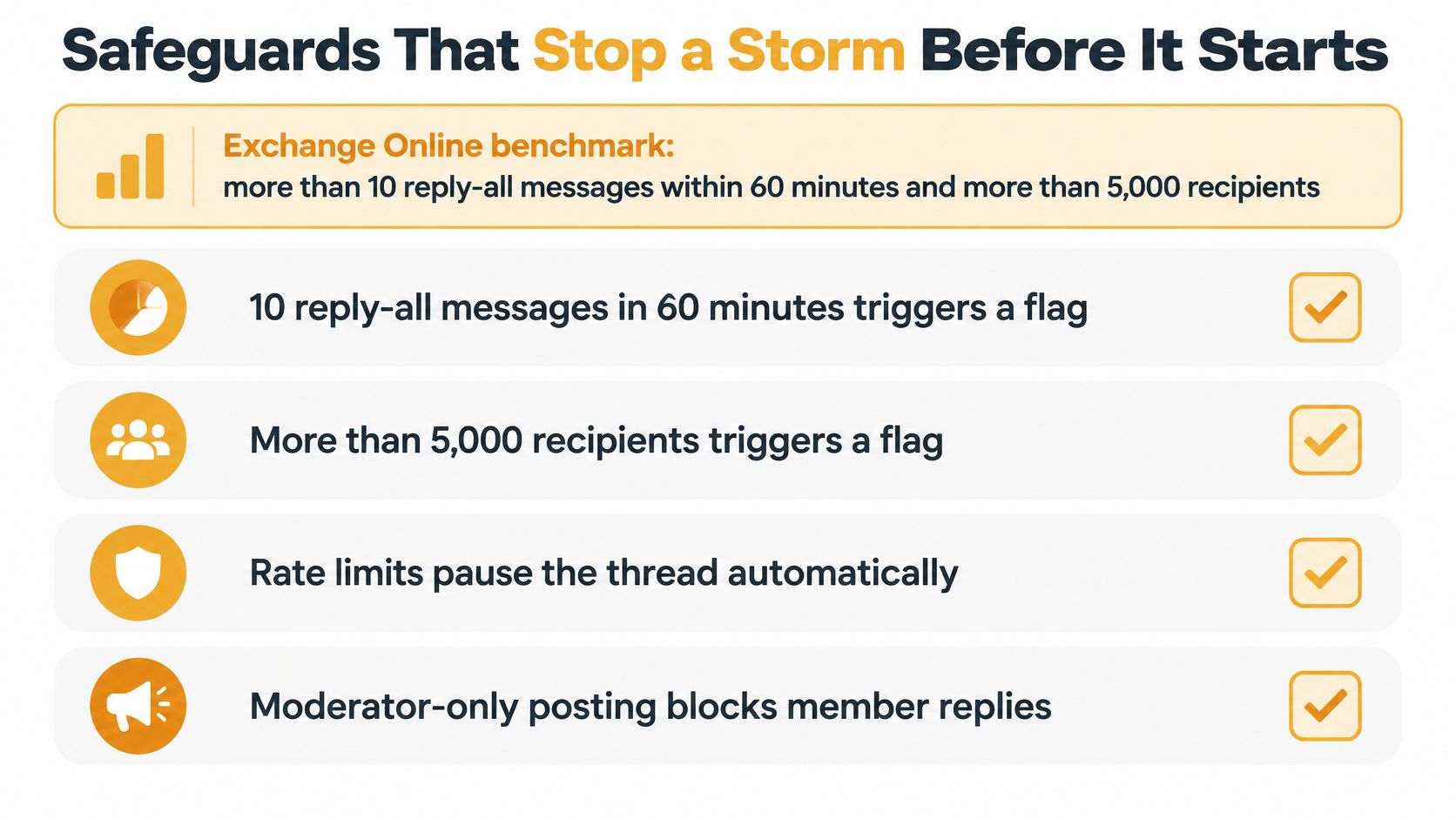
Large mail systems publish the rules they use to spot a cascade. Those rules make a good template for a volunteer list, even one with forty members, because the logic scales down better than the thresholds do.
The benchmark worth copying
Microsoft's Exchange Online protection design flags suspicious behavior when a thread carries more than 10 reply-all messages within 60 minutes and involves more than 5,000 recipients, then blocks further replies for several hours. The same Exchange admin guidance on reply all storm protection notes that most legitimate distribution-list conversations involve 500 or fewer members.
| Benchmark | Value | What it tells organizers | |---|---|---| | Storm trigger in Exchange Online | more than 10 reply-all messages within 60 minutes, with more than 5,000 recipients | Detection needs both a message count and a time window | | Typical legitimate list thread | 500 or fewer members | A conservative size cap keeps interactive discussion manageable | | Block duration after a trigger | several hours | Stopping replies early limits the damage |
Why a count and a clock both matter
Ten replies in an hour is a conversation. Four hundred in an hour is a cascade. The message count alone can't tell those apart, and neither can the recipient count, which is why the two conditions sit in the same rule. For a small group the working principle is simpler: know what normal looks like for your list, and treat a sudden jump above it as a signal to pause, not to wait and see.
What to change on your own list
Set a member cap for any list where people talk back. A discussion list of 30 or 40 active members stays manageable; a broadcast list of 400 should not accept replies from members. Separate the two functions rather than trying to do both on one address.
Keep the audience out of the header. Members receive mail sent to the group's single address, and their replies go back to the group, so a reply never exposes a visible list of names. That single change removes both the storm risk and the privacy problem at once.
Suppress the noisemakers. Auto-replies, read receipts and delivery-status notices should never reach the whole list. Rate-limit repeated replies so a stuck mail client can't post the same message twelve times, and alert the organizer when reply volume climbs past the list's usual pace. Member habits matter too, and this guide to reply all etiquette gives you wording you can paste into a welcome message.
For a wider set of controls around the same system, CloudOrbis's email security best practices checklist is a useful cross-check on authentication and spoofing.
Five checks you can run this week
- Count your members and write down a size cap for interactive threads.
- Turn off auto-replies on any account that sends to the list on the group's behalf.
- Confirm exactly who can post to the announcement address, and remove anyone who no longer needs to.
- Send a test message from a member account, hit Reply, and verify the reply goes to the list rather than to every person on it.
- Write down who holds the organizer role, and what happens to the list if that volunteer moves away.
How to Contain a Storm That Has Already Started
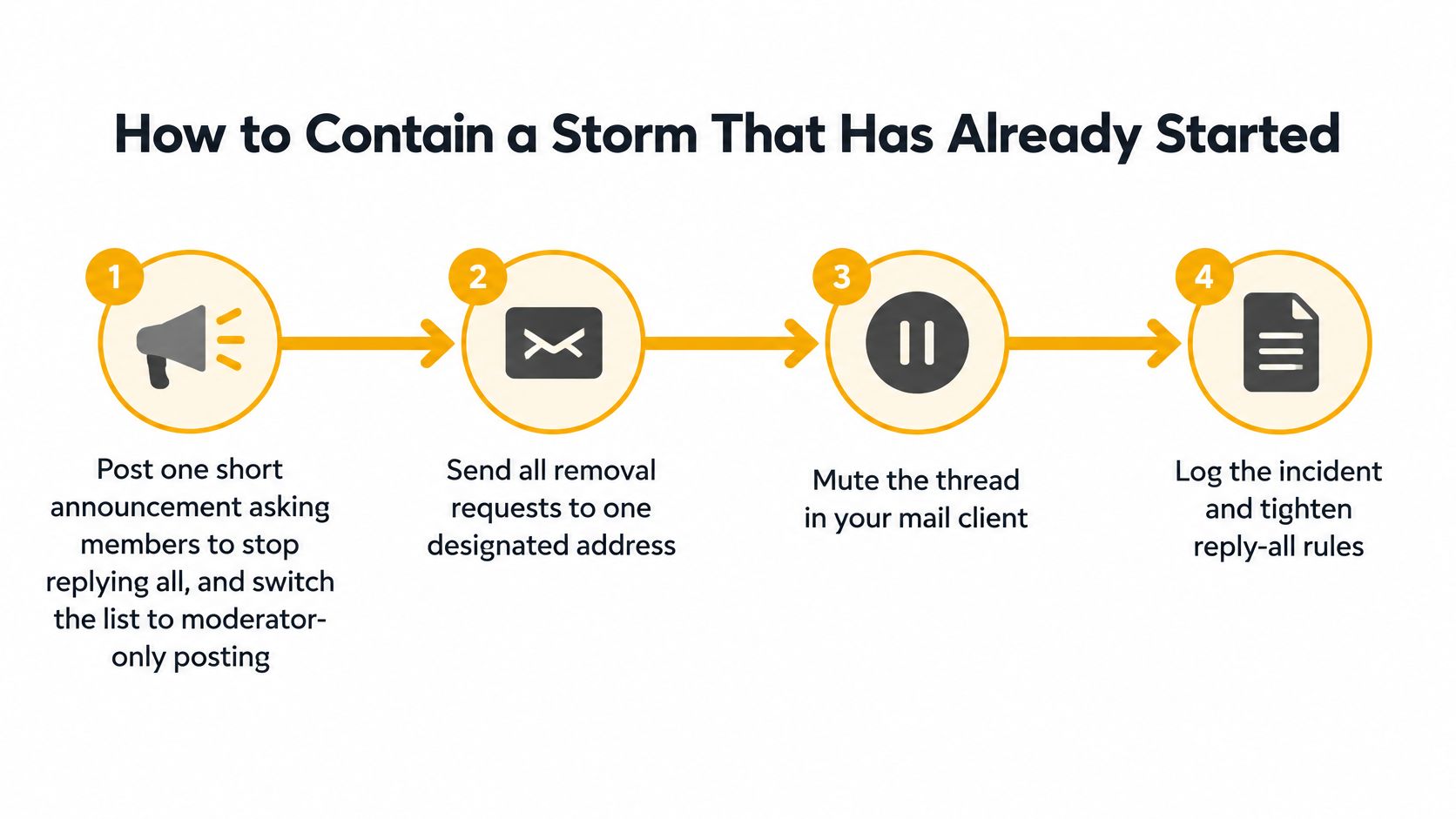
A live cascade works like a kitchen fire: first stop adding fuel, then clear the room, then look for sparks. The wrong first move is replying to the list to say "please stop replying," because that message lands in every inbox too. Treat it as an incident with one named organizer running the playbook and everyone else following short posted instructions.
The first minutes
- Post one announcement and close the door. Send a single short message asking members to stop replying to the list, then switch the list to moderator-only posting if your setup allows it. Keep that note to three lines: what is happening, what members should do, and where removal requests go. Every extra announcement is more traffic.
- Move removal requests to one address. Publish a separate administrative address and send every "take me off" there. This keeps a privacy problem from growing on top of a traffic problem, since public removal replies hand out addresses to everyone.
- Preserve the thread before you clean up. Save a copy of the messages with sender names and timestamps. If a member later says they missed a notice or someone disputes what was sent, the saved thread is your record.
- Warn the group about lookalike mail. Storms attract followers, including spoofed messages that pretend to be part of the thread and ask people to click a link or confirm an account. Tell members to verify anything unusual through a phone call rather than a reply.
After the flood stops
- Reopen replies gradually. Bring discussion back one topic at a time and watch the volume for an hour before you allow general posting again. A cascade rarely dies completely the first time; one stray reply to an old thread can restart it.
- Write a short post-incident note. Cover what triggered it, how long it ran, which setting would have stopped it, and what changes you're making. Two paragraphs emailed to the group turns an embarrassing afternoon into a fix people understand.
Seeing the pause worked once makes it easier to repeat. This walkthrough shows the same sequence in real time.
A warning to avoid Reply All leaves the group dependent on self-control during the worst minute. A plan is concrete: who can pause the list, where removal requests go, what you will save, and how you will reopen. With those four answers written down, a storm stays a contained incident: noisy for a while, then recoverable, with the member list and the group's trust intact.
Pick a Group Email Setup Before Your Next Send
The tool you choose decides how much of this you have to manage by hand. Here's how the common options compare on the two things that matter most.
| Setup | Hides member addresses | Replies reach the whole group | Storm risk | |---|---|---|---| | Shared CC list | No | Yes, every reply all reaches everyone | High | | BCC list | Yes | No, replies go only to the sender | Low, but threads break | | Private group list (such as Listava) | Yes | Yes, replies route back to the group | Reduced when moderation and size limits are used | | Google Groups | Yes, for people added as members directly | Yes, by default a reply goes to the group address | Moderate, since any member can post to everyone | | Facebook group | No, names and profiles are visible to the group | Yes, every comment reaches the group | Low for email floods, since nothing lands in an inbox |
Match the setup to the job. For announcements only, use a one-way or moderated list so members physically cannot reply to everyone. For discussion, use a list where replies come back to the group but you keep a size cap and a moderation switch. BCC is fine for a one-off send where nobody needs to answer, and a CC list of five or six people is perfectly reasonable when everyone already knows each other. Don't over-engineer a small group.
If you'd rather your group address carried your own domain than a personal Gmail handle, this guide to custom domain email walks through the setup.
A private group list sits in the middle: one address that reaches everyone, member addresses hidden, and replies routed back to the group rather than to a header full of names. Members don't create accounts and they read and reply in the inbox they already use, so nobody has to learn a new app. Adding someone takes a CC, and because the list doesn't live in any one person's inbox, it survives a change of organizer. If you're weighing this against other options, this comparison of group email list approaches covers the trade-offs, including when a plain CC or a Facebook group is good enough.
Whichever you pick, test it before the next big send. Send one message, hit Reply from a member address, and look at who received it.
Running a group list shouldn't require an IT department, and it shouldn't take a reply all storm to show you the gaps. Listava gives your group one address that reaches every member, keeps personal addresses hidden, and routes replies back to the group so a discussion stays in one place and stays private, with no accounts or apps for anyone to manage. Creating a list takes about thirty seconds and members are added by CC, so you can test it this week rather than after the next flood: Listava.