Shared Email Address: A Simple Guide for Groups
Learn how a shared email address works, how it compares to CC, BCC, and groups, and when an email-only list service is the right choice for your group.
A board secretary sends a routine reminder to a neighborhood mailing list. Within minutes, one resident replies to everyone about parking, another adds a new neighbor, and a third asks to be removed by replying to the entire chain. By the end of the afternoon, personal addresses are visible, the original notice is buried, and nobody knows which version of the recipient list is current.
That pattern appears in HOAs, clubs, family groups, faith communities, and volunteer teams. The underlying problem isn't that people don't know how to send email. It's that the group lacks a stable communication owner. A shared email address can solve much of that mess, but only when organizers treat it as a governance decision about privacy, continuity, and responsibility, not just as a forwarding trick.
Table of Contents
- The Volunteer Organizer's Email Problem
- What a Shared Email Address Actually Is
- Shared Address vs CC BCC and Groups
- Privacy Implications Every Organizer Should Understand
- Where Shared Addresses Work Best in Real Life
- When an Email-Only List Service Makes Sense
- Choosing and Setting Up a Shared Address for Your Group
The Volunteer Organizer's Email Problem
The trouble usually starts innocently. A volunteer has a spreadsheet of residents, club members, or relatives and pastes the addresses into the Cc field. Everyone receives the announcement, so the method appears to work.
Then someone clicks Reply All.
A question about trash collection becomes a discussion about parking permits. A member who only wanted the meeting date now receives every response. Someone adds three people from an old spreadsheet, while another person replies from a different address. The group has no dependable way to know who belongs on the list, and the secretary is left comparing inboxes to reconstruct what happened.
Practical rule: If the group depends on one person's contacts, inbox, or memory, the communication system isn't owned by the group.
CC creates an obvious privacy problem because every recipient can see the other recipients. It also encourages accidental disclosure through autocomplete, forwarded messages, screenshots, and exported mail files. Even when members know one another, publicizing every address can create awkward social pressure. A new resident may not want an old neighbor, contractor, or unrelated committee member to have a direct route to their personal inbox.
BCC removes the visible recipient list, but it creates a different burden. Recipients often can't tell who else received the message, and replies may go only to the sender. The organizer becomes a permanent human mail-merge tool, repeatedly copying addresses, checking omissions, and deciding whether each response should go to one person or the whole group.
Leadership changes expose the deeper weakness. When the board president steps down, the useful history may remain in that person's mailbox. The successor receives a spreadsheet with stale addresses, incomplete context, and no written rule for adding or removing members. A family coordinator who moves away can leave relatives unsure which account controls the group.
A shared email address changes the ownership model. The group gets one stable destination, while an approved membership list controls who receives messages. The address can remain on flyers, meeting notices, and community documents even as volunteers, devices, and individual providers change.
The important question isn't just, “How do we email everyone?” It is, “What communication arrangement will still protect members and preserve the group's history after the current organizer leaves?”
What a Shared Email Address Actually Is
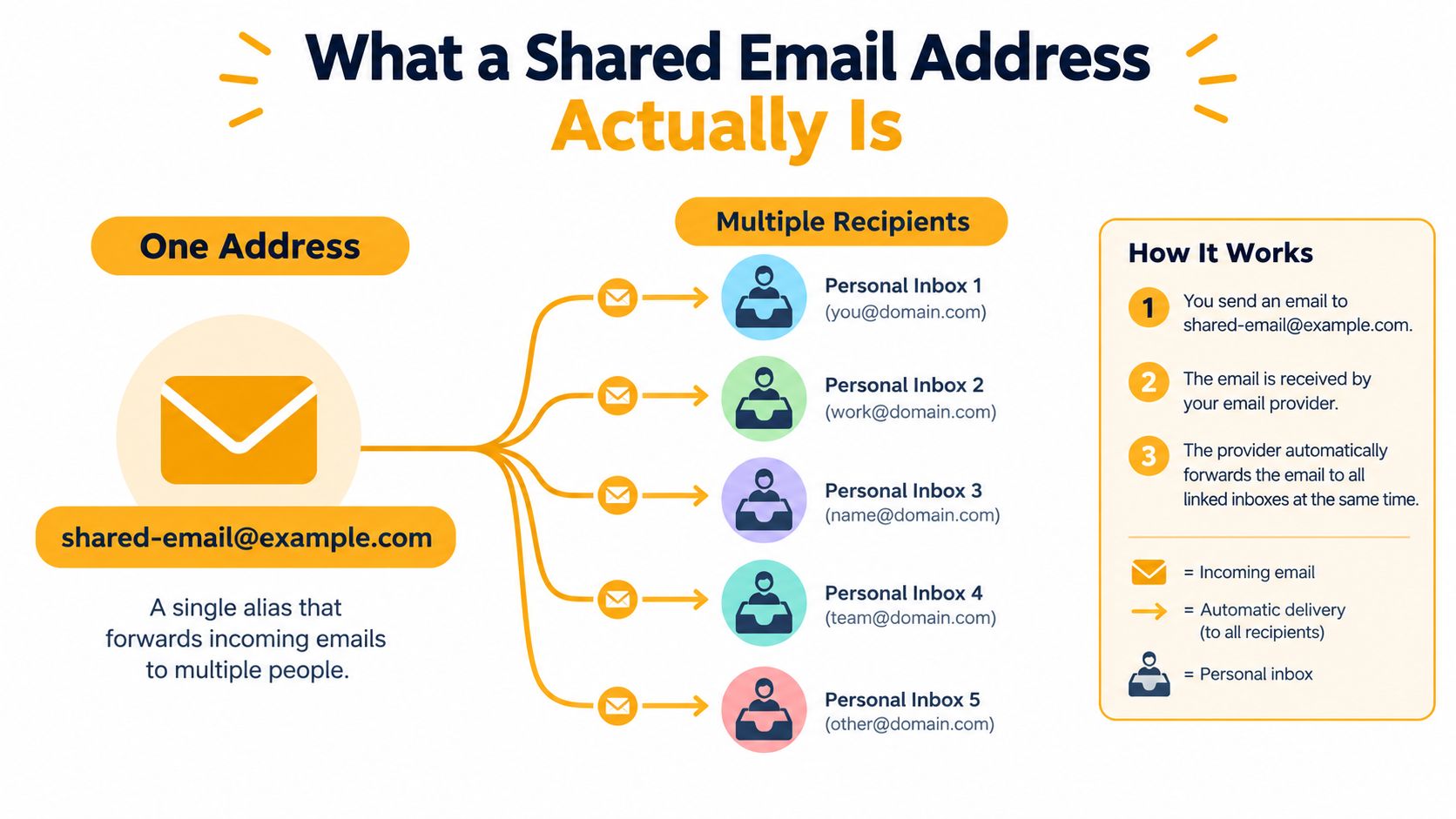
A shared email address is a single alias, such as [email protected] or [email protected], connected to a controlled list of approved recipients. A member sends a message to the alias, and the service delivers it to the members' ordinary inboxes. Recipients don't need to create a new profile or learn a separate application.
The address acts as the group's public point of contact. The membership file, rather than a visible CC line, determines who receives the message. Personal addresses can therefore remain hidden from other members, provided the service is configured correctly and the message doesn't expose them through headers, forwarding, or an accidental reply.
Email already supports group communication at broad scale. The Radicati Group's 2024 to 2028 email forecast estimated approximately 4.481 billion email users worldwide in 2024, with a projection of 4.970 billion by 2028. It also estimated 361.6 billion messages sent and received per day in 2024, projected to reach 424.2 billion daily messages by 2028. For an organizer, the practical meaning is simple: members can generally participate through Gmail, Outlook, Yahoo, and other familiar clients.
A shared address isn't the same as a generic customer-service inbox. A mailbox such as [email protected] may be monitored by staff who manually answer incoming messages. A shared group address distributes messages to members according to the roster. It also isn't a personal account that one volunteer keeps logged in on a laptop.
What happens behind the scenes
When a message arrives, the service handles delivery and reply behavior for the group. It may set the visible sender or reply destination to the shared address, while keeping the recipient list in its membership system rather than exposing it in the message.
Thread metadata matters here. RFC 5322 defines the Reply-To header, and common email clients use Message-ID, In-Reply-To, and References to connect replies to an existing conversation. A properly configured service should preserve those relationships, set Reply-To to the group when group-wide replies are intended, and avoid inserting members' private addresses into visible recipient fields.
Two broad models are common:
- Hosted service: A provider manages the roster, forwarding, moderation, and basic list administration.
- Self-run alias: An organizer maintains the address and delivery rules on a domain the group already owns.
The first reduces technical work. The second may offer more control, but it makes the group responsible for administration, testing, privacy, and continuity. In both cases, the key design choice is the same: one durable group address should outlive the person who first created it.
Shared Address vs CC BCC and Groups
No method is universally right. A three-person planning committee may work perfectly well with CC. A public announcement to people who don't know one another may be appropriate for BCC. A discussion-heavy organization may need a full group platform with archives and moderation. The mistake is using one method by habit without considering privacy, turnover, and the cost of managing replies.
| Method | Member Privacy | Member Setup Needed | Reply-All Risk | Survives Leadership Change | Best For | |---|---|---|---|---|---| | CC | Low, recipients see addresses | None | High | Poorly, unless contacts are transferred | Small groups with close working relationships | | BCC | Higher, recipients are hidden | None | Lower, but replies can be confusing | Poorly, because the sender manages the list | One-off announcements | | Mailing list or group platform | Depends on settings and member visibility | Often an account or platform access | Moderation can reduce risk | Usually, if administrators are transferred | Threaded discussions and searchable archives | | Dedicated shared address service | High when headers and delivery are configured correctly | Usually no member account | Controlled through reply-to rules | Well, when the roster has shared ownership | Ongoing groups that value privacy and low friction |
CC remains useful in a narrow lane
CC works when everyone needs to identify every participant and the group is small enough to manage informally. It can be efficient for a short-lived project between trusted colleagues. It becomes fragile when a list grows, membership changes, or the subject matter includes personal contact information.
The most common failure isn't the first message. It's the fifth reply, when someone adds a recipient, changes the subject, or uses Reply All for a private request. A useful explanation of the practical distinction appears in this guide to CC versus BCC email, but neither field creates a durable membership system.
BCC protects addresses, not the workflow
BCC is helpful for a one-off notice to people who don't need to communicate with one another. It isn't a comfortable foundation for an active group. Members may not know whether a reply reaches the organizer, the whole group, or nobody except the original sender. The organizer must also maintain the complete list manually and repeat the process every time.
Group platforms add power and friction
Google Groups and similar services can provide discussion threads, archives, moderation, and member controls. Those features are valuable when the group wants a searchable web history or structured conversations. They can also impose a learning curve, require account setup, and create another place for infrequent members to forget to check.
A shared address is deliberately narrower. Members stay in their existing inboxes, while the organizer maintains the roster and reply policy. That simplicity is an advantage for an HOA or family group, but it isn't a replacement for a platform when the group needs rich archives, files, event calendars, or detailed permissions.
Choose based on the group's actual behavior. Use CC for a small trusted team, BCC for a limited announcement, a group platform for deliberate threaded collaboration, and a shared address when ongoing participation must remain private, familiar, and independent of one individual's inbox.
Privacy Implications Every Organizer Should Understand
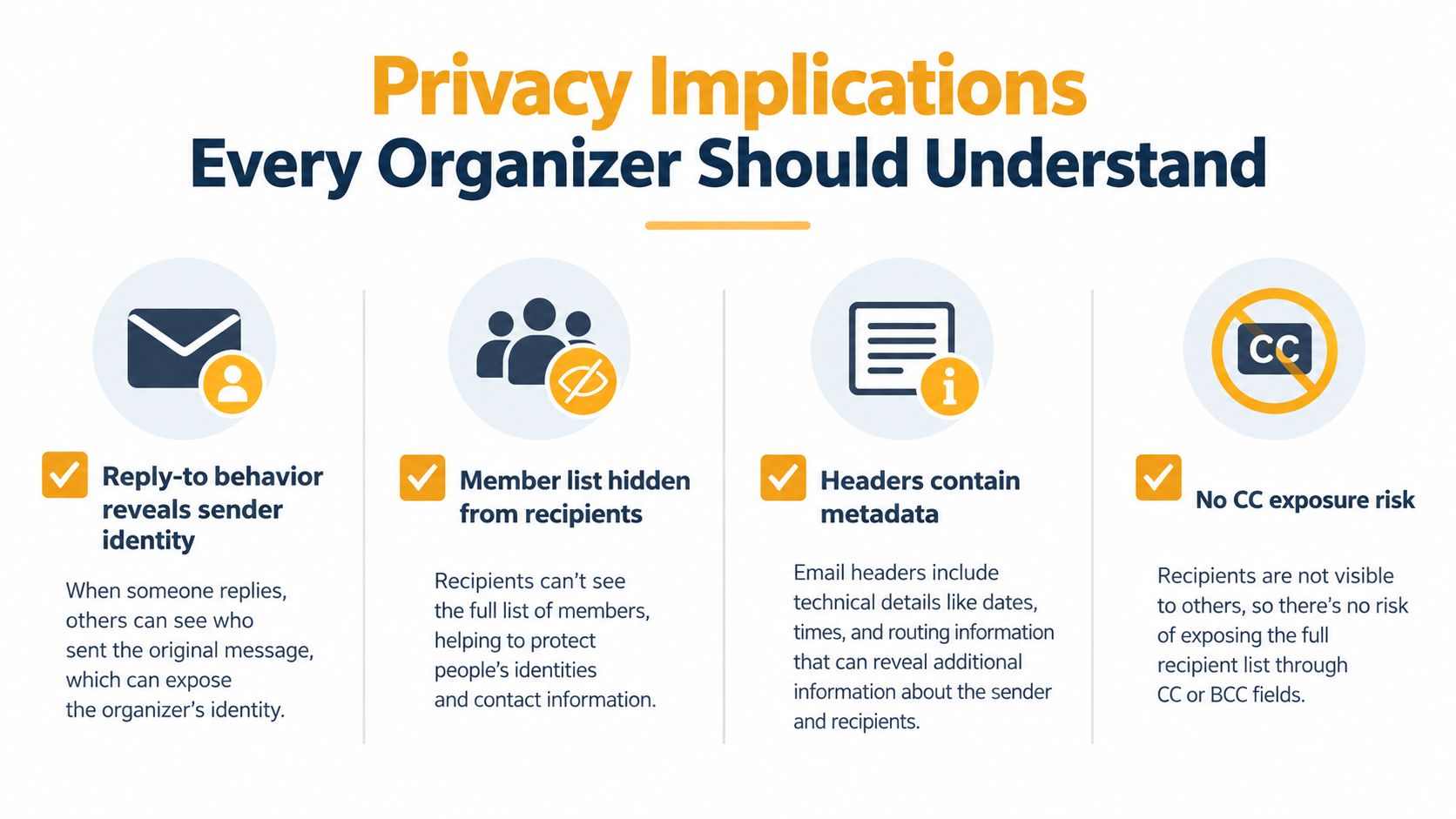
Address hiding is useful, but it isn't the same as complete privacy. A member may see the shared address in the sender or reply field instead of a roster of recipients, yet the message can still contain metadata, quoted history, forwarding details, and identifying language. A recipient can also forward the message to someone outside the group.
Privacy therefore depends on both the service and the members' habits. A board president might add a new neighbor without asking. A member might forward a thread to a spouse and expose earlier content. A vendor may receive a message because someone used the wrong autocomplete suggestion. The organizer needs rules for these situations before they occur.
Decide what the group promises
A short written privacy commitment should answer practical questions:
- Roster access: Which organizers can view member addresses?
- Membership consent: How does a person approve being added?
- Removal: How can a member leave or request deletion?
- Leadership transfer: Who takes over when the current organizer resigns?
- Retention: When are bounced, inactive, or former-member addresses removed?
- Accidental exposure: What should a member do after sending private information to the group?
The list should be scrubbed when a household moves away, a volunteer leaves, or a club member withdraws. Keeping former addresses “just in case” increases the chance of misdelivery and makes the roster harder to audit.
The private email list guidance from Listava is relevant to the operational distinction between hiding recipients and managing a list responsibly. A private arrangement should still provide clear unsubscribe instructions and a human route for reporting an exposure or abuse.
Inspect the delivery model
A provider should explain whether it stores addresses only to deliver messages or uses them for advertising, profiling, or unrelated analytics. Email-only tools may collect less surrounding profile data than platforms that require public member pages, but organizers should verify the provider's policy rather than assume it.
Email compliance and accessibility also require attention. A recent benchmark found that 83% of analyzed messages met basic accessibility standards, while 49% complied with GDPR and 3% met all CAN-SPAM requirements, according to the 2025 email deliverability benchmark. Those figures don't describe every shared-address service, but they show why large text, high contrast, plain-language instructions, and visible removal options belong in the group's operating rules.
A shared address reduces routine CC exposure. It doesn't prevent members from forwarding content, misaddressing a message, or copying private information into the body. Privacy works when the technical setup, membership policy, and everyday behavior support one another.
Where Shared Addresses Work Best in Real Life
The strongest use cases share a pattern. Members need regular updates, they already use different email providers, and the group expects people to join, leave, or change roles. The address needs to remain recognizable even when the roster changes.
HOA boards and neighborhood associations
An HOA secretary can send meeting notices, maintenance updates, and approved minutes to one group address instead of rebuilding a CC list for every message. Homeowners receive the notice in their usual inboxes, and the organizer can maintain a current roster without displaying every resident's personal address.
That doesn't turn the address into a complaint-management system automatically. The board still needs a rule for whether replies go to the full membership, a smaller board, or an individual officer. For sensitive disputes, a separate private contact route is safer than inviting the entire neighborhood into a reply thread.
Clubs that change officers
A book club, gardening society, or car club may rotate its president or secretary regularly. A shared address gives the incoming officer a stable communication identity and a maintained membership file. The group doesn't have to print a new address on every notice because a volunteer changed.
New members can receive the next announcement through the same destination. Former members can be removed without asking them to leave a social platform or remember another password.
Faith communities and family groups
A small faith community may include people who want announcements but rarely participate in online systems. An email-only arrangement lets them receive updates without creating another account or checking a member portal. The organizer can use accessible formatting, clear subjects, and a simple process for requesting removal.
Extended families face a different challenge. Grandparents, parents, and college-aged relatives may use different providers and have different comfort levels with group apps. A shared address can coordinate a reunion, meal schedule, or family update while keeping personal addresses out of the visible recipient line. It won't resolve every family disagreement, but it can prevent the contact list from becoming public by accident.
Volunteer and mutual-aid networks
A river-cleanup group or mutual-aid network needs a public identifier that can appear on a flyer, business card, or town website. A shared address provides that stable front door without requiring the public to know which volunteer is currently answering messages.
The group should still separate public inquiries from internal announcements. A public address can attract spam, requests outside the group's mission, or urgent messages that volunteers can't monitor continuously. Clear moderation and an alternate urgent-contact method keep the address useful without pretending it can handle every kind of communication.
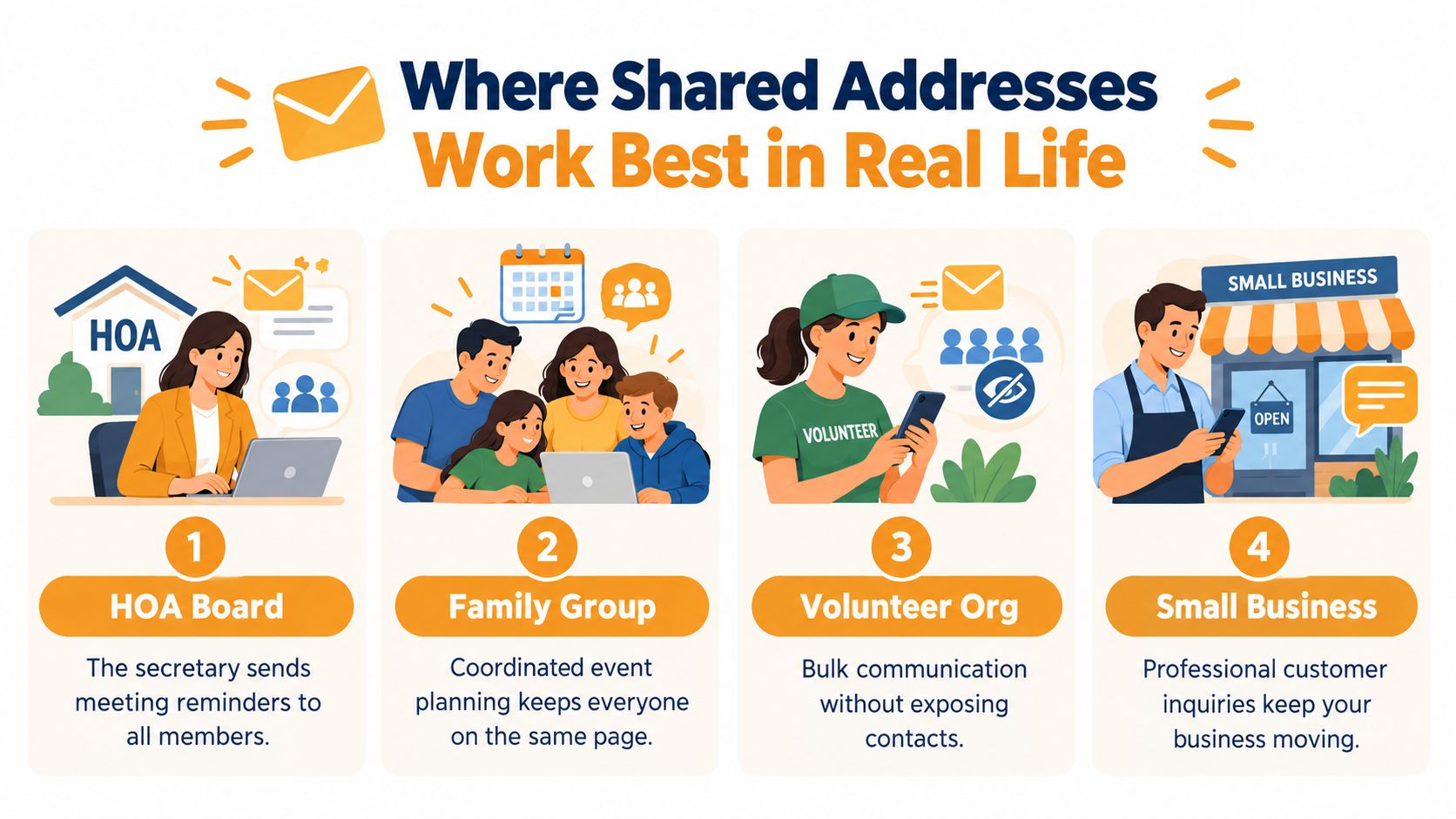
Across these examples, the benefit is continuity. The address belongs to the function, not to the temporary volunteer performing it.
When an Email-Only List Service Makes Sense
An email-only list service fits groups that need broad participation without requiring members to install another app or remember another password. Retirees, busy parents, occasional volunteers, and relatives who rarely attend meetings may ignore an app invitation, while email remains familiar and easy to check. They can open a message, reply, and recognize the group's subject line without learning a new workflow.
The stronger case is continuity. A club secretary may resign, an HOA president may change, or a family coordinator may move away. If the group's communication depends on one person's inbox, important decisions and contact history can disappear with that person. A managed list gives the next organizer a group identity, roster, and operating rules rather than a pile of informal messages.
The case for less software
Members generally should not need to log in just to receive routine announcements. Organizers need administrative controls to approve or remove addresses, review delivery problems, and moderate abuse. This division keeps participation simple while making responsibility visible. It also reduces the risk that a volunteer becomes the only person who knows how the group communicates.
Email-only communication may limit the data a group collects, but the provider's policy still matters. Check whether it shares or sells member addresses, how long it retains bounced addresses, whether members can export their data, and how the list can be migrated if the group leaves. Review this email list hosting service guide for criteria covering retention, export, and migration.
A low-friction member experience is valuable only if the organizer has a high-clarity ownership process.
Know when the simple model stops fitting
A shared address or email-only list is a poor fit when members need a searchable archive for old discussions, files, or decisions. A platform with stronger moderation may suit a list that accepts public submissions. Sensitive matters may require access controls that ordinary email distribution cannot provide.
Deliverability also needs an honest assessment. A 2025 global benchmark reported that 15.1% of legitimate messages were missing entirely and 6.8% landed in spam. It reported a 75.6% inbox-placement rate for Microsoft among major providers and an 89.1% average for Europe. These figures come from Validity's 2025 deliverability benchmark. They show that a shared address can organize communication without guaranteeing that every message reaches every inbox.
For important notices, monitor bounces, ask members to add the sending address to safe-sender settings, and confirm receipt through a suitable secondary channel. Safety-critical communication should never depend on email alone.
Choosing and Setting Up a Shared Address for Your Group
Start with the address, not the software. Choose a name tied to the group's function rather than a person, such as board@..., club-news@..., or family-updates@.... Avoid names that will become confusing when an officer changes or a temporary event ends.
Write a short group agreement before importing anyone. It should state who may send, whether replies reach everyone, what content belongs on the list, how members request removal, and who becomes the next administrator. Ask people to opt in rather than copying an old CC spreadsheet into the new system without notice.
A practical launch checklist
- Confirm the roster. Remove stale addresses and verify that every person has agreed to receive group mail.
- Test delivery. Send a test message to the actual providers members use, including Gmail and Outlook, then check inbox, spam, sender identity, and formatting.
- Test replies. Reply from more than one client and confirm that the message reaches the intended audience, not only the original sender.
- Set moderation rules. Decide whether every member can post, whether first-time senders need approval, and how urgent messages are identified.
- Assign a successor. Give another trusted organizer access to the roster and written procedures before the first organizer leaves.
- Document the archive. Decide what history must be retained and what should be deleted when members depart.
Don't migrate by assumption. Send an invitation or confirmation request to people on the old spreadsheet, explain the new address, and allow them to decline. A quiet import may create complaints, spam reports, or an unfair expectation that former participants remain subscribed.
Fix the first-month problems quickly
Old addresses will bounce. Remove them after verifying the reason, and contact the member through a separate channel if the person should remain enrolled. If several recipients report spam placement, review the sender identity, message content, authentication, and member safe-sender settings rather than just resending the same message.
Finally, solve ownership before it becomes an emergency. The outgoing organizer should introduce the successor, transfer the roster, explain the reply policy, and update the group agreement. A shared email address earns its value when the group can continue operating without asking one former volunteer to forward messages from a personal account.
Listava provides an email-based group address that distributes messages to members, supports participation through standard email clients, and includes privacy controls intended to keep personal addresses hidden. If your group needs that kind of continuity without member accounts or an additional app, visit Listava to review how its shared-address service can fit your roster and governance rules.