What Is an Email Blast: A Simple Guide for Organizers
Learn what is an email blast, how it differs from group email, and the key pros and cons. A simple guide for community organizers on when to use one.
An email blast is a single email message sent to a large, defined list at the same time. With about 4.48 billion email users worldwide, it remains a practical way to share one announcement through familiar tools such as Gmail, Outlook, Yahoo, or a mobile mail app.
You might be the volunteer who has just learned that tonight's neighborhood meeting moved to a different room. Perhaps a club event was canceled because of bad weather, or a family coordinator needs to share one update with everyone. Sending the message individually takes time and invites mistakes. Adding every address to CC creates a privacy problem. BCC hides addresses, but it can make replies confusing.
An email blast solves the narrow problem of sending one message to many people. It doesn't automatically solve discussion, consent, accessibility, or delivery. Those decisions still belong to the organizer.
Table of Contents
- What Exactly Is an Email Blast
- Email Blast vs Group Email Lists
- The Pros and Cons of Sending an Email Blast
- Keeping Your Blasts Out of the Spam Folder
- Privacy and Rules for Community Organizers
- Choosing the Right Tool for Your Group's Message
What Exactly Is an Email Blast
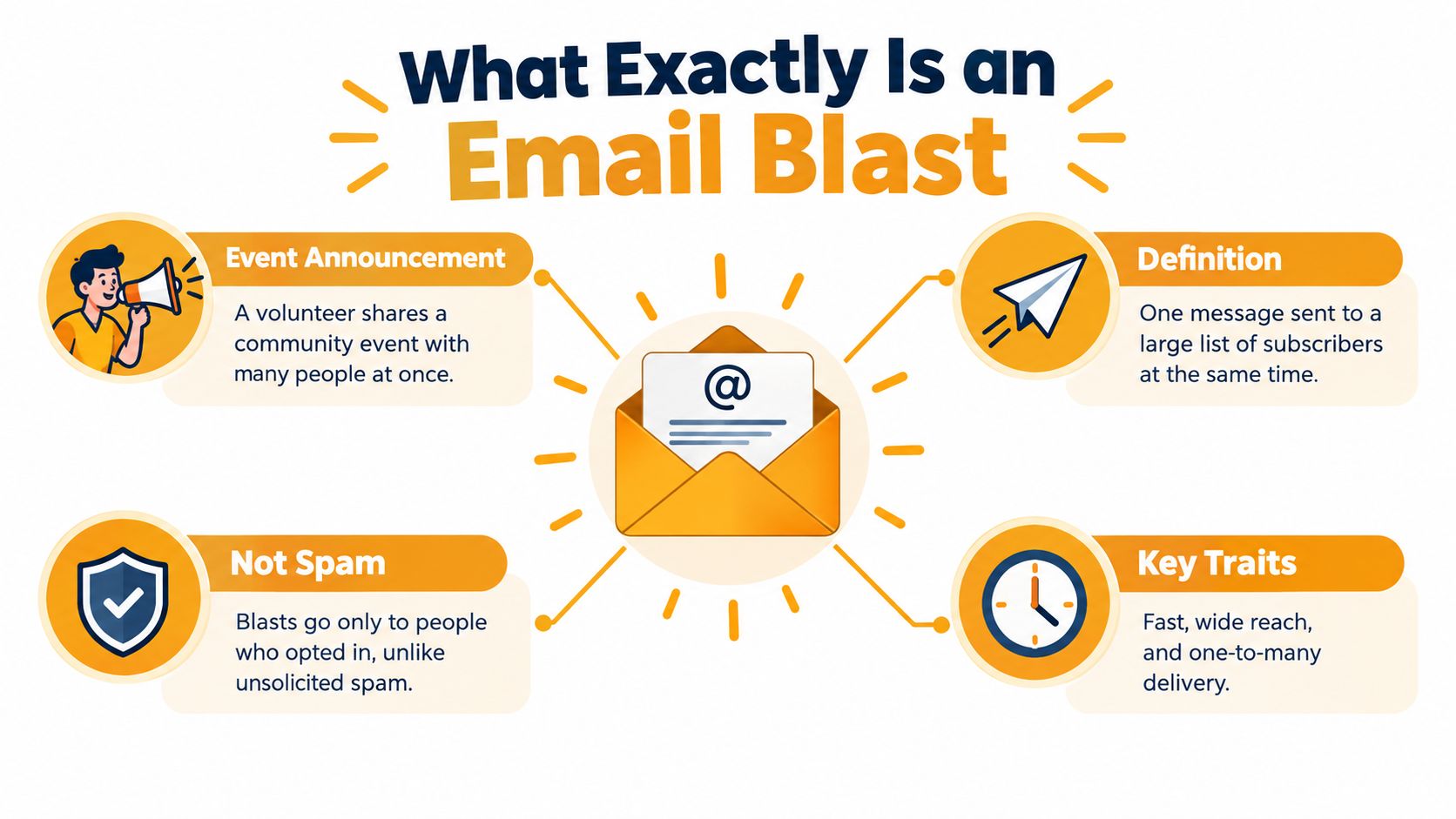
In plain terms, an email blast is a one-to-many email broadcast. You prepare one message, select a defined recipient list, and send the same information to everyone at once. The message might announce a community event, provide a schedule change, invite volunteers, share a family update, or promote a service.
The word “blast” describes the distribution pattern, not the quality of the message. A legitimate blast can go to people who knowingly joined a neighborhood association, club, congregation, family list, or event group. It can also be informational rather than promotional. Spam, by contrast, generally means unwanted or unsolicited bulk communication.
Email's reach explains why this format remains useful. Industry estimates place the worldwide email-user population at approximately 4.48 billion, while about 64% of small businesses use email marketing, according to email marketing benchmark data. Community groups benefit from the same ubiquity without asking members to create a new social-media account or download another app.
Think of it as a megaphone
A megaphone works well when everyone needs to hear the same announcement. It works poorly when people need private conversations, detailed responses, or separate instructions for different groups.
A useful blast has a limited purpose:
- One shared message: Everyone receives the same core information.
- A defined audience: The list represents a real community or agreed recipient group.
- A clear sender: Members can immediately identify who sent the message.
- A predictable response path: The message states whether replies go to the organizer or to the group.
- A respectful exit: People can ask to stop receiving messages when appropriate.
The organizer's first question shouldn't be “How many people can I email?” It should be “Does everyone need the same information, and do I want replies to become part of the message?”
If the answer is yes to the first question and no to the second, a blast is often a good fit. If members need to exchange ideas, vote, ask follow-up questions, or coordinate tasks, you're looking at a group discussion system rather than a simple broadcast.
Email Blast vs Group Email Lists
The easiest way to understand the difference is to separate announcement from conversation. An email blast sends information outward. A group email list creates a shared channel where replies can continue the discussion.
Suppose a volunteer sends, “Saturday's cleanup starts at the library entrance.” That's a broadcast. If the group needs to discuss tools, rides, assignments, and weather plans, the communication has become a conversation. Using the same ordinary email fields for both purposes can create confusion and expose personal addresses.
Practical rule: Decide who should see replies before you choose the recipient field.
CC is the most common improvised solution, but it reveals every address to every recipient. Members can save or reuse those addresses, and an accidental reply-all can send a private comment to the entire group. BCC protects the address list, but replies usually return only to the sender. Members may miss the conversation, and the organizer becomes an unnecessary relay.
A purpose-built email distribution list separates delivery from discussion. The group can use a shared address, while the service manages membership and reply behavior without exposing the full list.
Communication method comparison
| Feature | Email Blast | Group Email List, such as Listava | CC / BCC List | |---|---|---|---| | Primary purpose | One-way announcement | Ongoing group conversation or shared delivery | Informal message sharing | | Reply behavior | Usually returns to the sender or a chosen reply address | Can route replies to the group | CC exposes replies to everyone, BCC usually does not | | Address privacy | Depends on the sending method | Can hide member addresses | CC exposes addresses, BCC hides them | | Best use | Meeting changes, alerts, event notices | Clubs, volunteer teams, associations, family discussions | Small informal groups with established trust | | Main risk | Members may not know how to respond | Requires clear membership governance | Privacy leaks, reply-all cascades, and broken threads |
A group list also needs rules. Members should know whether anyone can post, whether replies go to the entire group, and who removes former members. Without those decisions, even the right tool can become noisy.
An email blast is therefore not a smaller version of a group list. It serves a different member experience. A blast says, “Here is the information.” A group list says, “Here is the shared place where we communicate.”
The Pros and Cons of Sending an Email Blast
An email blast is effective when the message is broadly common to the audience. It saves the organizer from copying the same text repeatedly, keeps the wording consistent, and makes urgent information easier to distribute. A single prepared announcement also creates a record that organizers can reuse or reference later.
Email is familiar, too. Recipients can read the message in Gmail, Outlook, Yahoo, or a mobile mail application without learning a new platform. That accessibility at the channel level matters for groups that include older adults, occasional volunteers, or members who don't want another account.
Where a blast works well
Use a blast when the message has one clear job:
- Meeting change: Tell every attendee where or when the meeting will happen.
- Event invitation: Share the essential details and one registration or RSVP path.
- Community alert: Distribute a time-sensitive notice to the full list.
- Volunteer request: Ask the whole group to sign up for an activity.
- Family update: Give relatives the same news without maintaining multiple threads.
The trade-off is that the same message reaches people with different needs. A general event notice may be perfect for some members and irrelevant to others. If the list includes distinct audiences, a smaller, relevant segment may serve them better than a broad send.
Where a blast creates problems
The biggest weakness is not just low engagement. It's that a message can be sent successfully while still failing the people who receive it. Recent email accessibility research found that 99.9% of analyzed emails contained critical or serious accessibility issues, while only 47% of surveyed companies used even basic measures such as alternative text, according to Mailjet's email accessibility and trends research. The same source reports that 53% of emails were opened on mobile devices.
That combination changes the organizer's responsibility. A message with tiny text, weak color contrast, a complicated layout, or information embedded only in an image may be difficult to use. A recipient who doesn't respond might have missed the message, struggled to read it, or found the instructions unclear.
A blast is only useful when members can understand it and act on it.
There's also a relationship cost. A generic message can feel distant, especially when the group expects conversation. Frequent irrelevant announcements may lead members to ignore future messages or mark them as unwanted. The organizer should therefore keep the list current, use plain language, write a meaningful subject line, and state the next action clearly.
A good blast favors clarity over decoration. Put the date, time, location, and required action near the top. Use readable text and a simple mobile-friendly structure. If members need to discuss the issue, link or direct them to the appropriate group conversation rather than forcing the blast to do two jobs.
Keeping Your Blasts Out of the Spam Folder
Inbox delivery depends on both technical setup and member behavior. Mailbox providers look at whether the sender appears legitimate, whether recipients expect the messages, and whether the sending pattern produces bounces or complaints.

Treat sender reputation like a community's trust in an organizer. People are more likely to keep listening when messages arrive from a recognizable source, contain information they expected, and stop when they ask to leave. A neglected list produces the opposite pattern: outdated addresses, complaints, and members who no longer recognize the sender.
A practical delivery checklist
- Send only to a maintained list. Remove addresses that bounce and keep a record of people who opted out. Don't treat an old spreadsheet as permanent permission.
- Use an accurate sender identity. The name and address should tell members which organization or coordinator sent the message.
- Match the subject to the body. A subject that promises a meeting update should lead to that update, not an unrelated appeal.
- Avoid unnecessary volume. Send when members need the information, not just because the list exists.
- Make the message easy to report or leave. Frustrated recipients are more likely to complain when they can't find a straightforward way out.
For technical authentication, sending domains should use SPF, DKIM, and DMARC. Google explains that SPF authorizes sending infrastructure, DKIM signs message content, and DMARC checks policy and alignment before delivery. These controls help Gmail and other mailbox providers verify that the sender is legitimate, as described in Google's sender requirements.
A non-technical organizer doesn't need to manage every authentication detail personally. Ask the email service whether it supports these standards, whether it reports bounces and complaints, and how it handles unsubscribed addresses. The sending tool should make responsible behavior easier, not hide it.
For a practical workflow, follow this guide to sending email in bulk, then test the message with a small internal group before sending it broadly.
The technical checks matter, but they can't rescue an unwanted message. Permission, relevance, readable design, and list maintenance remain the foundation of deliverability.
Privacy and Rules for Community Organizers
An organizer handles more than addresses. They handle the trust members place in the group. Exposing a member's email address can reveal a relationship, workplace, family connection, or personal identity that the person never agreed to share.
That's why CC should not be used as a casual mass-mailing tool. Every recipient can see the other addresses, and the list can spread beyond the original group. BCC is safer for address privacy, but it still doesn't create a reliable group conversation or clear membership process.
Consent applies outside marketing
A neighborhood alert may be noncommercial, but members should still understand what they're joining. Tell people who manages the list, what kinds of messages they'll receive, whether replies go to everyone, and how they can stop receiving routine communication.
Commercial messages have additional obligations in the United States. The CAN-SPAM Act of 2003 requires commercial senders to use accurate header information, avoid deceptive subject lines, identify advertising where applicable, provide a valid physical postal address, and include a clear opt-out method, according to the Federal Trade Commission's CAN-SPAM guidance. The FTC also states that an opt-out mechanism must remain capable of processing requests for at least 30 days after the message is sent, and senders must honor an opt-out request within 10 business days.
A community organizer may not be sending commercial email, but those principles still make a strong operating standard:
- Identify the sender: Use the organization or coordinator's real identity.
- Explain the purpose: Don't turn an event list into a promotional list.
- Protect addresses: Never expose the full membership through CC.
- Honor departures: Remove people who no longer want routine messages.
- Separate functions: Keep announcements distinct from group discussion when the audiences or reply rules differ.
The practical test is simple. Would a reasonable member understand why they received the message and how to stop receiving similar messages? If not, the list needs clearer governance before the next send.
Privacy also supports continuity. When a list lives only in one volunteer's inbox, a leadership change can leave members, history, and permissions scattered. A shared process gives the next organizer a safer starting point and reduces the chance that former members remain attached indefinitely.
Choosing the Right Tool for Your Group's Message
Choose the tool by the conversation you want to create, not by the number of recipients.
Use an email blast when everyone needs one announcement and replies should go to one organizer or a separate channel. Keep the message short, readable, and explicit about the next step.
Use a private group email list when members need to reply, ask questions, coordinate work, or keep a shared discussion thread. A service such as Listava can provide a shared group address, distribute messages to members, hide personal addresses, and support email-only participation. Organizers comparing options can review this overview of email list software.
Use CC only for a small, informal group where everyone already knows one another and address visibility is expected. Don't use it as a substitute for a managed list. Use BCC for privacy-sensitive one-way delivery only when you accept that it won't create a dependable group reply channel.
Before sending, ask:
- Does everyone need the same information?
- Should replies reach the organizer, the whole group, or nobody?
- Have members agreed to receive this type of message?
- Can people read it comfortably on a phone?
- Can I remove someone cleanly when their role ends?
The right answer protects privacy while making participation easy. A broadcast is useful when the group needs a clear announcement. A managed discussion list is better when the group needs an ongoing conversation.
Listava gives community organizers a shared group email address for announcements and discussions, with private member delivery, reply-to-group behavior, and participation through standard email clients without member accounts or app downloads. If your club, neighborhood group, volunteer team, or family list needs a simpler way to communicate, visit Listava to see how it works.