Distribution List Management for Non-Tech Organizers
Master distribution list management with step-by-step best practices for creating, maintaining, and securing group email lists without technical skills.
You send an important neighborhood announcement to everyone you can think of. Within minutes, your inbox fills with separate replies, removal requests, and one uncomfortable message asking why every recipient can see their personal email address. Someone answers the whole group, another person answers that reply, and the original announcement disappears inside a growing thread.
This is familiar to HOA boards, club committees, faith communities, and family coordinators. The problem usually isn't the message. It's the way the group is represented in the email system. Good distribution list management keeps addresses private, makes membership changes manageable, and gives the next volunteer a communication system they can clearly understand.
Table of Contents
- Why Distribution List Management Matters for Volunteer Groups
- Creating Your First Group Email Address
- Adding and Removing Members Without the Headache
- Privacy Settings That Actually Protect Your Members
- Maintaining List Health Across Leadership Changes
- Your Ongoing Distribution List Checklist
Why Distribution List Management Matters for Volunteer Groups
A committee sends a routine update to its members. One person replies to everyone, another starts a separate thread, and a third asks to be removed. The sender now has to reconcile replies, protect private addresses, and remember which contacts still belong on the list.
CC creates that confusion because every recipient can see the others. A neighborhood resident may not want their address shared with an entire street, and volunteers should not have to watch every reply for accidental disclosure. The problem becomes harder when members use different clients, including Gmail, Outlook, Yahoo, or older mail programs with different reply behavior.
BCC hides the recipient list, but it usually sends replies only to the original sender. A useful discussion can split into private conversations, leaving people without the response they need. Members also have to remember special instructions, which is an accessibility issue for anyone who joins through a less familiar email client.
Practical rule: Use a group address when members need both privacy and a shared conversation. Use BCC for a private broadcast when replies do not need to stay with the group.
A spreadsheet rarely remains authoritative for long. One volunteer updates an Excel file, another edits an Outlook contact group, and someone else copies addresses from an old message. After a member moves, changes jobs, abandons an account, or asks to leave, the group may continue sending messages to the wrong people while missing the right ones.
Continuity matters as much as convenience. A new chairperson should be able to identify the group address, understand its purpose, and update membership without searching through a predecessor's inbox. That requires a clear owner, an agreed process, and ordinary email access rather than a new account, app, or dashboard.
A practical guide to email distribution lists can help organizers compare delivery and reply options. The working principle is simple: keep addresses private, define whether the list supports announcements or discussion, record who manages it, and make membership changes visible to the next volunteer. A list built around that process can survive leadership turnover without forcing members to change how they use email.
Creating Your First Group Email Address
A shared group address is the simplest foundation for recurring communication. Instead of placing a dozen personal addresses in CC, you send to one address that delivers the message to the current members. Members can participate from Gmail, Outlook, Yahoo, Hotmail, or another ordinary email client.

Start with the group's purpose, not the provider's feature list. Choose a clear address connected to the group, such as a neighborhood name, club name, or committee function. Avoid an address that only makes sense to the current chairperson. The next coordinator should understand what it is without opening old correspondence.
Set up the address in a deliberate order
-
Define the audience. Decide whether the address is for announcements, discussion, or both. A board-only address shouldn't accidentally include the full membership, and a social club list may need different reply behavior from a one-way notice list.
-
Choose a service that works through email. For a volunteer group, members shouldn't need a new password, app, or dashboard just to receive and answer a message. Look for private delivery, group-wide replies, simple membership updates, and a clear ownership or handoff process.
-
Add only the initial administrators first. Send a test message to yourself and another trusted organizer. Confirm that delivery works, that the reply goes to the intended destination, and that recipients can't see one another's personal addresses.
-
Test from more than one email client. Send from Gmail and reply from Outlook, or reverse the order. Mixed client environments are normal in community groups, so the test should reflect how people communicate.
-
Explain the address in the first real message. Tell members what the address is for, whether replies go to everyone, and how to request an addition or removal. Clear instructions prevent a new member from treating the group address like a private contact.
A personal Gmail label or Outlook contact group may be enough when only one person needs to send messages. It won't solve shared ownership, however, because the list lives inside that person's account. A shared group address is more appropriate when a committee needs continuity and members should be able to reply without exposing the full membership.
For a more detailed walkthrough, use this guide to create a group email address. The important test isn't whether setup feels impressive. It's whether an older member, a new treasurer, and a volunteer using a different email client can all use the address without special instructions.
Adding and Removing Members Without the Headache
Member changes are where distribution list management becomes a routine rather than a one-time setup. The safest process is the one a busy volunteer can follow without opening several administrative tools or comparing multiple versions of a spreadsheet.
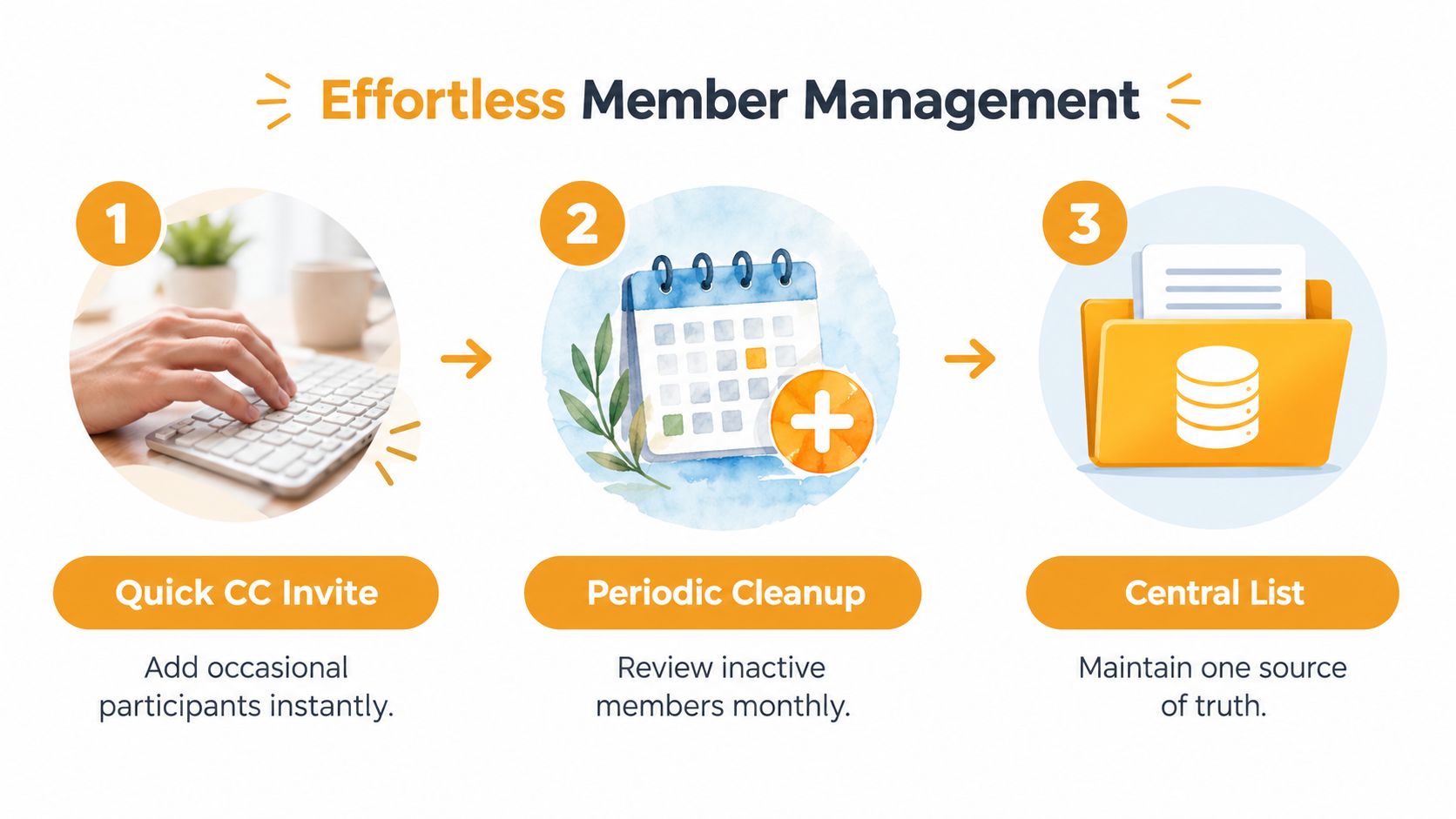
For a small group, add an occasional participant through CC if the service supports it. Include the group address and the new person's address in the same message, then confirm that the person understands the group's purpose. This is useful for a committee member joining temporarily or a new household entering a neighborhood association.
Larger groups need a cleaner source of truth. Prepare an Excel spreadsheet with one email address per row and remove obvious duplicates, stray spaces, and notes pasted into the address field. Keep names in separate columns if the service accepts them, but don't treat a name as a substitute for checking the address itself.
A safe membership routine
-
Before importing, preserve the original file. Make a working copy so you can identify what changed if the import doesn't look right.
-
Review the audience, not just the formatting. Remove former members, private addresses that were added by mistake, and contacts who never agreed to participate.
-
Import in a controlled batch. Check the resulting membership against the spreadsheet before sending a real announcement. A small test message can reveal formatting or delivery problems early.
-
Remove departures promptly. When someone leaves a club or committee, take them off the active list and record the change in your group notes. Don't rely on a future cleanup session.
-
Keep the reply destination consistent. If replies return only to the sender, the discussion will split. If every reply reaches the full list, members should know that their response will be shared.
The final point deserves care. Reply-to-group behavior is valuable for a working discussion because it preserves a common thread. It can also create an unwanted cascade if the list is used for sensitive announcements or if members assume a reply is private. Set the default according to the group's purpose, then state the behavior plainly in the welcome message.
A useful record can be very simple: group purpose, current owner, backup contact, last review date, and the location of the latest membership file. It shouldn't contain more personal information than the organizers need. The record exists to support a handoff, not to become another unmanaged database.
For a visual example of member-management workflows, watch this short overview:
Privacy Settings That Actually Protect Your Members
Privacy starts with the recipient field. CC exposes every address to every recipient, and one careless reply-all can distribute that address list beyond the original group. This is especially uncomfortable for neighborhood groups, support communities, and volunteer organizations where members may have joined for a specific purpose but don't have an existing relationship with everyone else.
BCC hides addresses during a broadcast, which is why it remains useful for one-way notices. It doesn't automatically preserve a group conversation, though. A member who replies may reach only the sender, and the organizer then has to forward the response or summarize it manually.
Privacy is not the same as silence. The right setup hides personal addresses while giving members a clear, controlled way to participate.
A dedicated group-address system should let you check four settings before inviting the full membership:
-
Member visibility. Members should not be able to inspect the personal addresses of other members unless the group has a specific reason to allow it.
-
Sender permissions. Decide whether anyone can write to the list or only approved members. A private group can become noisy or unsafe if outside senders can post freely.
-
Reply routing. Confirm whether replies return to the group, the original sender, or both. Don't assume that a privacy-preserving delivery method will preserve the thread automatically.
-
Data handling. Read the provider's policy and look for a clear statement about whether member addresses are shared or sold. A low-friction tool isn't useful if it creates a new privacy concern behind the scenes.
Microsoft's documentation shows that list governance involves more than delivery. Organizers may need to decide who can send, whether external senders are allowed, and whether the group is hidden from the directory (Microsoft's distribution group guidance). Those controls matter even more for volunteer groups because the person managing the list may not be a systems administrator.
If your group needs privacy but not open discussion, use a private broadcast arrangement and state that replies should go directly to the organizer. If members need to ask questions and see the answers, route replies through the group and remind them that the response will reach the active membership. For a fuller explanation of private list choices, see this guide to a private email list.
Maintaining List Health Across Leadership Changes
A volunteer coordinator steps down, and the group suddenly discovers that the mailing list lives in one person's inbox. The replacement may not know who can approve members, where the archive is stored, or which informal rules kept messages manageable. Leadership turnover exposes those gaps quickly.
Continuity starts by separating the list from any individual account. Give the group address a named primary owner, at least one backup contact, and a short handoff note stored where the organization controls access. The note should cover the list's purpose, who may join, how departures are handled, how replies work, and where the current member record lives.
Make the handoff easy to complete
A new coordinator should not have to reconstruct years of decisions. Record:
-
The operating rule. State whether the list handles announcements, discussion, or both.
-
The access path. Name the service and the people who administer membership. Keep credentials in an approved secure location, not an ordinary spreadsheet or a personal account.
-
The review habit. Record when the list was last checked and what requires prompt removal, such as a resignation or a member's request to leave.
-
The archive decision. Explain whether old messages are retained, where related documents are stored, and who may access them.
Accessibility belongs in the handoff. Volunteer groups include people using older laptops, mobile devices, screen magnification, high-contrast settings, and different email applications. Email-only participation can remove a major barrier because members can read and respond with tools they already know. Large readable text, clear subject lines, and uncluttered messages also help people who find crowded dashboards difficult.
A plain distribution list can suit a group that needs reliable broadcasts and replies without an archive or shared workspace. A fuller group system may fit better when the organization needs a shared inbox, searchable history, moderation, or document collaboration. Choose based on privacy, participation, and maintenance burden, rather than the feature count in a product tour.
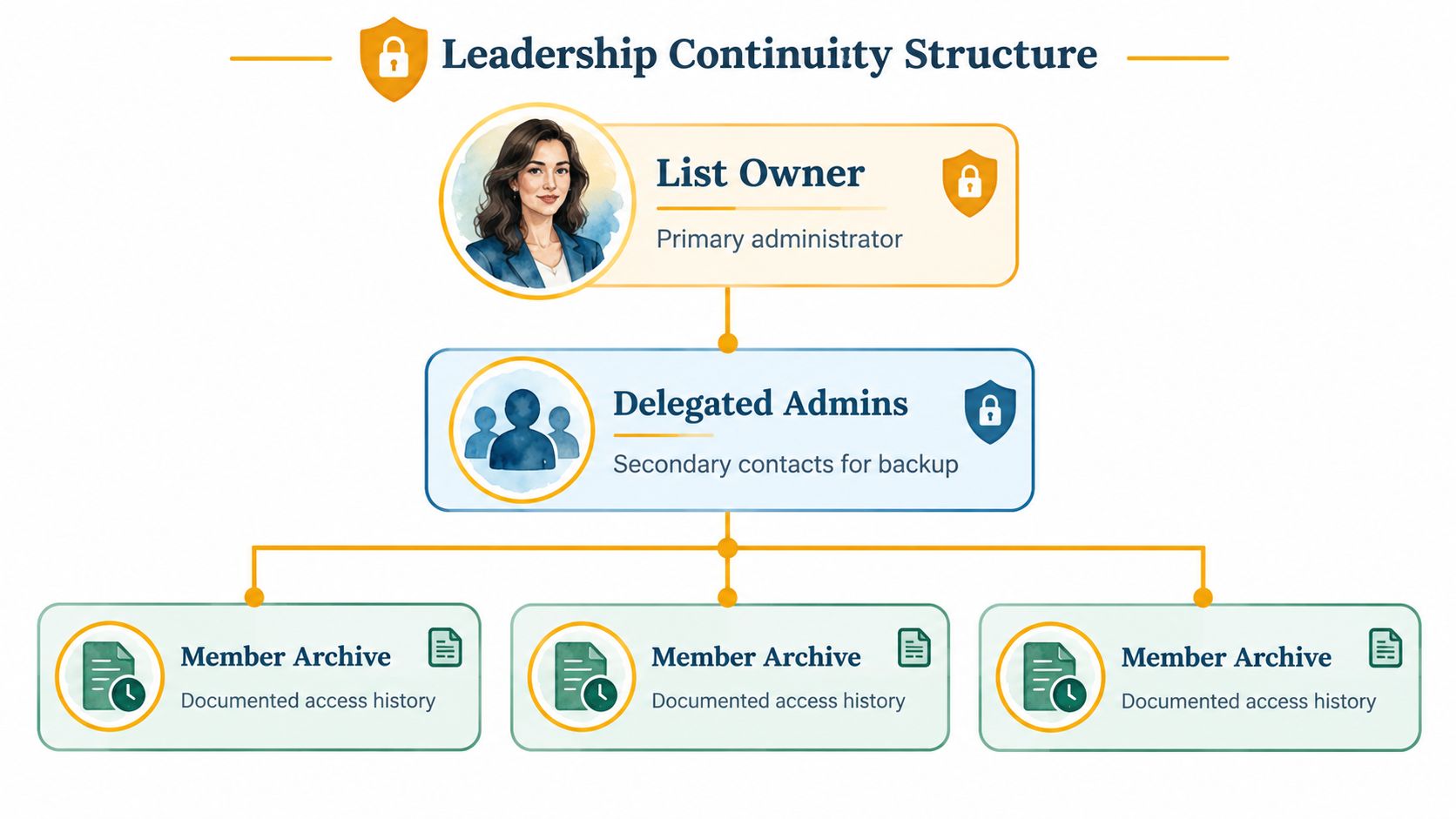
As noted earlier, roughly one in four contacts can decay annually without active maintenance, so a documented review routine gives the next volunteer a reliable starting point. It also helps the group spot failed addresses before they become an overlooked access or privacy problem. Keep the record current, and review the list's ownership whenever leadership changes. Background information on mailing-list use is available in the same mailing list data.
Your Ongoing Distribution List Checklist
A healthy list needs small, repeatable checks rather than a major technical project. Put the routine on the group's calendar and assign each action to a real person.
-
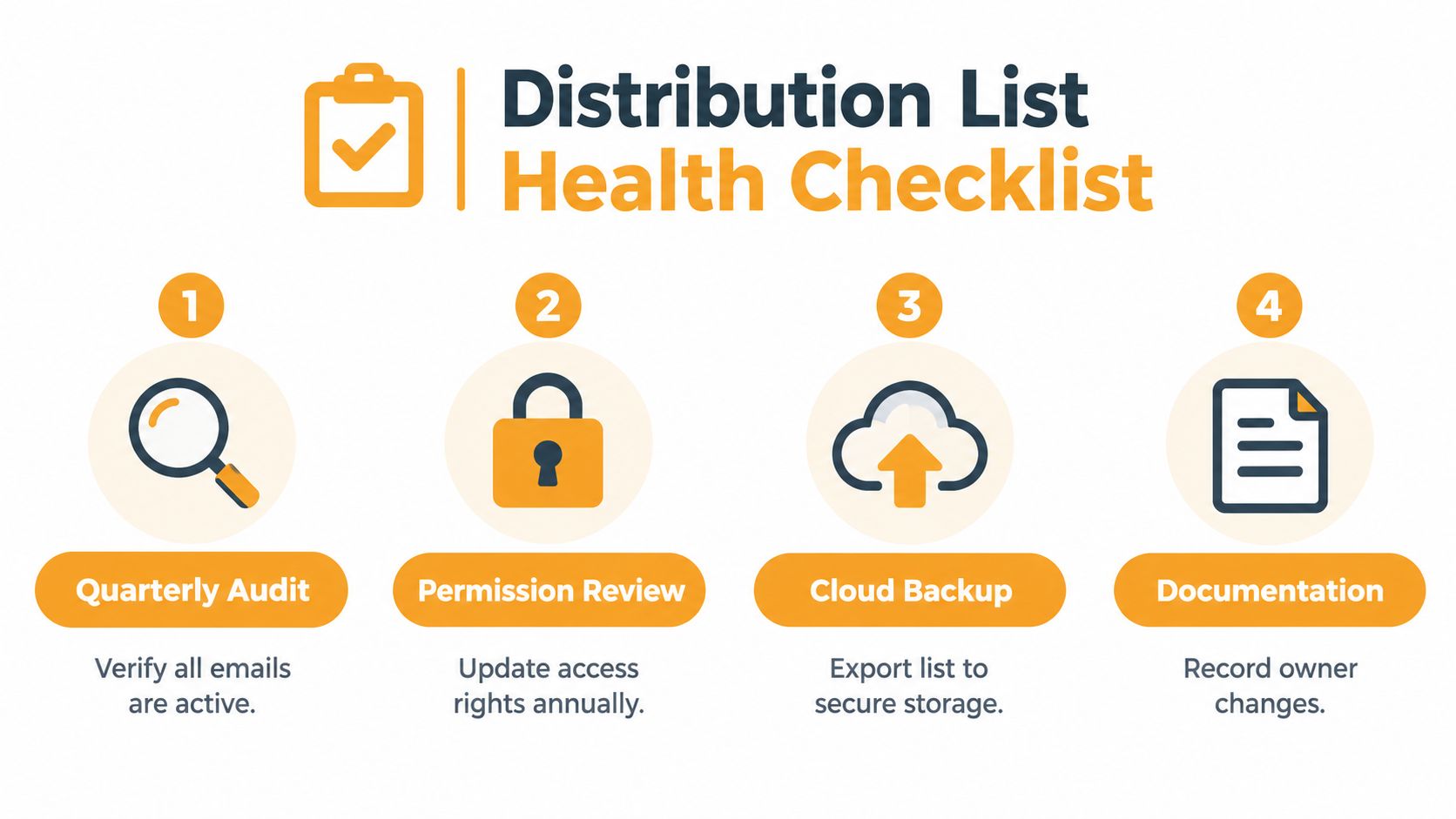
Verify new addresses at collection. Check spelling before adding a member. Real-time verification is associated with about 0.3% bounce rates and 95% inbox placement, while neglected lists can exceed 6.5% bounces and lose nearly a third of messages to spam, according to CleanList's deliverability benchmarks.
-
Review the full list quarterly. Re-check stale contacts, remove hard bounces, and confirm that former members are no longer included. A quarterly review is also the right time to compare the active list with your secure membership record.
-
Watch every send for delivery problems. The cited guidance treats 2% as the maximum safe bounce threshold. Investigate a rising bounce rate instead of repeatedly sending to addresses that have already failed.
-
Review permissions and ownership. Confirm who can send, who can change membership, and who takes over if the current coordinator leaves. Write down the review date so the next volunteer doesn't have to guess.
-
Protect the handoff record. Keep the purpose, owner, backup contact, and archive instructions in a shared location controlled by the group. Avoid making one person's inbox the only place where the list's rules exist.
These checks preserve reach without overwhelming a volunteer committee. The aim isn't perfect administration. It's a dependable habit that keeps privacy, participation, and continuity intact as people join, leave, and change roles.
Listava provides a shared group email address, member management through CC or spreadsheet import, privacy controls that hide personal addresses, and reply-to-group communication through standard email clients. If your HOA, club, congregation, or family group needs distribution list management without member accounts, apps, or a dashboard, visit Listava and set up a communication process the next organizer can maintain.