Group Email Address: What It Is and How It Works
Learn what a group email address is, how it works, and why it's a private, reliable alternative to CC and BCC lists for clubs, HOAs, and families.
You're ready to send the neighborhood update, but first you have to rebuild the recipient list. Someone has changed email addresses, a new household needs adding, and you're hoping nobody sends a private complaint with Reply All. The message is ready. Managing who gets it is the work.
A group email address can make that routine easier. The important choice isn't just whether to stop using CC. It's how your group will handle conversations, protect members, and keep communicating when somebody else takes over.
Table of Contents
- What a Group Email Address Is
- The Moving Parts Behind a Shared Address
- Group Address vs CC, BCC, and Google Groups
- Privacy, Continuity, and Other Quiet Wins
- Real Workflows for Real Organizers
- Authentication, Deliverability, and List Maintenance
- Getting Started and Frequently Asked Questions
What a Group Email Address Is
A group email address sends one message to a shared destination, which then distributes it to the people on its member list. Members receive those messages in their own inboxes.
The address works like a mailbox label for the group, not a mailbox owned by its current president. Organizers maintain the membership behind it, while members can use their existing email accounts. Depending on the setup, members may also be able to start discussions or reply to the whole group. The address can stay in place even as the people responsible for it change.
The diagram shows how this kind of shared destination serves clubs, HOA boards, and families.
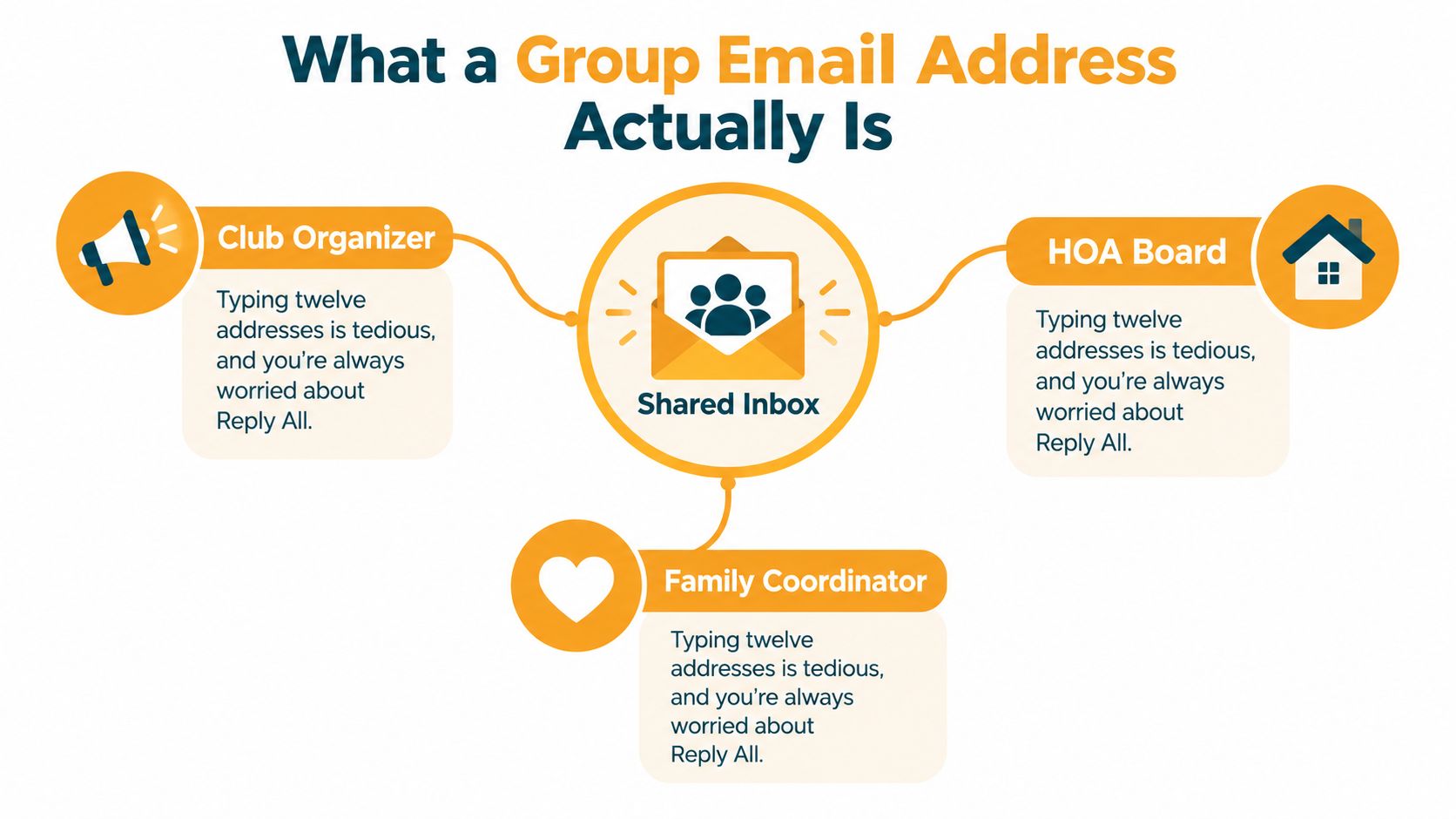
A shared address isn't always a shared inbox
The names can be confusing, so check what the service does. A distribution list sends copies of a message to members. A shared inbox usually gives people a common mailbox where they can work on messages together. An alias is another address that routes mail elsewhere. The word “alias” alone does not tell you whether you can manage members or support group discussions.
Before choosing a service, describe the jobs the address must do:
- Delivery: Messages should reach the current members.
- Participation: Decide whether members can start discussions or only receive announcements.
- Administration: Someone needs permission to add, remove, and correct member addresses.
For a book club, the address might support meeting discussions. An HOA may instead use it for announcements, with replies sent to the board. Those are different needs, even though both groups share an address.
Why email remains a useful foundation
Email reaches people through different devices and providers, which helps explain its continued use for group communication. According to EmailTooltester's email usage statistics, worldwide use grew from about 10 million users in 1997, roughly 0.17% of the population, to an estimated 4.73 billion in 2026, an increase of about 472-fold.
A group address gives members a stable place to send a message while organizers maintain the list behind it. When leadership changes, the address can remain familiar; the incoming organizer can take responsibility for the membership instead of asking everyone to learn a new destination.
That continuity depends on the setup. A shared address does not automatically protect privacy, ensure delivery, or send replies to the right people. Organizers need to choose and maintain those settings.
The Moving Parts Behind a Shared Address
When a board president steps down, a group address can stay in place while a new volunteer takes over its roster and settings. The address is the destination, the member list determines who receives messages, and the reply settings control where responses go. Like a neighborhood mailroom, the system needs both a clear destination and an up-to-date list of recipients.
The diagram shows how a message moves through the system, from distribution to delivery and management.
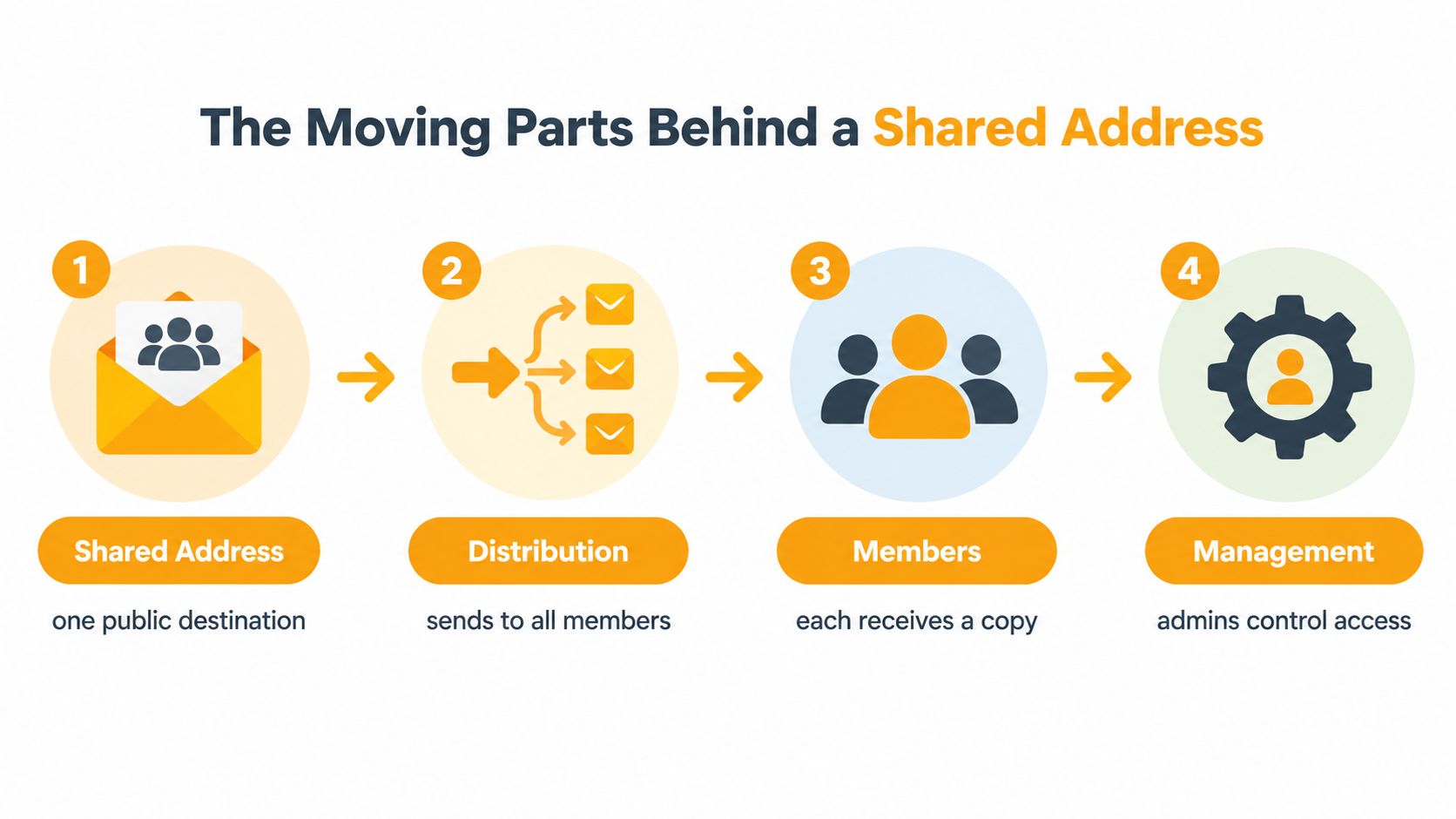
The address, roster, and return route
The shared address is the destination members recognize. Choose a name that identifies the group, rather than one volunteer, so the address still makes sense when leadership changes.
The member roster is the delivery list. Include the addresses members want to use, and remove outdated ones. An old list can send group messages to people who have left or miss people who have joined.
Reply behavior is a separate setting. A discussion group may send replies back to the group, while an announcement list may direct questions to an organizer.
Before sending a real message, check three things:
- Ask about Reply: Where does a standard reply go?
- Ask about Reply All: Could this action include recipients unexpectedly or reveal their addresses?
- Test the result: Send a harmless practice message and check where the reply arrives.
State these rules in the welcome message. Members should not have to guess how replies work.
How an inbox recognizes a conversation
Email messages include headers, which help an inbox identify messages and connect replies to earlier messages. Under RFC 5322 message semantics, Message-ID identifies a message, while In-Reply-To and References connect it to earlier messages. When present, Reply-To specifies where a reply should go instead of the From address, as explained in OmbuLabs' guide to email threading. When a service redistributes a message, it should preserve that message's identifier; a new message needs its own.
If a service removes or incorrectly rewrites conversation headers, replies may appear as separate threads. That can look untidy, even when nobody has intentionally started a new subject.
For a visual explanation, watch the video below.
Organizers do not need to edit headers themselves. Ask the provider whether it preserves conversation threading, then test a new message and a reply in the email clients members use.
Group Address vs CC, BCC, and Google Groups
The right option depends on what people need to do after receiving your message. A quick exchange between neighbors has different requirements from a continuing association discussion.
CC is reasonable when the participants already know one another, are comfortable sharing addresses, and can manage the conversation themselves. Everybody can see who's included, and Reply All makes an open discussion straightforward. The organizer's burden appears when people join, leave, or keep answering an outdated thread.
BCC suits a one-way notice when recipients shouldn't see the delivery list. It isn't a convenient substitute for a discussion list: recipients can reply to the sender, but they can't reconstruct the hidden group from the message. You also still have to maintain the recipient list somewhere.
When a platform or dedicated service fits
Google Groups is worth considering when organizers want a managed group and are comfortable with its settings. Check posting permissions, member visibility, conversation access, and the difference between receiving email and using web features. Don't assume every activity has the same account or sign-in requirements.
A dedicated group-address service may fit people who want to participate from email without managing another application. Services differ, so verify whether address hiding, group replies, and email-only administration are included rather than treating those as automatic features.
For an organization deciding between approaches, this guide to a Google Groups alternative offers a relevant starting point. Evaluate the workflow against your members' needs, not just the organizer's familiarity with a particular tool.
Decision rule: Choose the simplest option that supports your actual reply needs and the person who'll maintain the list after you.
Comparing Group Email Options
| Option | Member Addresses Visible | Reply Behavior | Member Setup Needed | |---|---|---|---| | CC | Yes, to recipients | Reply to sender or Reply All | Existing email account | | BCC | Hidden from other recipients | Usually back to sender, not the hidden list | Existing email account | | Google Groups | Depends on permissions and configuration | Depends on group settings | Email receipt and web participation may have different requirements | | Dedicated group-address service | Depends on privacy controls | Group or private replies, depending on service | Some support email-only participation |
CC still wins for a casual, trusted exchange. BCC is acceptable for a notice that doesn't require group discussion. Google Groups can fit a club whose administrators want its broader configuration options.
For an HOA, congregation, or extended family that values private participation and leadership handover, I'd lean toward a managed group address. Before choosing, ask the next likely organizer to try the membership controls. A system you understand but your successor can't operate hasn't solved the maintenance problem.
Privacy, Continuity, and Other Quiet Wins
An organizer can create a functioning list and still leave important questions unanswered. Who can inspect the roster? Can a departing administrator retain control? Will every reply produce another message members feel obliged to read?
Privacy begins with the distinction between hiding addresses and protecting message content. Keeping personal addresses out of recipient fields reduces unnecessary disclosure, but it doesn't stop members from forwarding messages or including someone's details in their own text.
The administrative work behind a private list deserves as much attention as the send button.

Pair each benefit with a boundary
A maintained group address can separate communication from a volunteer's personal inbox. But that benefit depends on transferable administration and recoverable access. If only the departing president knows how to manage it, the dependency remains.
Likewise, permission to join the list shouldn't be treated as permission for unrelated use of someone's address. Explain the group's purpose, how members can leave, and who handles concerns.
- Privacy boundary: Keep personal complaints, financial details, and sensitive family information out of general discussion.
- Ownership boundary: Record who controls the service and any associated domain, billing, or recovery arrangements.
- Participation boundary: Tell members which topics belong on the list and which should go privately to an organizer.
Fewer addressing chores can still mean more mail
Industry estimates put global traffic at 361.6 billion messages daily in 2024, with a 392.5 billion projection for 2026; the same report estimates 1.86 accounts per user and 82 to 120 incoming messages a day, according to Clean Email's email industry report. These figures cover all email, not group lists, but they're a useful reminder to respect inbox attention.
For announcements, ask members not to send acknowledgments to everyone. For discussion groups, use descriptive subjects and agree on whether unrelated topics require a new message.
Suppressing every response isn't necessarily the answer. The trade-offs described in this guide to no-reply email matter when members need a clear route for corrections or questions.
Finally, familiar doesn't mean accessible. A person may recognize email yet struggle with small text, dense instructions, or frequent messages. Judge success by whether members can act on the information, not merely whether the system accepted the send.
Real Workflows for Real Organizers
These are illustrative workflows, not reports of measured results. Adapt them to your group's permissions and the service you choose.
An HOA notice and a book-club discussion
For an HOA pool-gate update, start with a clear subject describing the change. Put the action residents need to take near the top, and use the announcement configuration rather than an open discussion setting if questions should reach the board privately.
When a household moves, confirm the appropriate membership change with the responsible organizer. Don't keep sending community notices because an old address still accepts mail.
A book-club meeting thread calls for a different rhythm. The coordinator starts the discussion, members reply within it, and the coordinator sends a clearly labeled final summary once the arrangements are settled.
- Keep the topic recognizable: Continue the meeting thread for related planning, not every future club question.
- Welcome newcomers deliberately: Explain where replies go and send the current meeting details, rather than assuming they received earlier messages.
- Confirm departures: Remove people who ask to leave instead of waiting for them to stop responding.
Congregation volunteers with different access needs
A congregation administrator might send a volunteer request with the task, location, and response instructions in readable text. Volunteers can answer privately when sharing availability, while the organizer sends a group summary of the remaining needs.
U.S. Census-based research found that 28.77% of older adults had a disability, and 73.5% of older adults with disabilities reported using home-based digital technology, compared with 83.29% without disabilities, as reported in Innovation in Aging's research on disability and technology access. Those findings concern home technology generally, not proof of anyone's individual email ability.
Ask volunteers how they prefer to receive essential information. Provide readable formatting, high contrast, a plain-text alternative, and a phone or printed-notice fallback where needed.
Don't make someone miss a chance to volunteer because the instructions were only available in a format they couldn't use.
A calmer extended-family update
A family coordinator can send the main update with the essential news in the message body rather than only in an attachment. If the family wants conversation, replies stay together; sensitive health details or travel arrangements can move to private correspondence.
When a relative changes addresses, confirm the replacement directly. Before adding another family member, explain the list's purpose and ask whether they want to participate. A family connection isn't a substitute for that conversation.
Authentication, Deliverability, and List Maintenance
A message can have the right recipients and still encounter delivery trouble. Authentication helps receiving systems assess whether a sender is authorized; it isn't a promise that every message will land in the inbox.
SPF identifies the servers authorized to send for a domain. Forwarding can complicate that check because the message reaches its destination through another server.
DKIM adds a signature that lets receivers check signed message content. A redistribution service that changes signed content can invalidate the original signature.
DMARC connects authentication with the visible sending domain and tells receivers how to handle failures. ARC can preserve an intermediary's authentication history when forwarding complicates the original checks, as explained in DMARCTrust's guide to forwarding and ARC.
Ask the service to handle the technical work
Microsoft began requiring SPF, DKIM, and DMARC for senders delivering more than 5,000 daily messages to Outlook.com, Hotmail.com, and Live.com consumer addresses on May 5, 2025, according to the email-industry guidance referenced in Mailgun's report. Small groups may not reach that threshold, but choosing infrastructure that handles authentication is still sensible.
Use this checklist as a prompt for provider questions, not a request to configure servers yourself.
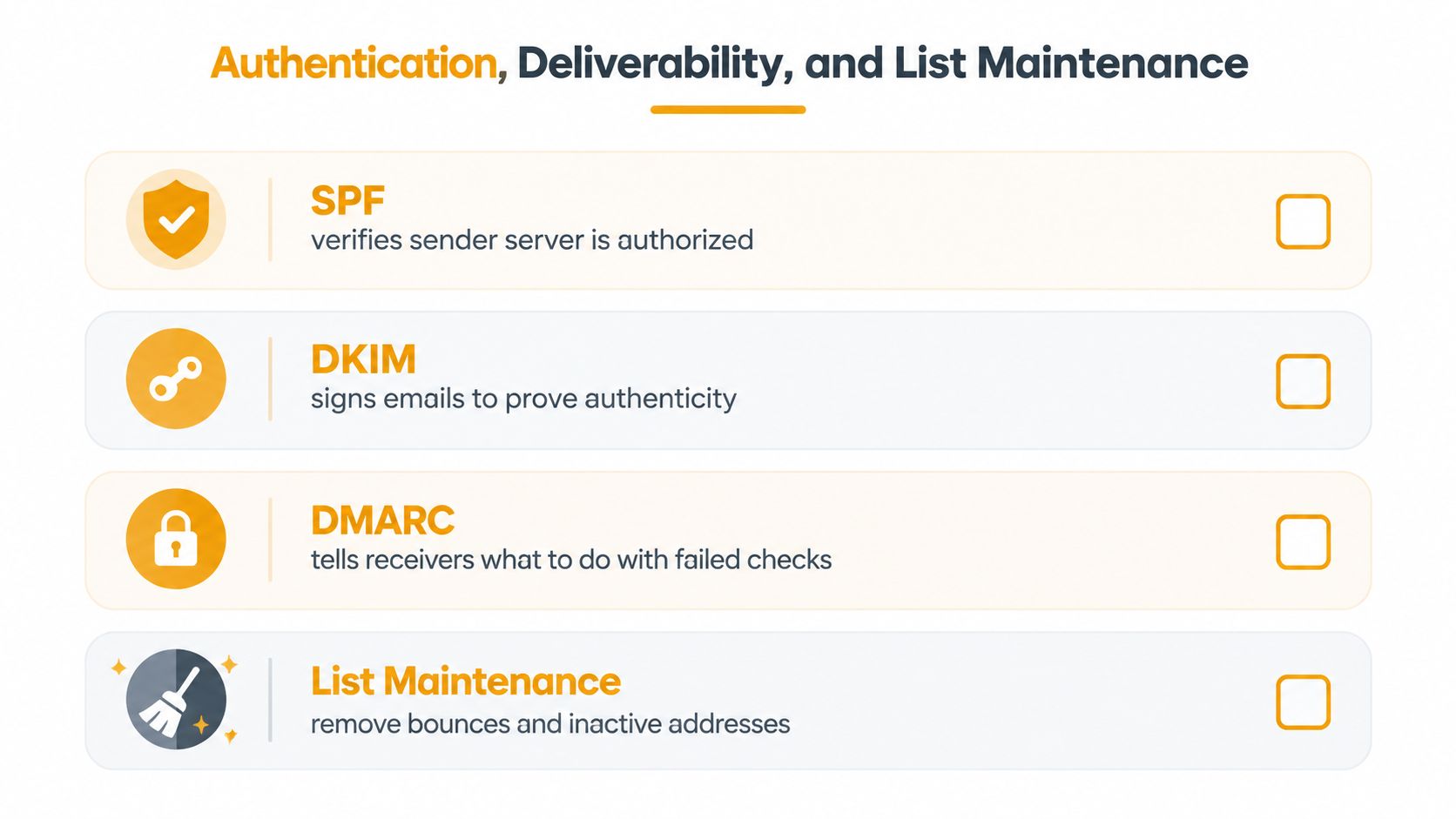
Keep an organizer's maintenance record
- Ownership and recovery: Document the owner, backup administrator, and handover process without circulating passwords.
- Delivery problems: Ask whether a missing message produced a bounce or appeared in spam. Those situations need different investigation.
- Roster corrections: Confirm changed or abandoned addresses and honor removal requests.
- Mixed-provider testing: Check delivery and replies with members using Gmail, Outlook, Yahoo, and Hotmail.
- Incident handling: Record whom to contact if an unauthorized message goes out or administration becomes inaccessible.
A guide to distribution list management can help turn those responsibilities into a repeatable routine. The organizer's job is to know who acts when something fails, not to become an email engineer.
Getting Started and Frequently Asked Questions
Before inviting everyone, write down what your group needs: announcements, discussion, or both. Choose the option that meets those needs with a manageable amount of member setup, then run a harmless test.
A practical starting checklist
- Name the administrators: Assign an owner and a backup, and confirm both understand their roles.
- Review membership: Check the starting roster and schedule recurring reviews.
- Explain participation: Send a welcome message covering replies, appropriate topics, and removal requests.
- Check inclusion: Ask which members need phone calls, printed notices, or another format.
- Test the handover: Have the backup perform a routine administrative task before access becomes urgent.
Can a group address accommodate accessibility needs?
It can help, but it shouldn't be your only accommodation. Ask members what works for them and apply the formatting and fallback practices described above. Don't assume delivery means understanding.
What happens when the organizer leaves?
Follow the documented transfer process before the departure. The successor should verify administrative access, membership management, and recovery arrangements; the outgoing organizer's access should then be reviewed.
Can it coexist with CC or Google Groups?
Yes. You might keep CC for a temporary working conversation while using the managed address for ongoing group communication. Give each channel a clear purpose, and avoid sending the same notice through competing lists that leave members unsure where to reply.
Your first useful step is small: choose a practice message and ask your backup organizer to help test it.
Listava offers a shared group email address with private member addresses and group replies, using standard email clients without member accounts or app downloads. Visit to see whether its email-based member management fits your group, and bring your questions about reply behavior, accessibility, and leadership handover.