Group Mailing List Guide for Volunteer Organizers
A group mailing list is one shared address for your HOA, club, or family. Compare it with CC, BCC, Google Groups, and Facebook, then choose.
A group mailing list is a single shared email address that delivers to every consented member without putting personal addresses on the message.
You may be holding the neighborhood spreadsheet right now, trying to send a meeting notice without starting another reply-all argument. The immediate job is getting the message out. The harder job is letting people participate without exposing their contact details, losing replies, or leaving the next volunteer with an unusable roster.
Table of Contents
- What a Group Mailing List Is
- Group Mailing List Compared with Everyday Options
- How a Shared Address Carries the Conversation
- Privacy Without Losing the Conversation
- Continuity Accessibility and Inbox Placement
- How HOAs Clubs Faith Groups and Families Use Lists
- Decide Whether a List Fits and Start It
What a Group Mailing List Is
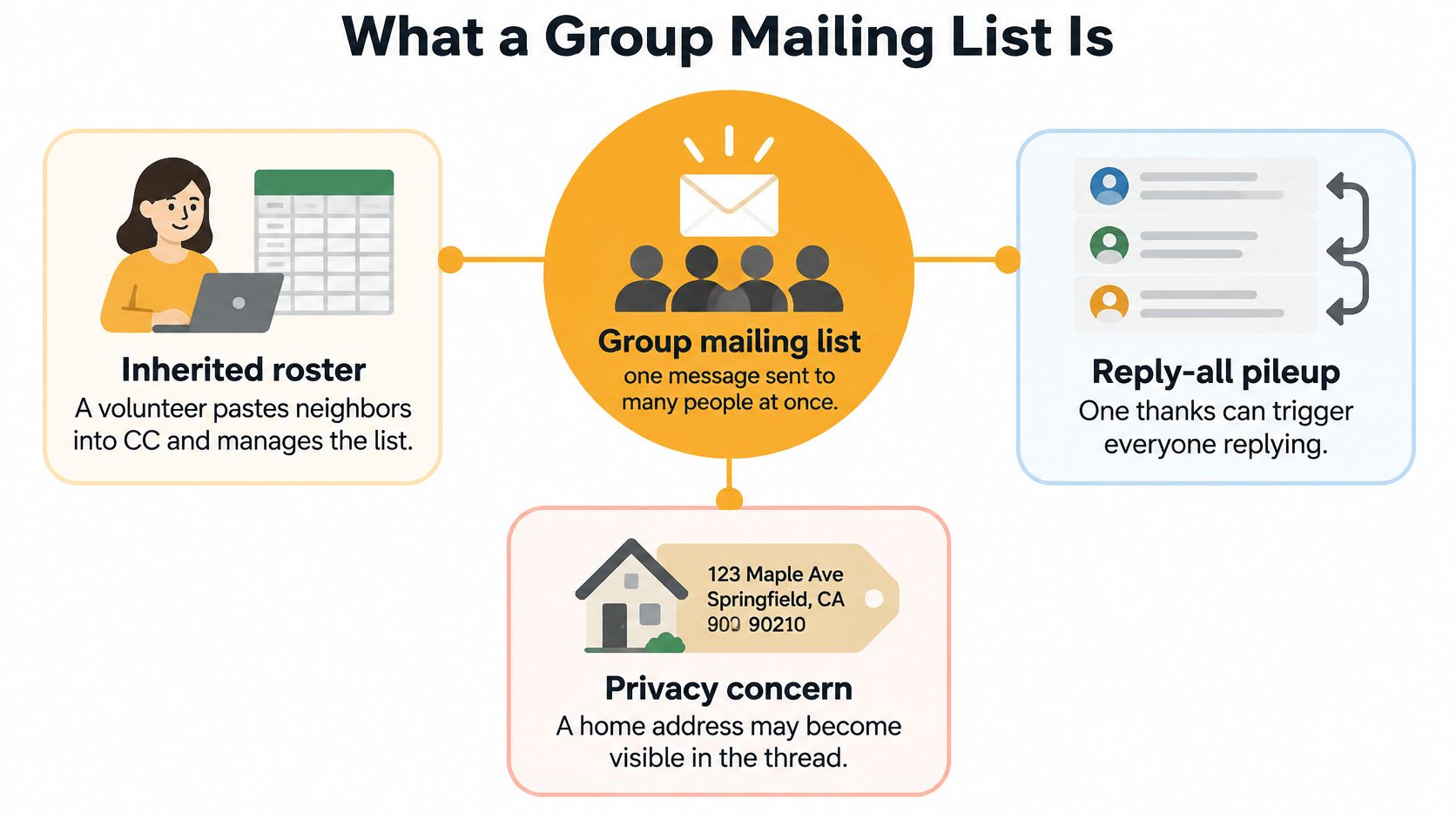
Say you've inherited a neighborhood email list. You paste the addresses into CC, send a meeting reminder, and receive a friendly thanks. Someone replies to everyone, another neighbor asks to be removed, and a resident objects that their personal email address is now visible throughout the thread.
Nobody meant to create a problem. The organizer used the tool they knew, but a recipient field isn't a standing communication channel.
A group mailing list gives the neighborhood a shared destination for notices and conversation. Members can keep using Gmail, Outlook, Yahoo, or Hotmail rather than learning a separate app.
What makes it a list
A useful discussion list needs these foundations:
- A stable address. A gate-code correction goes to the neighborhood address, not whichever chain the sender happens to find.
- Consented membership. A new resident joins because they asked to receive neighborhood email, not because someone found their details in an old directory.
- A group reply path. A book club vote returns to the members who need to choose the next title, rather than stopping in the coordinator's inbox.
CC does none of that administration. It records recipients on a particular message. Later senders can omit someone, resurrect a removed address, or continue an outdated thread without realizing it.
Why ordinary email still helps
The Radicati Group estimated approximately 4.481 billion email users worldwide in 2024, as reported in WriteVoice's email statistics overview. That's a measure of email users, not group-list participation. Its relevance is straightforward: community organizers can build on a communication medium members already use.
Our starting point was similarly ordinary. Listava began with a father-in-law who volunteered to run his neighborhood HOA email list from a Gmail account. The difficult part wasn't composing messages, it was maintaining a dependable way to reach the right neighbors.
The choice isn't necessarily between a mailing list and a bad system. CC, BCC, Google Groups, and Facebook can each be sufficient. Choose according to who needs the message, who may answer, and how someone leaves.
Group Mailing List Compared with Everyday Options
CC fits a small trusted circle, BCC fits a one-way notice, Google Groups fits Google-comfortable teams, and Facebook fits people who already gather there. A private group mailing list fits repeated email conversations where members shouldn't need another account or app.
The deciding factor isn't which tool has the longest feature list. It's which tool asks the least of members while giving the organizer enough control.
Which channel fits the group
| Channel | Who sees addresses | Where replies go | What members need | Best when | |---|---|---|---|---| | CC on one message | Every recipient | Reply All hits the whole chain | Only an email account | A handful of people who already know each other | | BCC | Hidden from other recipients | Only back to the sender | Only an email account | One-way notices where discussion would create noise | | Google Groups | Hidden if the group is configured that way | Group or sender, according to settings | Comfort with a Google account and web group for account-based features | Teams already in Google that want archives and moderation | | Facebook group | Profiles are visible to members | Comments stay in the feed | A Facebook account and the app or site | Social clubs whose members already check Facebook daily | | Group mailing list | Personal addresses stay off the message when privacy controls are configured | Back to the shared group address | The email app they already use | HOAs, clubs, congregations, and families that need private ongoing email |
CC is convenient precisely because there's nothing to set up. For officers planning a dinner, that may be enough. It becomes brittle when senders must remember membership changes or when recipients don't expect their addresses to be shared.
BCC solves the address-exposure problem for an announcement, but it doesn't create a shared discussion. A question about the pool gate returns to the sender, who then becomes the person responsible for relaying answers. Don't mistake that extra coordination work for privacy working badly. It's what a one-way channel does.
Account requirements change participation
Google Groups deserves a careful distinction: email participation doesn't always require a Google account, while web access and account-based features can introduce extra steps. Test the actual joining and replying process with a member outside your organization before committing.
Facebook makes sense when social interaction is the point. Photos, comments, and casual updates belong naturally in a feed. It isn't a dependable choice for an essential notice if some neighbors don't have accounts or rarely check the group.
Choose the channel for the least-connected member who still needs to participate, not just the organizer who knows every setting.
Our guide to group communication tools takes that same practical approach. Plenty of our articles explain when CC, BCC, Google Groups, or a Facebook group is good enough.
A private discussion list isn't a substitute for public marketing or a lively social feed. If you want public discovery, promotional campaigns, or photo-centered conversation, choose a channel built for that purpose.
How a Shared Address Carries the Conversation
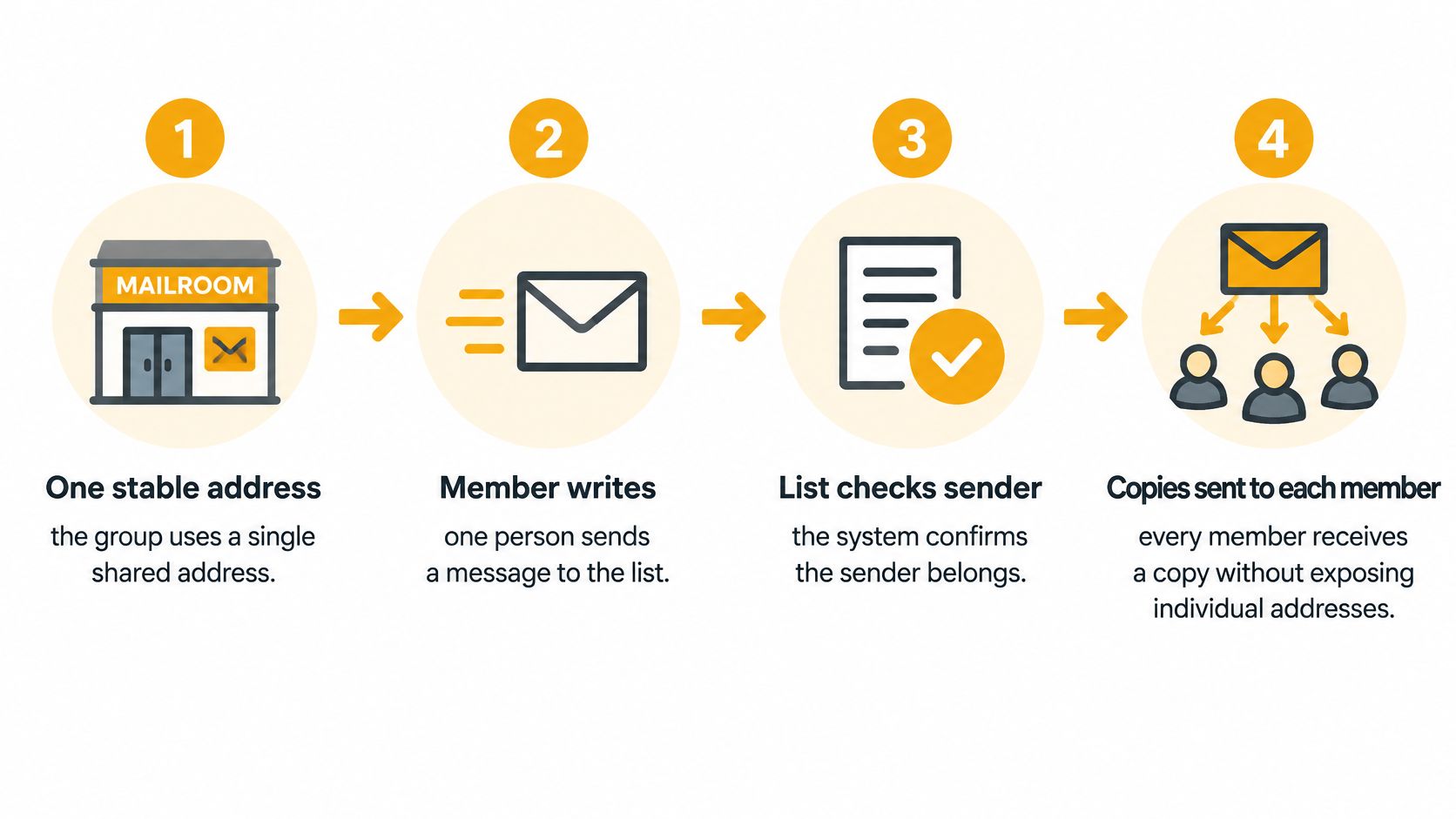
Think of a group mailing list as a mailroom, not a new app. A member sends a message to the shared address. The list system checks whether that sender is allowed to post, then distributes copies to the membership without putting the roster in To or CC.
For a discussion list, replies return to the group address. The person asking which book edition to buy can reach everyone involved without assembling another recipient chain.
Set up the mailroom deliberately
- Create the shared address and define its purpose. Use a recognizable group name and a plain description, such as neighborhood notices and meeting discussion.
- Add people who requested membership. Use the service's member-addition process for individual names or import a checked spreadsheet. Don't treat an inherited roster as proof of consent.
- Send a useful welcome. State the purpose, permitted senders, reply behavior, and departure instructions before anyone receives a substantive notice.
- Use the same destination consistently. Ask members to start relevant conversations at the shared address rather than revive unrelated personal threads.
Members then receive and answer messages in their normal inboxes. The organizer manages membership rather than rebuilding the delivery list for each send.
An established model, not a CC workaround
A historical account of LISTSERV's development describes Eric Thomas creating the automated system for BITNET in 1986, replacing manually maintained subscriber lists with email-based administration. The enduring idea was separating the group's communication channel from an individual's mailbox.
The technical distinction matters too. RFC 5321 describes SMTP's recipient-handling model, which lets delivery recipients be handled separately from the visible message headers. A privacy-conscious list uses that separation rather than displaying a membership directory on every message.
Organizer's check: Test both a new message and a reply before inviting the whole group to use the address.
A successful send alone doesn't prove the conversation works. Confirm that an ordinary member's reply reaches the intended audience and that the received headers don't reveal other members' addresses.
Privacy Without Losing the Conversation
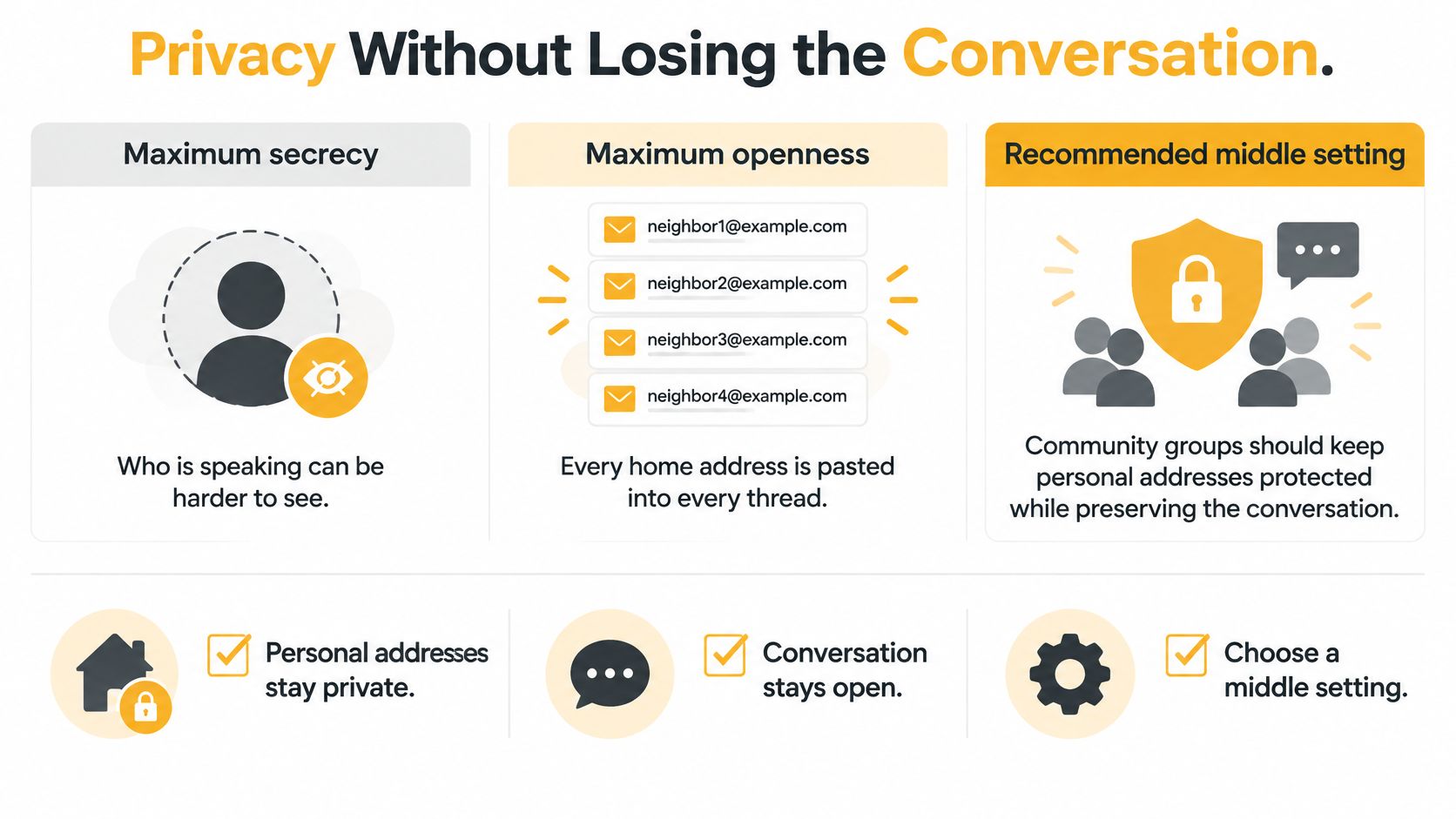
Maximum secrecy can make it difficult to tell who's speaking. Maximum openness can expose every personal email address in every thread. For community groups, the useful middle setting is protected contact details with identifiable participation.
Keep personal addresses out of the distributed headers, but identify the speaker through the visible sender name or signature. Neighbors should be able to distinguish Harold's suggestion from an official board announcement without collecting Harold's email address.
Set permissions by message type
Privacy and participation are the same decision viewed from different sides. If everyone may answer, members need to understand that their words will reach the group. If a notice is administrative, choose organizer-directed replies and verify that the channel supports that behavior.
Who may write and who may reply by message type
| Message type | Who may send | Who may reply | Where it goes | |---|---|---|---| | Book club or hobby discussion | Any member | Everyone on the list | Group address | | Meeting notice or service times | Organizer | Questions to the organizer | Group address | | Water shutoff or dues notice | Organizer only | Questions to the organizer | Group address | | Officer board business | Officers only | Officers only | Small CC among officers | | Pastoral or private dispute | Not sent to the list | Only the people directly involved | Handled privately |
Not every service supports every permission combination. When a list always routes replies to the group, use a separate one-way channel for notices that require private questions. A sentence asking people not to reply isn't a technical restriction.
Protect the roster outside the message
Gmail's sender guidance addresses authentication, unwanted mail, and easy unsubscribing for bulk senders. Those delivery safeguards don't replace local decisions about consent, sensitive topics, or who may speak.
Our policy requires explicit consent from every recipient and clear unsubscribe instructions in every email sent through Listava. Members' emails are never shared or sold. Spam, unsolicited email, and bulk commercial messages aren't permitted.
The organizer still needs to protect spreadsheet access, remove departed members, and handle address changes deliberately. A member can forward a message outside the group, and a reply from an unrecognized address may need verification before distribution. Address concealment isn't confidentiality.
Post these house rules in the welcome:
- Announcements stay focused. Keep administrative notices short and route questions to the designated organizer.
- Discussion uses the group address. Members should understand the audience before pressing Send.
- Private disputes move elsewhere. Don't circulate complaints about a named person to the whole community.
Our email list privacy guide addresses these operational choices. Privacy is working when people can participate and leave without needing access to one another's contact details.
Continuity Accessibility and Inbox Placement
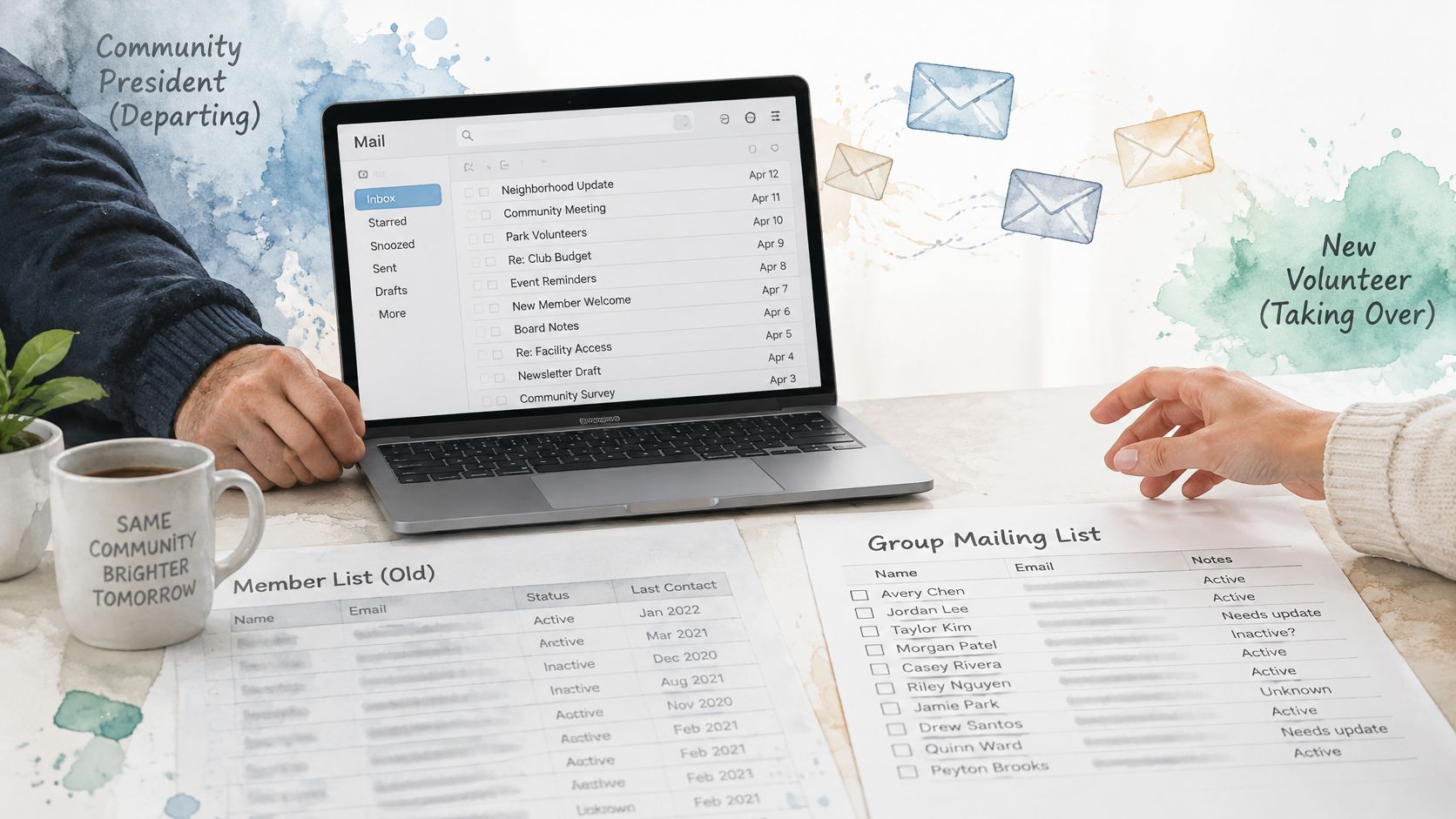
A departed president's mailbox is a poor filing system for the next board. If membership changes exist only in personal threads, the incoming volunteer starts by guessing which spreadsheet is current.
Treat continuity, readability, and delivery as parts of the same handoff. The successor needs to know who belongs, how members receive messages, and what to do when delivery fails.
Leave a usable handoff
Keep a short organizer record covering membership authority, the current purpose, removal requests, and unresolved delivery problems. Give the incoming organizer legitimate administrative access rather than passing around a personal mailbox password.
A list that exists independently of someone's inbox can remain available when a board member moves away. That doesn't remove the need to assign responsibility. Name who reviews membership changes and who takes over during an absence.
Make the notice readable
Use a specific subject, such as Pool closed Tuesday morning, instead of Important update. Put the action and timing in the message itself, not only inside an attachment or an image of a flyer.
Prefer readable type, strong contrast, short paragraphs, and descriptive links. Our email accessibility guidelines offer practical formatting guidance. Reading and replying shouldn't require members to open a dashboard they otherwise never use.
Check delivery before an urgent notice
A small list isn't automatically a low-risk list. Mailgun's State of Email report provides context on deliverability challenges, while Proofpoint's deliverability guidance explains authentication and sender reputation. A legitimate message can still receive different treatment at different mailbox providers.
Use this routine without turning the volunteer role into an IT job:
- Send a welcome test to yourself and members using different providers.
- Ask recipients to check spam and mark the expected message as not spam if necessary.
- Review bounces. Remove dead addresses, and contact members through another agreed route when their address needs correction.
- Stop repeatedly resending from a personal account that recipients have been reporting as unwanted.
- Record the responsible organizer. Include who can add members and where unresolved delivery issues are documented.
Keep attachments modest and trim long quoted histories. If several people miss a message, record the affected providers and the bounce text rather than guessing that everyone needs another resend.
An email list is a communication tool, not proof of receipt. For an urgent safety issue, use an additional contact method.
How HOAs Clubs Faith Groups and Families Use Lists
Different communities need different boundaries. The useful question isn't whether everyone can email everyone else. It's which conversations the group wants to share.
Neighborhood notices and club decisions
An HOA needs reliable administration. Say the board must announce a pool-gate change and circulate a meeting notice. The membership secretary owns additions and removals; residents shouldn't have to submit corrections to whichever officer sent the last email.
The HOA problems that prompted our work included addresses copied by hand from a spreadsheet, messages going to spam, and a neighbor missing a meeting notice. In a neighborhood using a list, reserve urgent operational notices for the authorized organizer and use a separate discussion thread or channel for meeting questions. A reply naming a neighbor in a complaint is a bad group reply. The welcome rule should be simple: property disputes go privately to the board.
A book club needs participation. Say members are choosing the next title, including someone who doesn't use smartphone group chats. The coordinator owns membership changes, but everyone can contribute to the selection thread through email.
A useful reply names a proposed book and explains the choice. A bad reply accidentally includes a private side conversation beneath it. The welcome should tell members to check quoted text and send book discussion to the group address.
Congregation logistics and family updates
A faith community needs a boundary between logistics and care. A coordinator can distribute service times and volunteer assignments while keeping pastoral conversations off the list. The congregation administrator handles additions, and prayer-request participation should be opt-in rather than assumed from attendance.
The dangerous reply is a well-intentioned update about another person's health or circumstances without permission. The welcome rule should state that personal news belongs to the person concerned, and permission comes before circulation.
An extended family needs an easy destination. Say relatives use different email providers and an older family member won't install another app. Reunion plans and birthday notes can go to the family address, with a designated relative handling additions after checking consent.
A bad reply shares bank details for a group gift or repeats a private disagreement. Keep payment information and personal disputes in direct conversations. The welcome can say that the list is for shared family updates, not financial details or news someone hasn't agreed to share.
A small event committee whose members already know one another may stay on CC. Move to a standing list when roster changes, privacy expectations, or recurring reply confusion make manual coordination the harder option.
Decide Whether a List Fits and Start It
A group mailing list fits when the same people need repeated private email, members have mixed technical comfort, and the communication channel needs to survive the next volunteer. If you're sending an isolated notice or coordinating a small trusted circle, the simpler channel may still be the right one.
Before choosing, settle the reply rule. An organizer who wants announcements without public answers needs a different configuration from a hobby group that expects conversation. Don't purchase complexity to avoid making that decision.
Prepare the first send
- Write the purpose before creating the address. Name the audience and the permitted topics. A short, specific purpose makes later moderation less personal.
- Check membership before importing it. Separate confirmed participants from old contacts, former residents, and people whose consent isn't clear.
- Draft the welcome before the official notice. Include the sender rules, the intended reply destination, the person responsible for corrections, and the departure process.
- Confirm readiness. Check that every recipient agreed, every message includes unsubscribe instructions, and a second organizer knows who is responsible for the list.
Then test the planned message against its actual audience. Is it a general notice, a discussion prompt, or something that should stay private? Send the welcome through the same route you'll use for ordinary messages so you can identify problems before a deadline matters.
Before you press Send: Remove anything you wouldn't want a member to forward, even when the recipient addresses are hidden.
Create only what you need
Once you've chosen this path, you can create the shared address with us. Listava offers a free account with one active list for free users; creating a group takes about thirty seconds, and an existing roster can be imported from Excel in under thirty seconds. Members can also be added by CC through the member-addition process, but only after they've consented.
The organizer needs an account. Members don't need accounts and can read and reply through their existing email.
Start with the welcome, not the urgent water-shutoff notice. Give yourself time to correct membership, clarify reply expectations, and finish the organizer handoff record before the group depends on the address.
Listava provides a shared group email address, membership management, and reply-to-group conversations through ordinary inboxes. Visit Listava to create your group's address, then send a short welcome that explains who may reply and how members can leave.