HOA Management Software Compared by Size and Budget
Compare HOA management software by features, pricing and group size, and see when a simple email list fits your neighborhood better.
You've inherited a spreadsheet with 112 rows, half of them missing a unit number, plus a shared inbox the previous treasurer still controls. The annual meeting notice went out last week. Two addresses bounced, one neighbor says she never received it, and the reply-all chain that followed exposed every member's email address to the whole association. Now the board wants to talk about buying HOA management software.
Before anyone compares a feature list, ask two questions that predict most of the outcome. Who reads and acts on each message the association sends? And how long can a volunteer keep this system running after the person who set it up leaves the board?
Those two questions decide more than price does. Everything below is organized around them, starting with a lookup table, then a feature comparison, a cost worksheet and a two-week trial you can run before signing anything.
Table of Contents
- Quick Pick by Group Size and Need
- Software Types and Their Pros and Cons
- Feature Gaps Between Full Platforms and Email Lists
- Where the Real Costs Hide in Each Option
- How to Test Response Times and Integrations
- When an Email List Beats a Full Platform
- Confirm Your Choice Before You Buy
Quick Pick by Group Size and Need
Find the row closest to your group, then read the last column first. That column is where regret usually starts.
| Group profile | Core need | Best-fit option | Main risk | |---|---|---|---| | Under 50 households, volunteer board | Announcements, occasional dues | Private email list or simple group tool | Board turnover and manual dues tracking | | 50-200 households, volunteers with some paid help | Dues, violations, maintenance requests | Mid-tier HOA platform | Paying for modules the board never uses | | 200+ households or staffed association | Full accounting, compliance, resident portal | Full HOA management platform | Long setup and a steep learning curve for residents | | Any size, many older or occasional residents | Reliable notices and group discussion | Email list plus a portal for payments only | Portal adoption stays low |
The rows separate on two questions. First, is the board's recurring pain communication or money? A group that collects dues by check twice a year and sends notices monthly has a communication problem, and an accounting platform won't fix it. A group reconciling 14 vendor invoices against a reserve account has a money problem, and no email list will fix that.
Second, how many people can administer the tool? If exactly one volunteer understands the current setup, you're one resignation away from starting over, and that risk weighs heavier than any feature comparison.
If you want a second opinion before the board conversation, this comparison of HOA management software from TopToolAdvisor lines up the platforms most boards shortlist, which saves you a week of demo scheduling.
A tool should match the job, not the longest feature list. Write down which row your board sits in today, and which row it will sit in after the next election. If those differ, buy for the near future rather than this month.
Software Types and Their Pros and Cons
Six Jobs Every System Has to Do
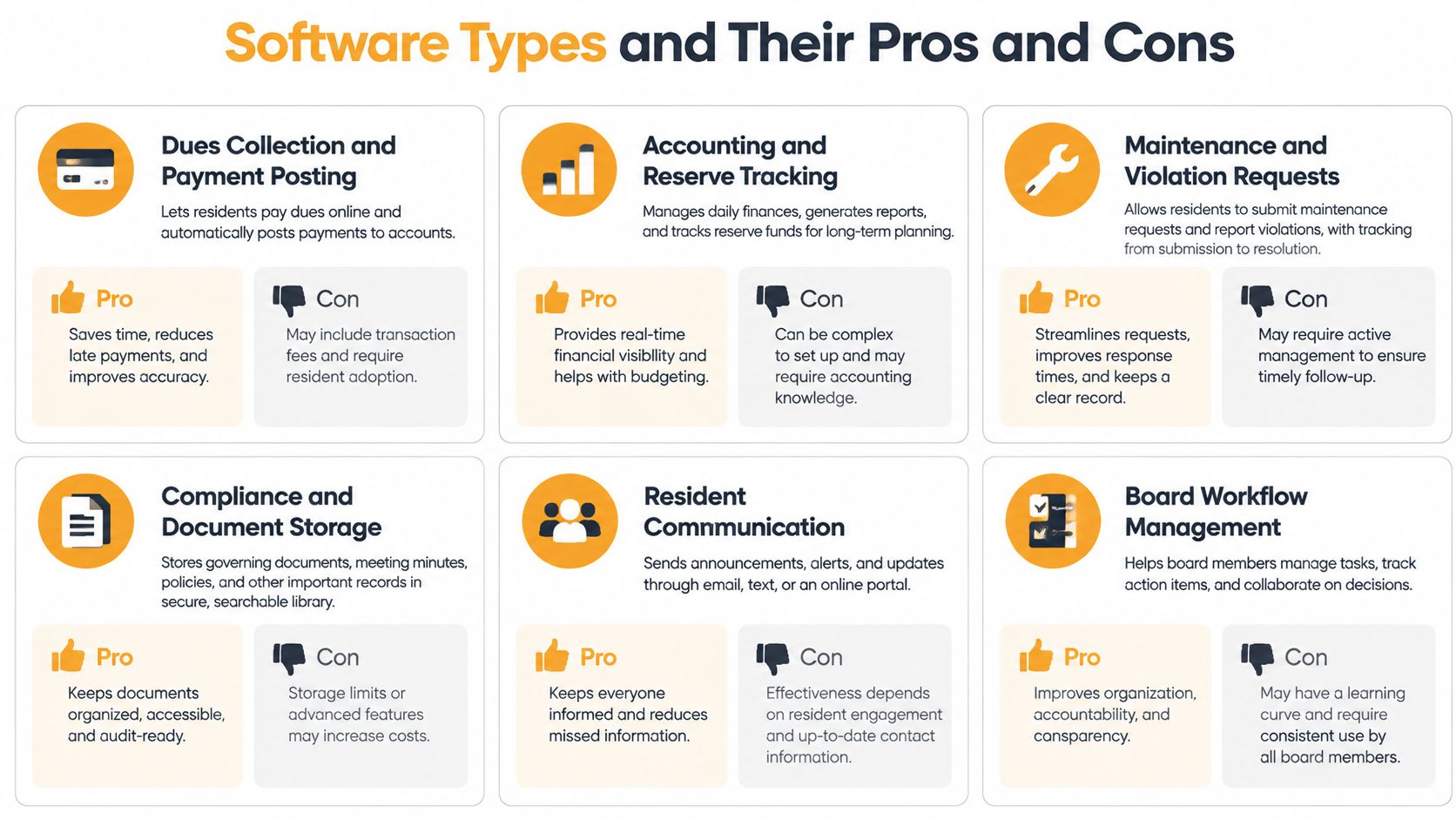
Every HOA software purchase is really a purchase of six recurring jobs. Name them before you open a product page, because a tool that skips one hands that job straight back to a volunteer.
- Dues collection and payment posting. Taking the money and recording who paid, when, and against which assessment.
- Accounting and reserve tracking. The general ledger, budget against actual, and the reserve balance the board reports each month.
- Maintenance and violation requests. A request that starts with a resident report and ends with a status of closed.
- Compliance and document storage. CC&Rs, minutes, insurance certificates and architectural approvals kept where the next board can find them.
- Resident communication. Notices, discussion, and a record of who was told what.
- Board administration. Agendas, motions, elections, and the paper trail that makes a decision defensible two years later.
The infographic below maps those same functions to where boards feel the pain first.
The Three Types Compared
Full HOA platforms cover all six jobs. Workflow depth and audit trails are the payoff; setup measured in weeks, resident logins and per-unit fees that climb with the group are the price.
Mid-tier association tools handle dues, violations and maintenance with thinner accounting. They cost less and go live in days, but boards often pay for modules nobody opens, and the accounting gap shows up at audit time.
Lightweight group email lists give a private member list with reply-to-group discussion. Setup is near zero, no one needs a login, and the list survives a change of officers. What you give up is payments, ticket tracking and any proof a notice was read.
This category is now large enough that vendors build for it directly. Credence Research's HOA management software market report valued the global market at about $9.5 billion in 2023, projected to reach $18.0 billion by 2032 at a reported 7.1% compound annual growth rate from 2024 through 2032. Deployment has moved with it: an industry summary of HOA board software needs reports that 78% of new HOA software deployments were cloud-based in 2024, up from 42% in 2018, and that 72% of associations offer online payment portals for dues.
Practical rule: if a function never appears on your board's monthly agenda, don't pay for the module that automates it.
If the email list row is the one you're testing, this guide to email list hosting covers what to check before you move a member roster across.
Feature Gaps Between Full Platforms and Email Lists
A board's choice often comes down to who needs to act on each message. A payment needs a ledger entry; a maintenance request needs an owner and status; a meeting notice needs to reach the full membership without exposing personal addresses.
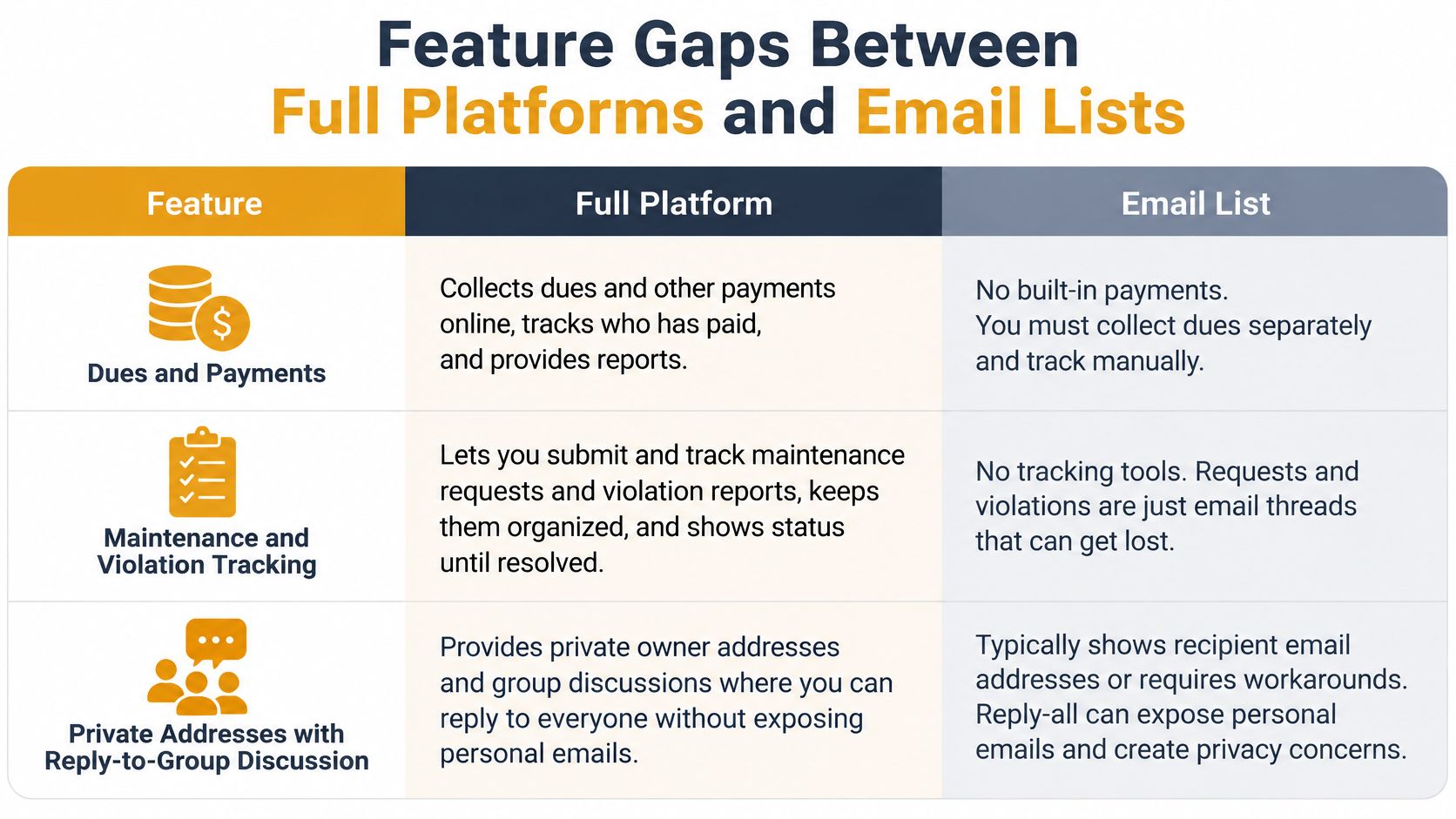
| Capability | Full HOA platform | Email list | Shared spreadsheet | |---|---|---|---| | Dues collection and online payments | Usually built in | No, link out to a payment tool | No | | Accounting exports | Usually yes | No | Manual copy | | Maintenance and violation tickets | Yes, with status tracking | Email threads only | No | | Private member addresses | Usually, by role | Yes | Only if managed carefully | | Reply-to-group discussion | Varies by product | Yes | Often broken by BCC | | Member login required | Usually yes | No | No | | Survives leadership change | Depends on account owner | Yes, list outlives any one inbox | Depends on file owner |
The Three Rows That Decide It
Dues and payments. A platform can post a payment against a ledger and reconcile it to the bank. An email list can point members to a separate payment tool, but that tool keeps its own membership record. The treasurer then has two records to maintain and compare when figures differ.
Maintenance and violation tracking. A ticket records its status, owner and timestamp. An email thread shows the subject and the latest reply, so it takes deliberate follow-up to tell which requests remain open. A few requests a year may be manageable by email; recurring cases need a clear way to track letters and responses.
Private addresses and group replies. An email list can keep personal addresses private while allowing members to reply to the group. A spreadsheet or ordinary CC message requires more care to protect addresses and keep discussion intact.
An email list can reach every resident. It cannot post a payment or prove a notice was read.
What to Ask About Security and Integration
A Community Associations Institute Foundation report on technology use and data security found that 92% of surveyed associations use management software, with cost cited by 49% and program compatibility by 46% as selection factors (CAI Foundation). Compatibility matters: if a platform cannot work with the accounting file your treasurer already maintains, someone must re-enter the information.
Ask vendors how they handle encryption in transit and at rest, multifactor authentication, role-based permissions, audit logs, and backup and restore procedures. Independent product reviews can also show which accounting, payment and email tools a platform connects to. Compare those lists with the systems your association already uses, rather than counting integrations for their own sake.
Then test the workflows the board depends on: payment posting, bank reconciliation, accounting exports, email, calendar use and document retention. Check an export against a representative ledger and resident roster before signing. For an email-only option, a simple email list manager should let volunteers manage group messages without training. A test payment and reconciliation can reveal whether records line up; a mismatch found months later is harder to trace.
Where the Real Costs Hide in Each Option
Published pricing is the smallest number in an HOA software budget. The rest lives in add-ons, migration and volunteer hours that never appear on an invoice.
The Five-Line Cost Worksheet
Run every shortlisted option through these five lines before the board votes.
- Annual subscription. The advertised plan price multiplied by 12.
- Add-on fees. Payment processing, resident portal, text messaging, extra administrator seats, election modules.
- Setup and migration hours. Roster cleanup, chart-of-accounts mapping with your accountant, data entry, converted at a volunteer rate.
- Monthly admin hours times 12. Whoever keeps the list or the ledger current, priced at the same rate.
- The cost of one missed notice or one late dues cycle. A vote that fails on quorum, or a collections letter sent to a neighbor who had already paid.
Pricing models split three ways. Flat monthly plans are predictable. Per-household or per-unit fees rise with the group, which is fine until a 60-home association annexes 40 more. Add-on modules for payments or the resident portal are the sneakiest line, because published pricing usually quotes the base plan only.
Here's how the arithmetic changes the answer. Take a 40-household group running a free email list: no subscription fee, and say about 2 volunteer hours a month on upkeep, which at a $20 volunteer rate is roughly $480 a year in volunteer time. A 180-household group on a mid-tier tool should price the monthly fee, the payment add-on and all five lines together, because on many plans the add-on outruns the base plan.
Free tiers have limits worth knowing in advance. Listava offers a free account, and free users can own only one active list at a time. A neighborhood with a single group list can stay there indefinitely; a board that also runs a committee list, a newsletter and a volunteer roster needs paid capacity, and that's a planning decision rather than a surprise.
Cheap isn't the same as low-cost. A tool with six hours a month of volunteer admin is more expensive than a moderate subscription used consistently. Get written quotes that itemize every module, and never assume a vendor's published price applies to your household count.
How to Test Response Times and Integrations
A polished demo can hide delays that residents notice. Use a two-week trial to follow complete workflows, from a request arriving through its status update and notification to its closure. The goal is to assess whether residents receive and act on messages, and whether volunteers can keep the process running.
Six Tests to Run in a Two-Week Trial
- Submit equivalent requests. Send the same maintenance report and violation report to each shortlisted option on the same day.
- Time the first response. Record when the resident first receives a visible acknowledgment or update.
- Measure closure. Count calendar days from intake to a closed status.
- Log failures. Record notifications that bounce, arrive late, or never reach a resident, along with overdue items that receive no follow-up.
- Post a real payment. Import a sample ledger, record a payment, and match it to the bank statement.
- Export and reconcile. Export accounting data and open it in the treasurer's existing tool.
| Test | What to measure | Typical target or check | |---|---|---| | First resident-visible response | Time from request to first notice, median and slow-tail results | Set a target your board can meet consistently | | Closure time | Calendar days from intake to closed | Track the median and flag requests that remain open | | Closure rate | Share of requests closed at review | Check that open items have an owner and next step | | Notification delivery | Failed or missed resident notices | No failures in a 20-message test batch | | Payment posting and reconciliation | Ledger match on a sample batch | Every line matches to the cent before you sign | | Accounting export | Export opened and reconciled in your accounting tool | A full month reconciled in one sitting |
Use the response and closure results as comparison points, not guarantees. Workload, staffing, and configuration affect how quickly requests move, so the useful benchmark is whether the system meets the board's own service expectations under realistic conditions.
Reading p50 and p95
The median, or p50, marks the midpoint: half of requests received their first response sooner. The p95 shows the slow tail, the point below which 95 out of 100 requests fall. Track both. A quick median can conceal a long delay for the resident whose ceiling is leaking.
Email lists have no ticket queue, so test the communication itself. Send a message to the full roster and confirm members receive it, replies reach the group rather than a single inbox, and addresses remain private. Repeat the test from another board member's account. That checks whether the process can continue when responsibility changes hands.
When an Email List Beats a Full Platform
Say a board sends its annual meeting notice from a spreadsheet, pasted into the CC field for 90 addresses. Four bounce. One invitation lands in a spam folder and that neighbor misses the vote. The reply-all storm that follows exposes every address on the list. By the next term, the roster lives in the outgoing treasurer's inbox and nobody else can reach it.
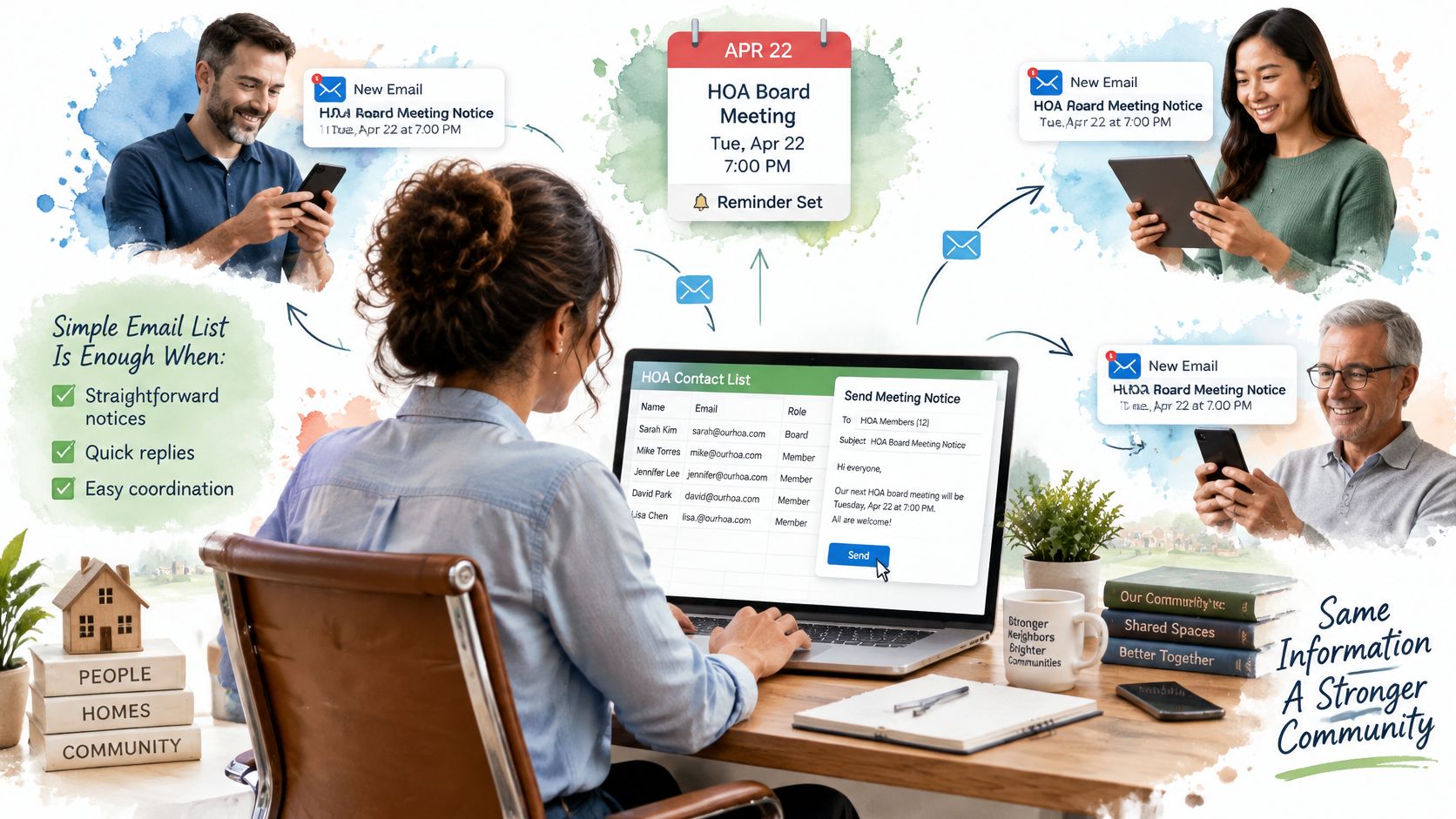
That sequence is a design failure, not a technology failure, and most software coverage assumes it away. The assumption is that every resident will create an account, use a portal or app, and explore a dashboard every few weeks. That leaves out older residents, renters and occasional volunteers who already use Gmail, Outlook or Yahoo and won't learn another system to read four notices a year.
The gap worth closing isn't whether a platform can send email. It's whether the association can keep private addresses private, hold a reply-all discussion that doesn't fracture, and transfer ownership of the list when officers change. The PayHOA state of community association management report raises exactly this point about email-first communication, noting that current coverage offers little guidance on when a simpler email-based system is more accessible or easier to govern.
Where Email Is Enough and Where It Isn't
Judge communication tools on five things: recipient reach, accessibility, privacy, continuity and volunteer maintenance. Not dashboard feature count.
- Email is enough for announcements, meeting notices, event sign-ups, volunteer calls and private member discussion. Nobody downloads anything, and updates land in the inbox people already check.
- A portal is necessary for payments, signed document acknowledgments and legally sensitive votes, where you need a timestamp and a record tied to a specific person.
Accessibility belongs in this list rather than in a footnote. Listava requires no app downloads, members receive updates in their existing inbox with no new apps to learn, and messages use large fonts and high contrast so older residents can read them. For a board weighing a free option, this guide to the best free email list management software covers what the free tiers include.
The counterpoint is honest: an email list is the wrong tool the moment the board needs accounting or violation workflows. And adding features cuts both ways, because every new system a resident must learn is one more chance they stop reading altogether.
Confirm Your Choice Before You Buy
The decision path is short if you run it in order rather than jumping to a demo.
- Name the single biggest problem. Communication, money or workflow. One of the three, not all three.
- Match it to a row in the quick-pick table and accept what that row implies about budget.
- Run the two-week trial on the two options that survived, using the same requests for both.
- Test the handover. Ask who owns the account or the list, and whether a new officer can export everything without the previous one's password.
- Record the reason in the board minutes, with the date and the quoted price, so the next board doesn't reopen the question from scratch.
Most groups end up on a hybrid: an email list for notices and discussion, paired with a payment tool for dues. That's two systems, but each one does the job it's good at, and the list keeps working through the months when nobody logs into the portal.
For a low-cost first step, import the current member roster from a spreadsheet into an email list, send one test message to the group, and confirm the replies come back to the group rather than to one inbox. Prospective users can schedule a demo of Listava to see how list ownership works before committing to anything.
Which option will the least technical volunteer on your board still be able to run in three years?
Listava gives an HOA one shared email address that reaches every member while keeping individual addresses private, and it runs on the Gmail, Outlook or Yahoo account your board already uses, with nothing to download and no dashboard to learn. If notices landing in spam and rosters trapped in one treasurer's inbox are the problems your association keeps re-solving, that's precisely what Listava handles. Import your current roster from the spreadsheet, send one test message, and find out whether the simplest option is also the one your volunteers will still be running at the next election.