New Member Onboarding for Email-Based Groups
Create new member onboarding that welcomes participants, explains email group roles, verifies access, and builds lasting participation without extra apps.
You added a neighbor to the association list last Tuesday, sent a friendly hello, and heard nothing back. She isn't disinterested. She doesn't know which address reaches everyone, whether hitting reply is public, or if a short question will bother the whole group. Good new member onboarding removes that uncertainty in stages, using the email inbox she already checks.
Table of Contents
- Why Email-Based Group Onboarding Matters
- Set the Onboarding Foundation
- Build the Email Member Journey
- Write Clear Welcome and Role Messages
- Adapt the Process to Your Group
- Avoid Onboarding Pitfalls
- Measure and Improve the Onboarding Experience
Why Email-Based Group Onboarding Matters
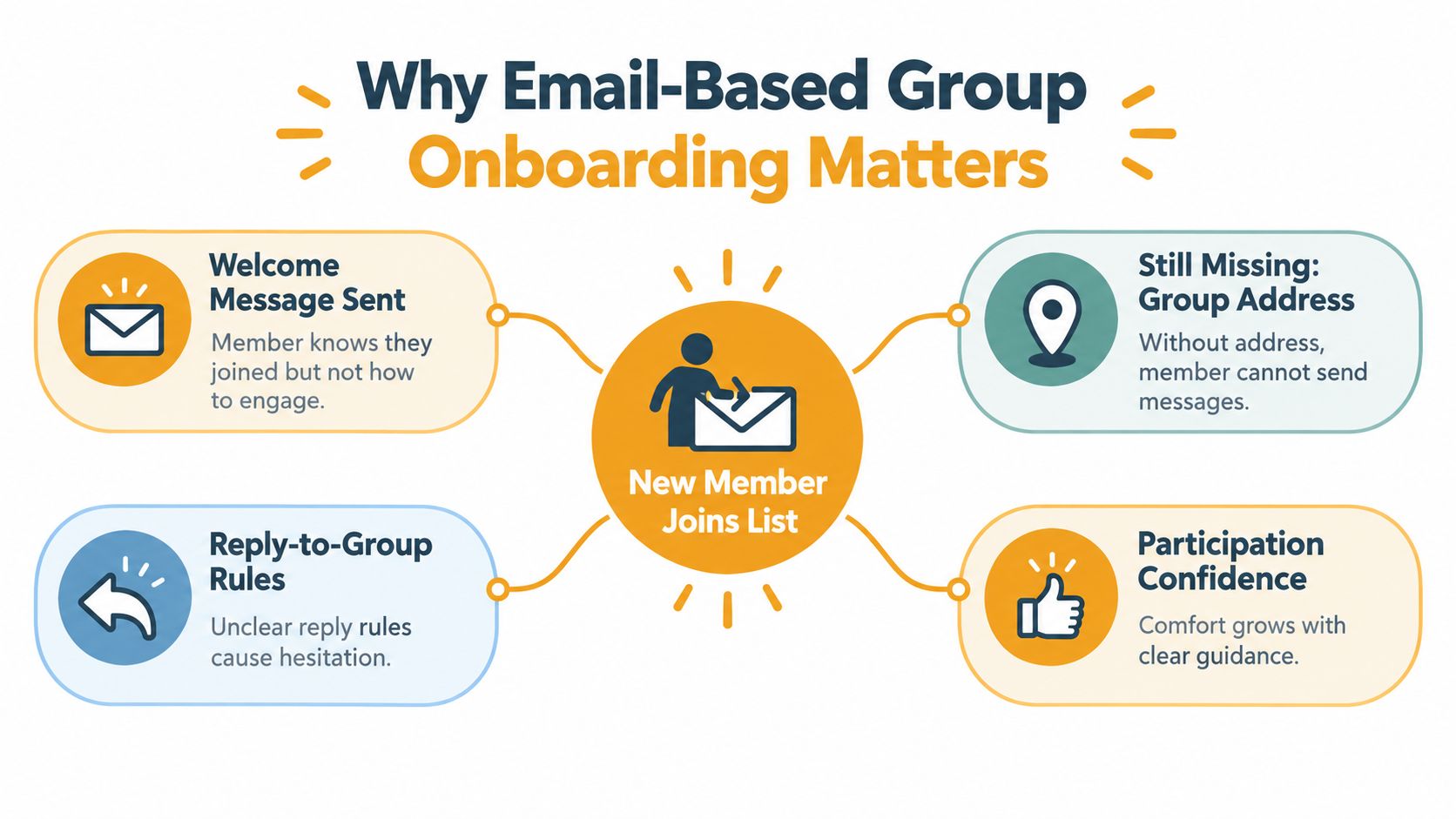
A new club member is added after a meeting and receives one welcome note with the group address buried near the bottom. Two weeks later she wants to ask about a changed venue, but she can't find the address and worries her personal email will be visible to strangers. So she stays silent, misses the update, and stops coming.
That gap between joining and participating is where groups lose people. A welcome message proves someone was added. It doesn't teach them how to participate safely or confidently.
What Successful Onboarding Actually Delivers
Done well, new member onboarding leaves a person with four things. They understand what the group is for, they know the one shared address, they've completed one meaningful interaction, and they know who to contact for help. Anything less is an introduction, not onboarding.
Workplace evidence points in the same direction. A study cited by SHRM found employees who received structured onboarding were 58% more likely to remain for three years, and 50% more productive when onboarding was standardized, according to SHRM's summary of structured onboarding outcomes. Those figures cover employees, not volunteers, so don't treat them as a promise for your club. The principle transfers cleanly, though. People who quickly learn the purpose, the norms, and the next step participate sooner and stay longer.
A member who hasn't sent a first message hasn't finished onboarding, no matter how polished your welcome email looks.
For a congregation, HOA, or neighborhood group, that first message is the moment membership becomes real. Design everything before it to make that moment easy and safe.
Set the Onboarding Foundation
Don't draft messages until you can state, in plain language, why the group exists and how email will be used. Write down the purpose in one sentence, who belongs, how often messages go out, and how quickly members should expect a response. Decide your privacy position before you need it, including who can see personal addresses and how someone updates or removes theirs.
Define Roles Without Building a Bureaucracy
Most small groups need three roles at most, described by job rather than title.
- Organizer: adds and removes members, owns the welcome sequence, and answers access questions.
- Moderator: watches tone, settles reply-all confusion, and steps in when a thread drifts off purpose.
- Member: sends relevant messages to the shared address, respects response norms, and flags delivery problems early.
Name a backup for the organizer role now, while nobody's on vacation. When leadership changes, the list, templates, and instructions should pass to the next person intact rather than living in one inbox.
Fit the Language to the Group
A neighborhood association and a hobby club run the same workflow with different wording. The association stresses timely announcements, meeting notices, and a clear line between board decisions and open discussion. A club built around a shared interest puts more weight on introductions, event chatter, and encouragement to post, which is why organizers reviewing how a club email list is structured should borrow the mechanics and rewrite the tone for their own members.
Set your success criteria at this stage too. Decide what counts as activated, typically a confirmed receipt plus a first reply, and how long you'll wait before a human follows up. Writing that down now prevents every future organizer from improvising a different standard.
Build the Email Member Journey
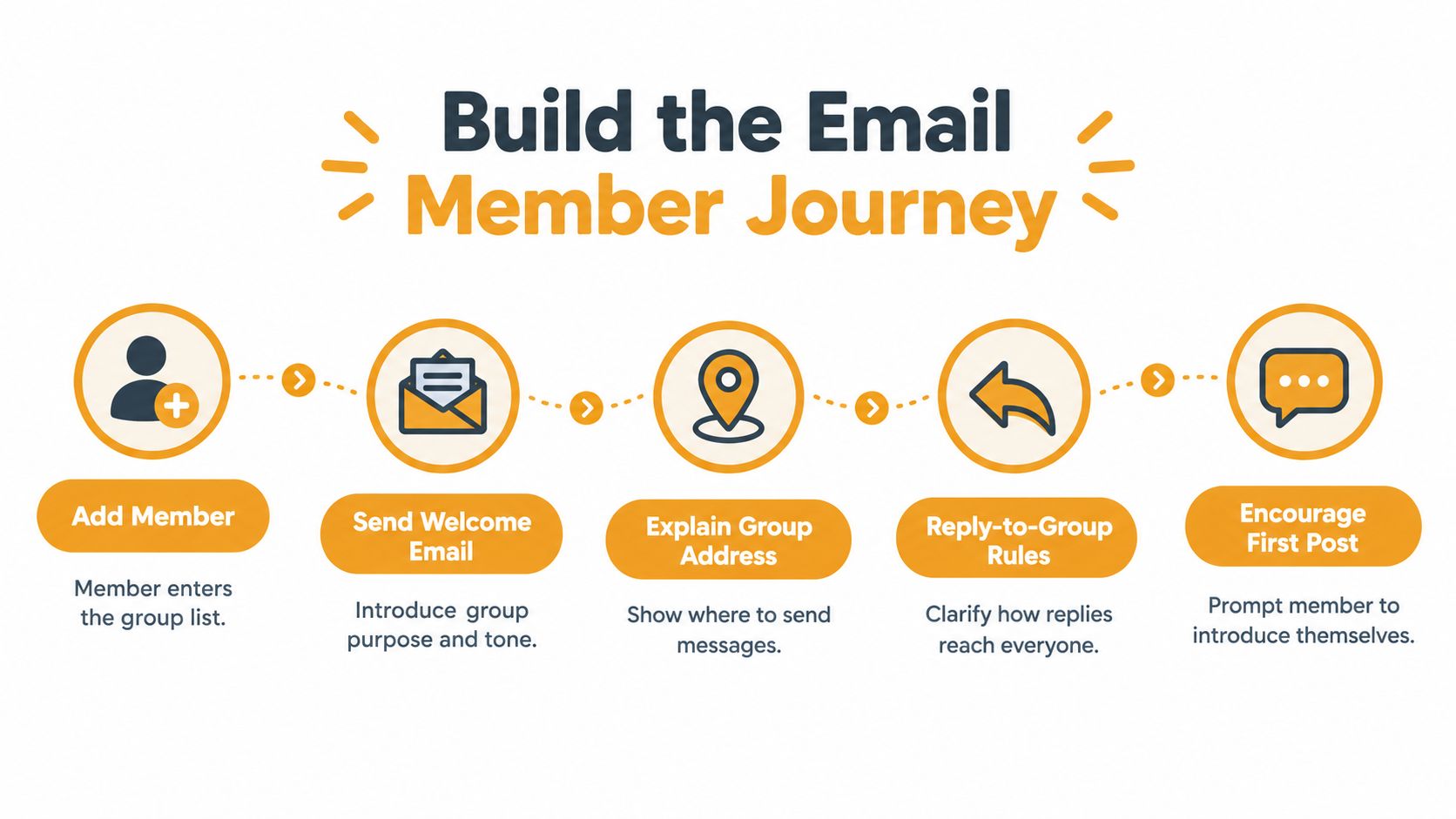
Treat onboarding as a short sequence where each message has one job and names one next action. Research cited in onboarding material associates structured processes with 50% higher retention and 62% higher productivity, while 42% of employees report information overload during onboarding, as summarized in Randstad's review of improving onboarding processes. For email groups, that combination argues for progressive disclosure. Send what's needed for the next step, then stop.
The visual below maps the sequence from addition to first post.
From Addition to Confirmation
Add the member first, then send the welcome promptly while the joining conversation is fresh. State the group's purpose, show the exact group address in its own line, and explain reply-to-group behavior in one sentence. Tell them plainly that replying reaches everyone, and that personal addresses aren't exposed when they use the shared address instead of manual CC.
End that message with a single low-friction request. Ask the member to reply with their name and street, a preferred meeting topic, or just confirmation that the message arrived. That reply verifies delivery, tests the address, and breaks the silence barrier in one move.
Tools built for this workflow, such as Listava, let an organizer add members by CC, shareable join link, or bulk import from a spreadsheet, and keep replies directed to the group without member accounts. Whatever you use, test the full path yourself in Gmail or Outlook before inviting anyone. A broken welcome teaches new members that the group is disorganized.
The First Week and the Follow-Up
Within the first week, send one short reminder covering how to start a new thread versus replying to an existing one, plus where to get help for missing messages. Don't attach the full rulebook yet. Introduce deeper guidance after the member has successfully participated once.
Tailor the prompt to the person's situation. A new HOA resident needs to know that gate and water notices arrive here and shouldn't wait for a paper flyer. A first-time club member needs an invitation to introduce themselves and pick a meeting date. A volunteer coordinator needs to see the difference between an announcement, which needs no response, and an action request, which names an owner and a deadline. Label those categories in subject lines so members can triage at a glance.
If there's no reply after a reasonable interval, follow up personally rather than resending the same template. Ask whether the message landed in spam, whether the address on file is current, or whether they'd prefer a quick phone walkthrough. Keep a human route open for members who aren't confident with email, and log the reason for each failure. Spam placement, privacy worry, and unclear reply behavior each need a different fix.
Write Clear Welcome and Role Messages
Build your onboarding from reusable blocks you can personalize with a name and one relevant detail. A sound welcome covers who the group serves, how often messages arrive, the shared address, how replies work, what light participation looks like, and where to ask questions. Keep it short enough to read on a phone without scrolling fatigue.

A Compact Role and Access Block
Add a short role note only when the member's role differs from a standard member. An organizer message should state who approves new addresses and who covers absences. A moderator note should explain when to redirect a thread privately instead of correcting someone in front of the group.
Follow it with access instructions that work across familiar clients.
- Save the address: Add the group address to your contacts in Gmail, Outlook, Yahoo, or Hotmail so messages stay out of spam.
- Reply normally: Use your usual reply button. Your message goes to the group through the shared address.
- Start fresh topics cleanly: Begin a new message to the group address rather than replying to an unrelated thread.
- Get help: Contact the named organizer directly if mail bounces or stops arriving.
Make Readability Part of the Template
Use large text, high contrast, short paragraphs, and predictable subject lines as defaults, not special requests. Organizers setting those defaults can work through practical email accessibility guidelines once and lock the choices into every template. That matters for members joining by phone, older members, and anyone who won't use an app or dashboard.
Human confirmation beats portal logins for these groups. A 2025 evidence summary reports that orientation and training correlate with higher volunteer retention, longer participation, and more volunteered hours, as described in the 2025 evidence summary on volunteer recruitment and retention. Asking for a short reply, and having a person acknowledge it, delivers that orientation inside plain email.
Plain rule for templates: if a sentence doesn't help the member take the next action, cut it or move it to a later message.
Adapt the Process to Your Group
An HOA onboards around reliability. The welcome should promise that time-sensitive notices, such as road work, meeting changes, and safety alerts, arrive through this one address, and should explain which topics belong in open discussion versus a direct note to the board. New residents don't need community history on day one. They need to trust that nothing important will be missed.
A book club onboards around conversation. Lead with the meeting rhythm, how titles get chosen, and a first prompt that invites a favorite recent read. Norms about spoilers and respectful disagreement matter more here than announcement discipline, and the first action should feel like joining a discussion, not completing paperwork.
Faith Communities and Families
A faith community onboards around care and privacy. Name the coordinators who send prayer requests, service changes, and volunteer calls, and state explicitly what's shared with the whole list versus a smaller circle. Members will participate more freely when they know the boundaries before they're asked to share something personal.
An extended family list onboards around low pressure. Set expectations that updates are welcome but never owed, that photos and news can arrive at any pace, and that anyone can pause during a busy season without apologizing. Clear permission to participate lightly keeps relatives subscribed through the years when they have little time.
Across all four, the constants don't change. One shared address, explicit reply instructions, controlled group-wide replies instead of exposed CC chains, and a simple route to update or remove an address. Adapt the examples, tone, and first prompt. Keep the mechanics identical so any organizer can run the process.
Avoid Onboarding Pitfalls
More welcome content doesn't create more engagement. The comparison below shows why staged guidance outperforms an information dump.
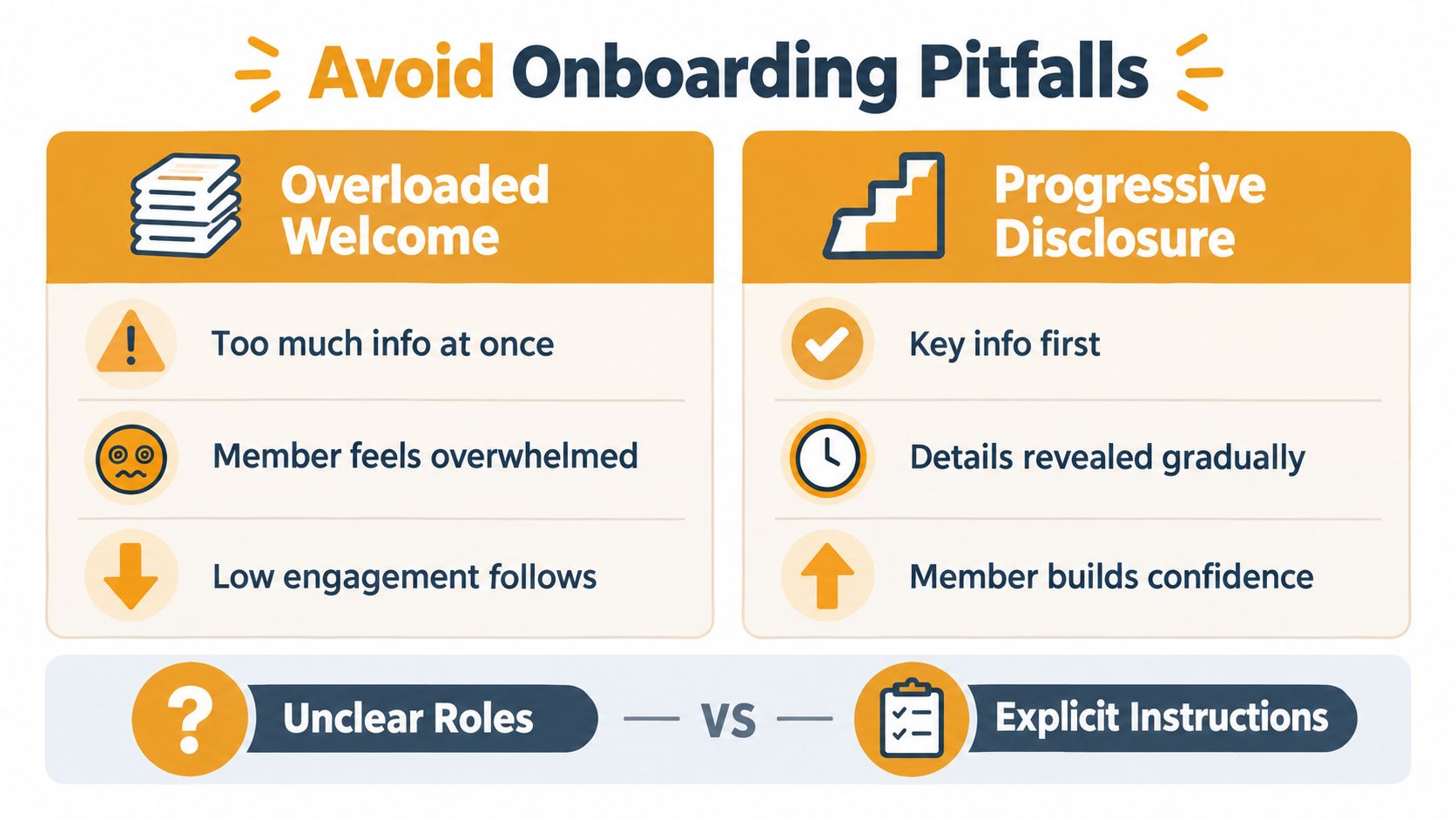
Front-loading every rule, attachment, and past announcement overwhelms new members and buries the one action that matters. Manual CC habits expose personal addresses, BCC breaks conversation threads, and unclear roles leave members guessing who's in charge. Each problem has a plain alternative: staged messages, private group delivery through one address, and role definitions written before they're needed.
The short video below walks through keeping group messages reaching members reliably, which pairs well with checking your safe senders list setup so welcome messages don't land in spam.
Don't assume silence means continued availability, either. In Spring 2025, 55% of Scottish third-sector organizations reported moderate-to-significant difficulty recruiting volunteers and almost 40% reported comparable retention challenges, with limited time cited by 52% and burnout or fatigue by 41%, according to the Scottish Third Sector Tracker findings. State expected frequency and commitment level up front, offer low-commitment paths, and make pausing easy. Clarity about time protects retention better than extra enthusiasm.
Finally, protect continuity. Store templates, role notes, and access instructions in shared group documentation, so a leadership change doesn't erase the onboarding process with one person's inbox.
Measure and Improve the Onboarding Experience
Judge onboarding by actions, not welcome-email opens, since email clients handle images and privacy inconsistently. SHRM recommends tracking retention, satisfaction and engagement, performance indicators, time-to-productivity, and surveys at multiple points during the first year, as set out in SHRM's guidance on measuring onboarding success. Adapt that into a simple funnel for your group.
- Invitation sent: Was the welcome delivered without a bounce?
- Receipt confirmed: Did the member reply or otherwise confirm?
- First interaction: Did they post, respond, or attend?
- Continued participation: Are they still active at 30, 60, and 90 days?
Compare cohorts by joining month and organizer to spot where people stall, and record support requests per new member. Set targets from your own first cohort rather than borrowed benchmarks. The goal stays constant: shorten the time to a first successful interaction, and keep the next useful action easy.
Listava gives your group one private address that reaches every member, with reply-to-group behavior, protected personal addresses, and no apps, accounts, or dashboards for members to learn. That means your new member onboarding can happen entirely in familiar email, from welcome message to first confident reply. Visit Listava to set up your group address and put a staged welcome sequence in place for your next new member.