Board Meeting Reminder Email Template and Send Timing
Learn how to write a board meeting reminder email members act on, with a copy-ready template, send timing and fixes for late changes.
You're about to resend the board invitation when another member asks which meeting link to use. Someone else has accepted the calendar invite but hasn't opened the board pack. The treasurer can't attend, and you still don't know whether the roof repair decision can go ahead.
A useful board meeting reminder email resolves those problems before the meeting starts. It tells members where to be, what they must prepare, which decisions need their participation, and how to report a conflict. The secretary's job isn't to send more email. It's to make the next action unmistakable.
Table of Contents
- Board Meeting Reminder Timing at a Glance
- Copy-Ready Board Meeting Reminder Template
- Telling Decisions from Information Items
- Keeping Addresses Private and the Email Readable
- Fixing Reminder Failures and Setting Up Your Process
Board Meeting Reminder Timing at a Glance
Board meeting reminder timing by stage
| Stage | When to send | Must include | Purpose | |---|---|---|---| | Confirmation | Right after the date is set | Date, start time, time zone, location or call link, agenda, reply request | Locks in the date and gives members time to plan | | Principal reminder | 24 hours before the meeting | Agenda marked by decision or information, documents, question deadline, Attend, Regrets or Proxy request | Drives attendance and preparation | | Final nudge | One hour before, only if the meeting is important or attendance is at risk | Join link, dial-in details, one-line agenda summary | Catches last-minute changes | | Correction notice | As soon as any detail changes | What changed, corrected logistics block, updated documents | Fixes errors before they cause no-shows |
Use this as an operational schedule, not a promise that a particular send time guarantees attendance. Virtustant's appointment-confirmation guidance supports an immediate confirmation, a principal reminder 24 hours before, and a conditional same-day or one-hour nudge; the appointment-reminder evidence it discusses doesn't establish a universally superior timing window.
Repetition, clarity, and easy correction make the sequence useful. The confirmation reserves the date. The principal reminder gives members the current materials and response instructions. The final nudge helps someone who is already preparing to join, rather than repeating the entire board pack.
Give every send a different job
Don't send several near-identical messages because someone hasn't answered. Excessive follow-ups can irritate recipients and increase complaint risk. Contact an unconfirmed member directly when their participation matters, and ask whether they have a scheduling conflict or an access problem.
Use a visible response line:
Response requested: Reply to the group with Attend, Regrets, or Proxy, where permitted. If you have a conflict, contact the secretary so the chair can assess the next step.
Keep scheduling decisions separate from ordinary inbox optimization. Our guide to the best time to send an email provides broader context, but a board reminder should follow the meeting's preparation needs.
For boards coordinating guest speakers, venues, or a larger annual gathering, Formals' workflow guide for conference organizers is useful for separating confirmation, logistics, and change-management tasks. Borrow the discipline, not the promotional email volume.
Before scheduling the principal reminder, run a simple test: Can a member use this message to join, prepare, and understand the expected vote without asking for missing details? If not, fix the message before adding another reminder.
Copy-Ready Board Meeting Reminder Template
For a hypothetical neighborhood board considering roof repairs, a finished reminder could read like this. Replace the relative dates with full calendar dates before sending.
Subject: Board meeting this Thursday evening | Roof repair bid decision
Hello board members,
We'll decide whether to approve the recommended roof repair bid.
Date: This Thursday
Time: Evening session, local time; exact start and finish shown in the calendar invitation
Location: Community boardroom
Remote access: Use the video link and dial-in details copied below from the invitation.Agenda
- Decision | Roof repair bid
- Information | Treasurer's update
Documents: Roof bid comparison and treasurer's report attached; reply for accessible copies.
Response: Reply to the group with Attend, Regrets, or Proxy, if permitted, by tomorrow afternoon.
Send questions or attendance conflicts to the secretary before the response deadline.
Morgan Lee
Board Secretary, Neighborhood Association
That example shows the reading order, but a production email needs a self-contained logistics block. Don't make members retrieve a calendar invitation to discover the exact time or access details.
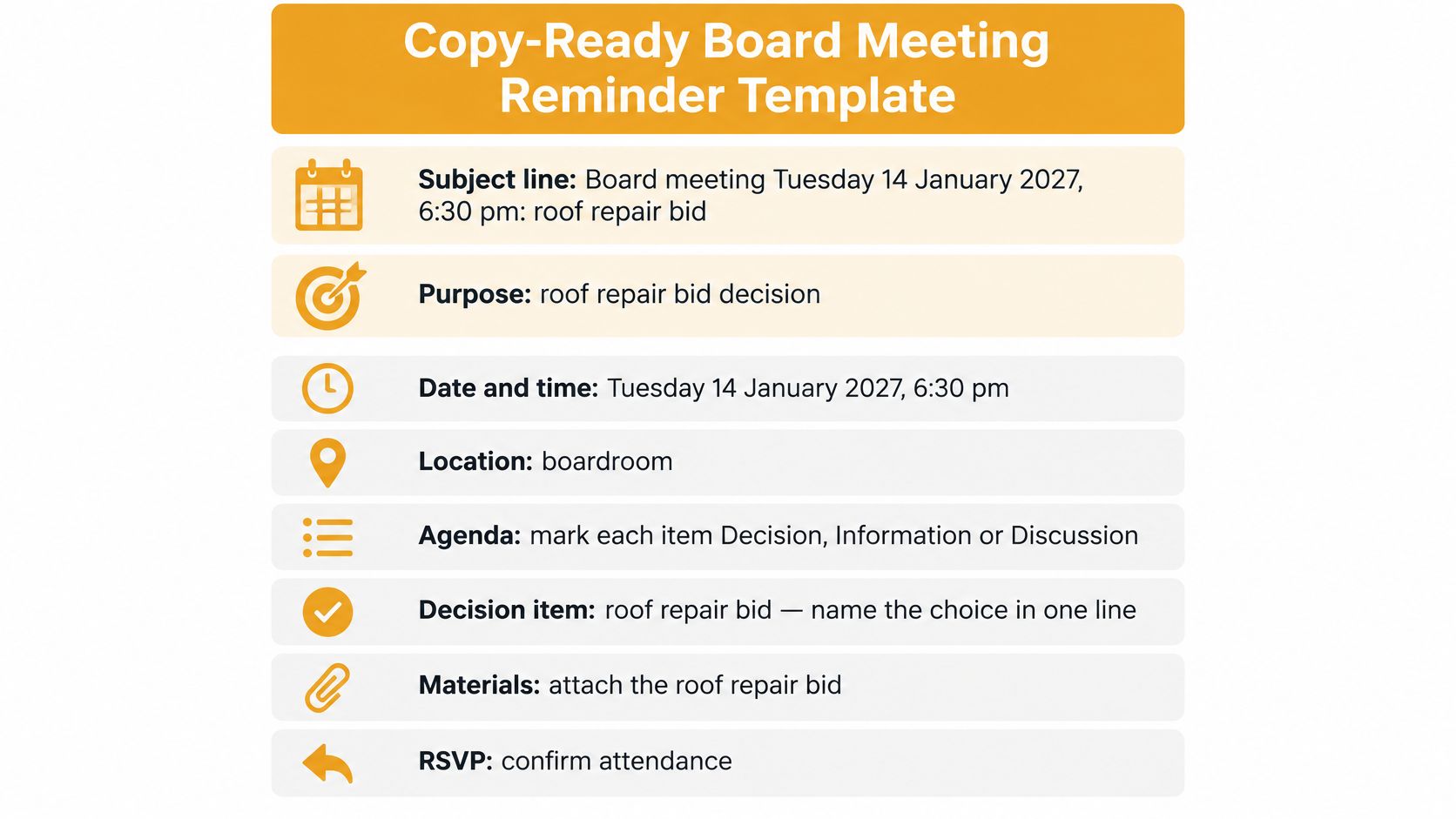
Save these fields as your standing draft
Copy this structure into your email client, then replace every bracketed field:
Subject: Board meeting [full date], [start time and time zone] | [main purpose]
Hello board members,
We'll meet to [specific purpose and intended outcome].
Date: [full date]
Time: [start and end time, time zone]
Location: [venue, street address, room, entrance]
Video: [actual meeting link and login requirements]
Dial-in: [actual telephone number and access code]Agenda
- Decision | [item name]
- Information | [item name]
- Discussion | [item name]
Review before attending: [document names, attachment status, and any body links]
Decision required: [choice members must make]
Questions due: [date, time, and reply route]
Document comments due: [date, time, and submission method]Attendance response: Reply to the group with Attend, Regrets, or Proxy, where permitted, by [deadline].
Conflicts and access help: Contact [organizer and contact method]. [Applicable proxy instructions.]
[Name]
[Role]
[Group name]
Fill the subject with the date and purpose so members can distinguish this meeting from an older thread. State the purpose as an outcome, not merely a meeting announcement.
Complete the logistics before drafting background explanations. Use the agenda for item names only, then put choices and supporting detail underneath it. Name each document exactly as it appears in the attachment list, and say whether a linked version is also available.
For an HOA, use Access Management Group's guidance to create compliant HOA meeting agendas when preparing the underlying agenda. A reminder doesn't replace any formal notice or agenda requirements that apply to your association.
Finish with the response request, the conflict route, and a sign-off containing the sender's name, role, and group. Members shouldn't have to infer who is responsible from an unfamiliar personal email address.
Telling Decisions from Information Items
An agenda item labeled roof repairs leaves too much unsaid. Is the board receiving a contractor update, comparing bids, or approving expenditure? A member who expects a briefing may arrive without reading the proposal needed for a vote.
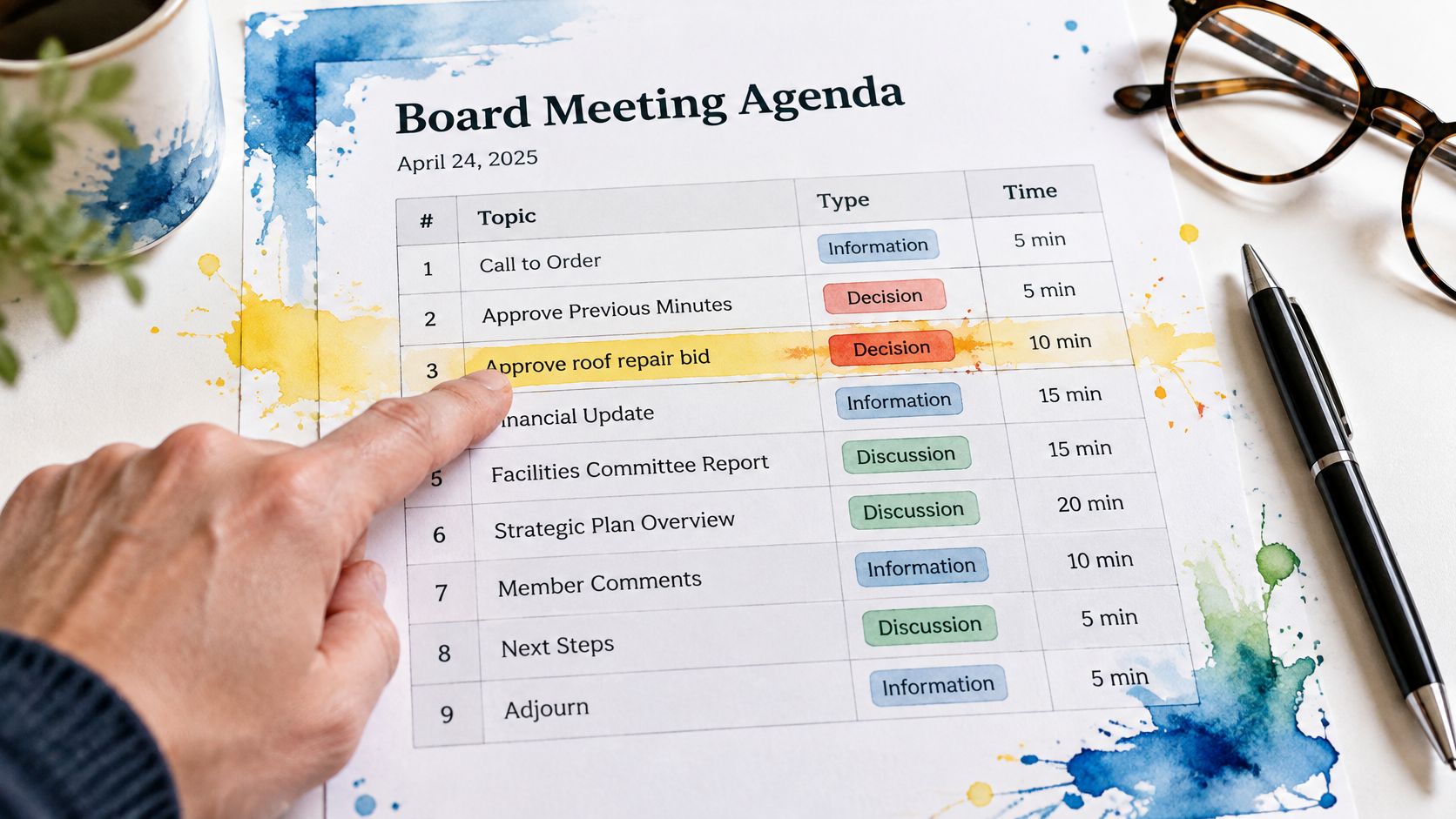
Label the work explicitly:
- Decision: Approve or reject the recommended roof repair bid described in the attached comparison.
- Information: Receive the treasurer's written report; no approval is requested.
- Discussion: Identify questions about maintenance priorities before a proposal is drafted.
These labels establish different preparation duties. A decision needs a defined choice and relevant supporting material. An information item needs a clear reading expectation, while a discussion item needs a question members can address.
The 2025 Bank Director governance survey found that 85% of boards allow virtual attendance at board or committee meetings. That finding concerns the boards surveyed, not every neighborhood association, but it reinforces a practical requirement: remote members need the same decision list and preparation materials as members in the room.
Separate preparation from attendance
Set a question deadline and a document-comment deadline before sending the principal reminder. Choose deadlines that leave the secretary and document owner enough time to circulate answers or revised papers. Don't ask for substantive preparation after the deadline has already passed.
Provide an absence route without assuming proxies are allowed. Where your governing rules permit them, state who may hold a proxy, how it must be submitted, and the filing deadline. A Regrets response naming another person isn't automatically a valid proxy.
A member who can't attend still needs to know what response is required. Silence isn't an attendance plan.
Late additions need an agenda addendum, not an unexplained replacement attachment. Name the added item, label it Decision, Information, or Discussion, explain the action requested, and identify the revised document. If members haven't had a fair opportunity to prepare, ask the chair whether the decision should be deferred under the applicable rules.
Carry those same decision labels into the minutes. SpecStory, Inc.’s a minutes format built for execution is useful when connecting the intended decision to the recorded outcome, owner, and follow-through.
Before sending, ask whether someone reading only the reminder could explain what they must decide and when their input is due. If they can't, another scheduling nudge won't solve the problem.
Keeping Addresses Private and the Email Readable
Say a board secretary pastes the membership list into CC. A member replies all with a routine access question, exposing the original recipient list again. Someone then forwards that exchange outside the board, taking everyone's personal addresses with it.
Private delivery and group discussion are separate requirements. BCC conceals recipients, but it doesn't provide a dependable shared reply path. A properly configured group address can preserve the conversation without displaying the membership list.
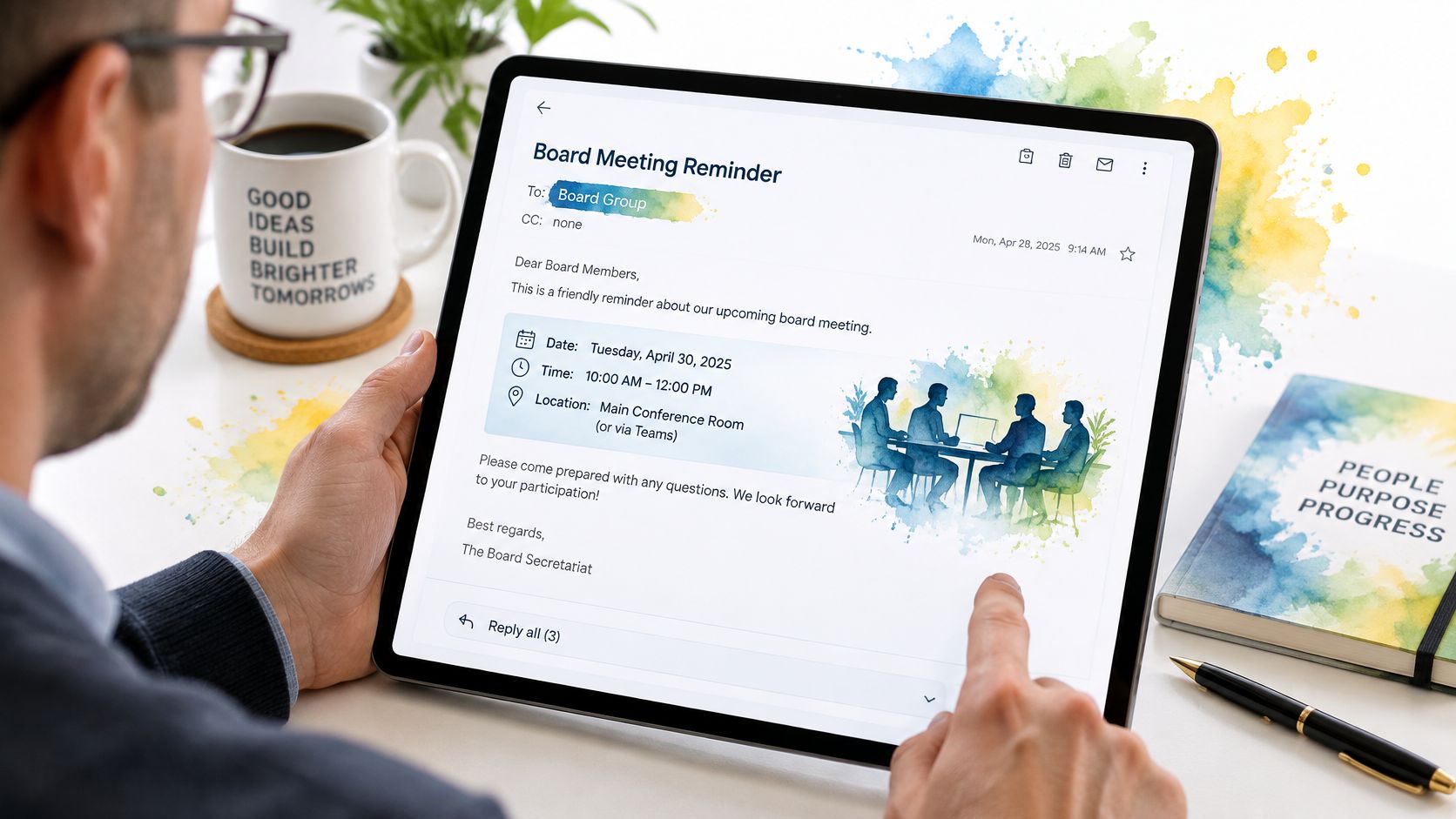
Put the reply destination near the top of the message. State whether routine replies reach the board or only the organizer, and provide a separate private route for sensitive conflicts. Keep confidential board packs off wider neighborhood or congregation announcement lists.
The Beyond Governance nonprofit governance paper provides context for treating communication as an organizational practice rather than an individual volunteer's inbox task. Our email list privacy guide addresses the related recipient-list decisions.
Make access practical, not decorative
Apply these checks to the email and its attachments:
- Readable text: Use large, high-contrast type and short paragraphs. Don't shrink the font to squeeze the agenda onto a screen.
- Navigable structure: Use descriptive headings and a numbered agenda, with proper heading styles in attached documents.
- Plain-text logistics: Type the time zone, venue, and joining instructions into the message. An image of an invitation isn't an adequate substitute.
- Usable documents: Prefer searchable text over scanned pages. Offer an accessible copy or printed version on request.
- Appropriate alternatives: Provide non-login access where suitable, but don't turn a confidential board pack into a publicly accessible document.
Members shouldn't need another account merely to receive a reminder or answer it. Our members receive and reply to emails as they normally do, without creating an account, and members' emails are never shared or sold.
Keep list administration separate from private correspondence so an incoming secretary can take responsibility without inheriting someone else's mailbox. A shorter reminder isn't automatically better: deleting access instructions or the correction contact saves space by transferring work to the recipient.
Fixing Reminder Failures and Setting Up Your Process
Reminder symptoms, causes and fixes
| Symptom | Likely cause | Fix | |---|---|---| | Replies land in one person's inbox | Members reply to the sender instead of the group | State that replies go to the group and keep the group address as reply path | | Low attendance despite reminders | Email gives no reason to attend or prepare | Add the decisions required and the question deadline | | Members miss a change | Time or location changed in a separate message | Resend the full logistics block in a single correction notice | | Member says they never got it | Address bounced or left the list | Compare the membership list with the sending list before each send | | Quorum at risk | Regrets and proxies aren't tracked | Set a fixed date for Attend, Regrets or Proxy replies and send one follow-up |
Before every send, compare the current membership list with the actual sending list. Check recent bounces, remove departed members through the proper process, and confirm corrected addresses with the people concerned. Don't restore someone who has unsubscribed.
A missing message isn't proof that the member ignored it. If the address is correct, use the checks in our guide to why emails go to spam, and ask the member to confirm receipt through another channel while you investigate.
Maintain a simple attendance record showing each member's response and any proxy documentation received. Give nonresponders a single targeted follow-up after the response deadline. If quorum remains uncertain, tell the chair rather than trying to solve a governance problem through repeated bulk emails.
Set up the next meeting in a fixed order
-
Create a group address. Decide who belongs on the board list and who administers it. Listava is one group email option where members use their normal inbox and keep their addresses private; the list stays available when a board member moves away because it doesn't live in anyone's inbox.
-
Save the standing draft. Fill in the logistics block first, then add the decision wording and the document names. Remove unused fields so nobody mistakes an empty placeholder for missing information.
-
Put exact send times in the calendar. Assign the confirmation, principal reminder, and any justified final nudge to a named sender. Use calendar tasks or your email client's scheduling controls rather than assuming the group address schedules messages itself.
-
Name a backup sender. Give that person the current agenda, approved recipient list, and authority to issue a correction. Test the handover before the organizer is unavailable.
Pre-send check: Open the draft on a phone, test the joining route, and verify that the attachments match the filenames named in the message.
Keep the workflow proportionate. A small club may need only a saved draft and a calendar task; a board handling confidential papers needs tighter document access and a clearer handover record. Neither benefits from an elaborate process that volunteers won't maintain.
This week, complete these actions:
- Create the group address and verify its membership.
- Save the reminder template with your board's response and preparation rules.
- Calendar the send times and assign the backup sender.
That gives the board a repeatable process, not another recurring scramble. Members can arrive prepared, understand the choices before them, and decide on time.
Listava offers a shared group email address for board reminders and replies, without requiring members to learn another app or create an account. Visit Listava to set up your board's group address, then use the reminder template to put logistics, preparation, and attendance responses in the same conversation.