Can You Reply All to BCC? Who Actually Gets It
Can you reply all to BCC? The button works, but hidden people are left out. See who gets the reply and what it reveals.
Reply All on a BCC message goes only to the sender and the visible To and Cc recipients, never automatically to the other BCC recipients. If you received the message through BCC, using Reply All can also reveal your address to those visible people.
You're looking at a neighborhood notice, and you've got a question everyone probably shares. The tempting move is to press Reply All, ask about the schedule, and assume the neighbors will see the answer. But the audience you can see in your inbox may be quite different from the audience the organizer originally contacted.
That difference matters whether you're answering a pool notice or running the neighborhood list yourself. The button can work exactly as intended while still leaving most of the group out.
Table of Contents
- Who Actually Receives a BCC Reply
- Why Hidden Addresses Never Travel With the Message
- What Your Reply Gives Away
- What Happens in a Real Group Thread
- When BCC Helps and When It Breaks the Thread
- Use a Group Address When the Thread Must Continue
Who Actually Receives a BCC Reply
Say a neighbor was copied on a pool-gate notice and hits Reply All to ask whether their old access code still works. The button works, but it doesn't add the other BCC recipients, because their addresses aren't available on the copy that arrived.
The sender and the people shown in To and Cc may receive the question. The other copied neighbors won't. Zoho's explanation of BCC describes the distinction between hidden recipients and the visible people a recipient can address.
Who receives each reply when BCC was used
| Action | Who receives it | Other BCC recipients included | Replier's address visible | |---|---|---|---| | Reply | Original sender only | No | Yes, to the sender | | Reply All by a BCC recipient | Sender plus visible To and Cc | No | Yes, to those people | | Reply All by a To or Cc recipient | Sender plus other visible recipients | No | Yes | | Forward | Only addresses typed by hand | No | Yes, to the new recipients | | Later email from a BCC person to the sender | Sender only, unless others are added | No | Yes, to whoever is addressed |
This table describes an ordinary message addressed by its sender. If the organizer has deliberately configured a Reply-To address, check the recipients in your reply window before sending, because that address can direct your answer somewhere else.
The questions people mean when they ask about BCC
When someone asks, “Can you reply all to BCC?”, they may be asking whether the button is available, whether everyone will hear them, or whether their involvement will stay hidden. Those aren't the same question.
- Can I answer the sender privately? Yes. Use Reply, then confirm that only the intended address appears.
- Can I answer everyone whose address is visible? Usually yes. Reply All addresses the visible conversation.
- Can I answer all the hidden recipients? No, not through ordinary Reply All. You don't have their addresses.
A forward doesn't solve the missing-audience problem, either. You choose its recipients yourself, and the original hidden group isn't attached to it.
The important catch is who can now see you. If the pool committee receives your Reply All and your address wasn't on the original notice, committee members may infer that you were privately included or otherwise received a copy. Your response hasn't exposed the hidden list, but it may have exposed your own participation.
Why Hidden Addresses Never Travel With the Message
Think of an organizer handing out the same letter in separate envelopes. Everyone gets the announcement, but each person's copy shows only the names they're allowed to see, not the organizer's complete delivery list.
Email makes a similar distinction between where a message is delivered and which recipients appear on the message. Your inbox receives the content and its visible address lines. It doesn't normally receive a usable directory of everyone the sending system contacted.
BCC means blind carbon copy. The Internet Engineering Task Force's RFC 5322, the Internet Message Format standard published in October 2008, defines the field as containing recipients “whose addresses are not to be revealed to other recipients.” The standard also permits BCC addresses to remain in a reply's BCC field in some circumstances, but says they should not be placed in that reply's To or Cc fields.
Delivery information isn't a shared address book
Sending software can remove the BCC field before delivery or prepare separate copies for hidden recipients. That allows the system to deliver the announcement without printing the confidential distribution list where everyone can read it.
The relationship between delivery and visible addresses looks like this:
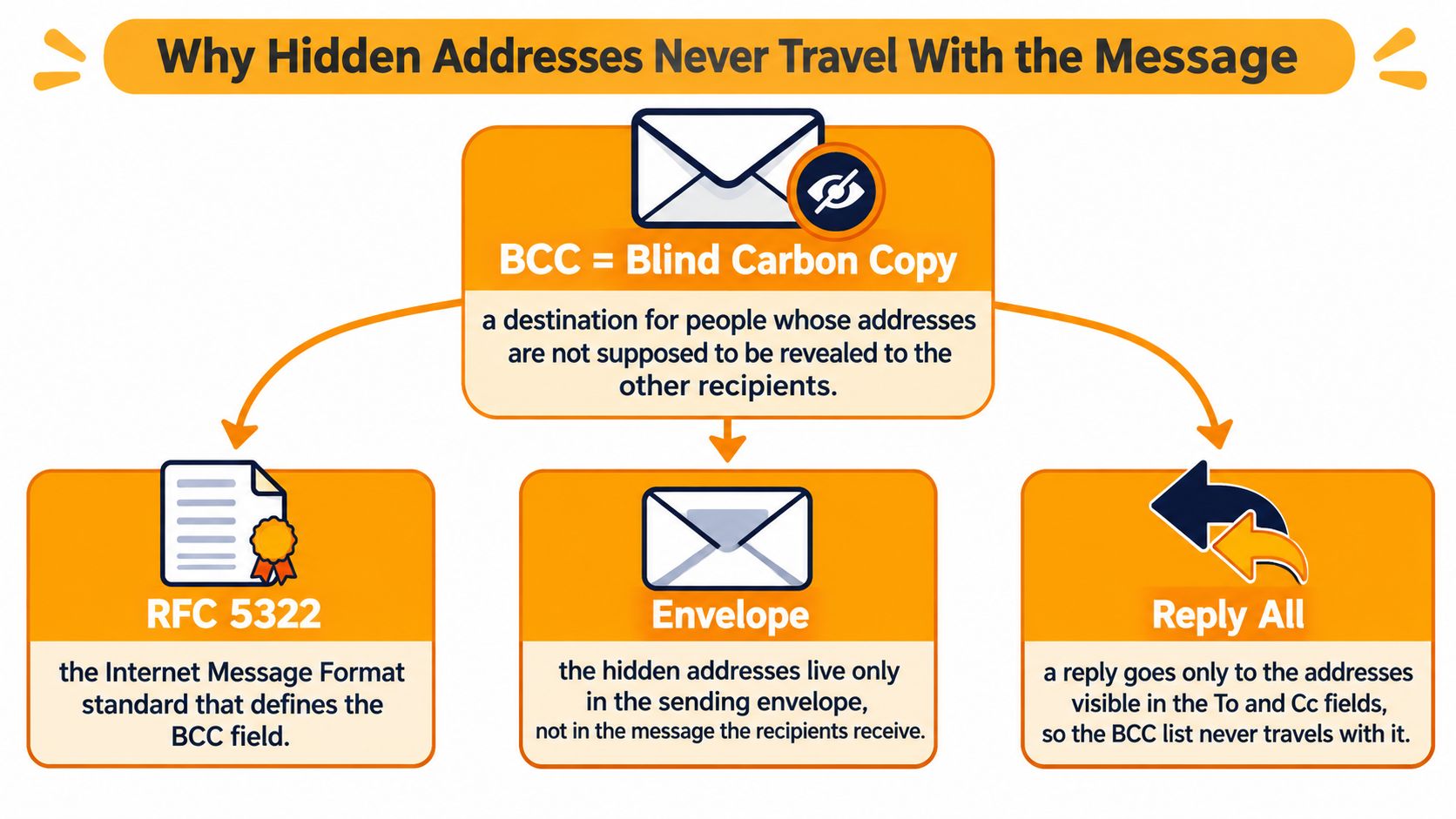
Your reply window works from the information available on your copy. It can't reconstruct a hidden neighborhood directory just because the first notice reached that directory.
Practical rule: Treat the addresses in your reply window as the audience you're about to contact, not as a record of everyone who received the original.
This isn't a Gmail setting or an Outlook quirk. The underlying email format separates confidential delivery from the visible recipient information that ordinary replies use.
Addressing and email protection serve different jobs
An organizer may also need to think about protection for the mailbox itself. Nutmeg Technologies' resource on securing business email with EOP is relevant to that separate task, rather than to deciding who belongs in To, Cc, or BCC.
Keep those decisions separate. BCC controls the disclosure of recipient addresses on a send; it doesn't turn that send into a managed discussion space. It works best when the organizer wants to distribute a notice confidentially, not when the recipients need a shared conversation afterward.
What Your Reply Gives Away
Address privacy means other recipients can't read the hidden distribution list on the original message. Participation privacy would mean you could respond without anyone learning that you received it. BCC offers the former, not a guarantee of the latter.
As a BCC recipient, you can normally see the sender and the addresses in To and Cc. When you send a response, your own address appears on that new message for whoever receives it. Choosing Reply All can therefore turn a quiet copy into visible participation.
The difference is easier to recognize when you think about the people around the message:

A private list doesn't make every response private
Suppose a volunteer privately includes a resident in a disagreement with the neighborhood committee. The resident replies to everyone with useful background. Even if nobody else's hidden address appears, the committee can now see that resident's address and their contribution.
That isn't necessarily a technical failure. It's a mismatch between what the organizer expected BCC to protect and what the resident did with the message.
Microsoft's guidance on the BCC field describes a related trade-off: placing a distribution list in BCC can reduce unwanted Reply All exchanges because recipients can't reply directly to the hidden list. The same arrangement also means that list won't receive subsequent replies unless someone deliberately addresses it.
Use BCC when the response should stay between the recipient and the sender. Don't expect it to host a conversation where every member both speaks and listens.
Make the privacy promise specific
Before sending, decide what you're promising people. “Your address won't appear in the announcement” is narrower than “Nobody will know you're involved.” Don't substitute the second promise for the first.
A useful email list privacy checklist starts with those practical boundaries: who sees membership, who receives responses, and what happens when someone participates. Explain the intended behavior in the notice itself, especially if recipients might reasonably assume they're joining a discussion.
For a one-way announcement, write something concrete, such as: Please reply directly to me with access questions. That gives the recipient an action to take instead of requiring them to understand the organizer's addressing choices.
What Happens in a Real Group Thread
Consider a hypothetical HOA water-shutoff notice. The president puts the board in To and the residents in BCC, then explains that maintenance will interrupt service. Everyone receives the announcement, and the residents don't see the resident list.
The privacy risk begins when someone answers, not when they open the notice:

The question reaches the board, not the neighborhood
A resident presses Reply All to ask whether service will return before dinner. The president and visible board members receive the question. The other residents don't.
A board member answers on that new thread, so the resident who asked may receive clarification. Meanwhile, other residents independently send the president the same question. The organizer now has separate conversations to manage, even though everyone started with the same notice.
Then a board member replies all to say thanks. Another answers to ask everyone to stop replying all. The original BCC audience doesn't automatically receive that exchange, either, because those residents weren't carried into the board's visible conversation.
The practical result isn't just too much email. It's uneven information: some residents know the updated schedule, others have only the original notice, and the president must decide what needs to be sent out again.
A warning can catch disclosure, but can't repair the audience
Google Workspace's Gmail updates describe a warning for Reply All attempts when the replying user's address isn't in the original To or Cc fields, a situation that can arise through BCC, forwarding, or delegation. The warning treats the action as a potential disclosure hazard, not just an etiquette mistake.
That's useful because a resident asking about dinner shouldn't have to remember email-header rules while typing. But a warning can't supply the missing resident list or make the answer reach the intended neighborhood.
This video offers another way to examine the reply behavior before sending:
For organizers, preventing a reply-all storm and keeping everyone informed are separate responsibilities. Suppressing broad replies can help with the former while making the latter harder.
The better design question is specific: When a resident intentionally answers the group, where should that answer go? The communication method should provide a predictable destination, rather than leave the president to reconnect scattered replies.
When BCC Helps and When It Breaks the Thread
CC, BCC, or a group address
| Method | Addresses visible to recipients | Replies reach the whole group | Best job | |---|---|---|---| | CC | Yes | Yes, with Reply All, and often too easily | Small group that already shares addresses | | BCC | No on the original send | No | One-way notice with private replies to the sender | | Single group address | No, members see the group address | Yes, when replies go to that address | Ongoing discussion with private membership |
Choose the method according to what should happen after the announcement, not just how tidy the first message looks. CC is reasonable for a committee whose members already know one another and agree to share addresses. It also makes broad responses easy, so the group needs a shared understanding of when those responses are useful.
BCC fits a meeting reminder, a closure notice, or an update whose answers belong with the organizer. If you need attendance confirmations privately, that's a feature, not a limitation.
Choose for the next message
Questions, shared decisions, and recurring coordination need a different arrangement. The Internet Message Format standard's BCC rules explain the structural constraint: hidden recipients aren't available as a visible list for a reply composer to rebuild.
A stable group address gives the conversation a destination recipients can address. With the appropriate reply routing and privacy controls, members can discuss the notice without printing everyone's personal address on each message.
If the next message should reach the same full group, BCC was the wrong field for the first one.
Continuity deserves its own check. A group address helps with leadership changes only when the list can be maintained independently of the departing organizer. Merely saving a contact group in someone's personal mailbox doesn't solve that handoff.
Edge cases that don't repair BCC
- A distribution list placed in BCC stays hidden from replies. Giving the initial audience a convenient name doesn't make that name available to recipients who never see it.
- A forwarded announcement creates a new audience. The forwarder chooses where it goes and can expose the message content along with their own address.
Don't confuse address hiding with content protection, either. BCC doesn't encrypt the words in a message or prevent a recipient from sharing them.
For urgent notices, you might separately consider an opt-in text channel. Express Text on keyword sign-ups is a resource for evaluating that enrollment approach, not a fix for a broken email thread. Decide separately whether recipients need a broadcast alert, a private answer, or a discussion everyone can follow.
Use a Group Address When the Thread Must Continue
Return to the water-shutoff notice and change the destination. Instead of putting residents in BCC, the president sends to a shared group address that distributes the message to its members.
When a resident sends the dinner-time question back to that address, the group receives it. When the organizer answers there, members receive the clarification without needing to ask independently. The organizer can spend time confirming the maintenance schedule rather than copying an answer between private threads.
Give people a destination they can recognize
A well-configured group address makes the intended audience visible without displaying the membership directory. Residents don't have to guess whether Reply All means the board, the neighborhood, or only the president. They can inspect the destination before they send.
At Listava, we provide that shared address: messages sent to it reach group members, and replies go back to the group while personal addresses stay hidden. Creating a group takes about thirty seconds, members are added by CC'ing them, and they receive and reply in their existing inboxes without creating an account. Our guide to a group email address explains how that arrangement differs from maintaining a personal contact list.
The service started with a father-in-law volunteering to run his neighborhood HOA email list from a Gmail account. That origin reflects an ordinary organizing problem: the person responsible for the notices shouldn't have to become the neighborhood's unpaid email technician.
Match the method to the conversation
Use the simplest arrangement that meets the actual need.
- Keep BCC for private responses. If you're announcing a meeting time and want availability questions sent only to you, say so in the notice.
- Use the group address for shared questions and answers. Neighbors planning access during maintenance need a common destination, not a pasted collection of hidden names.
- Keep CC for a familiar committee. When members already share their addresses and everyone needs the discussion, there may be no reason to change tools.
Consent comes before adding people. Every recipient must have explicitly agreed to receive emails through our lists, and every message must include clear unsubscribe instructions. Knowing someone's address, or having received a forwarded message from them, isn't the same as having their permission.
If you organize invitations in person, MyPerfectStay's explanation of how to share a QR code invite offers an example of presenting an invitation people can choose to use. Whatever invitation method you select, make the group's purpose clear before anyone agrees to join.
The handoff matters, too. Our list stays available when a board member moves away because it doesn't live in that person's inbox. A new volunteer can continue using the shared destination instead of rebuilding the neighborhood from an old spreadsheet.
The goal isn't to make every announcement a conversation. It's to choose deliberately whether the recipient should answer privately or speak to the group, then give them an address that supports that choice.
Listava gives your neighborhood, club, or family a shared email address that keeps replies with the group without exposing members' personal addresses. Visit Listava to create a group for people who have agreed to join, then send your next discussion to that address instead of relying on BCC.